How to Create an AI Influencer for Free: Step-by-Step Guide
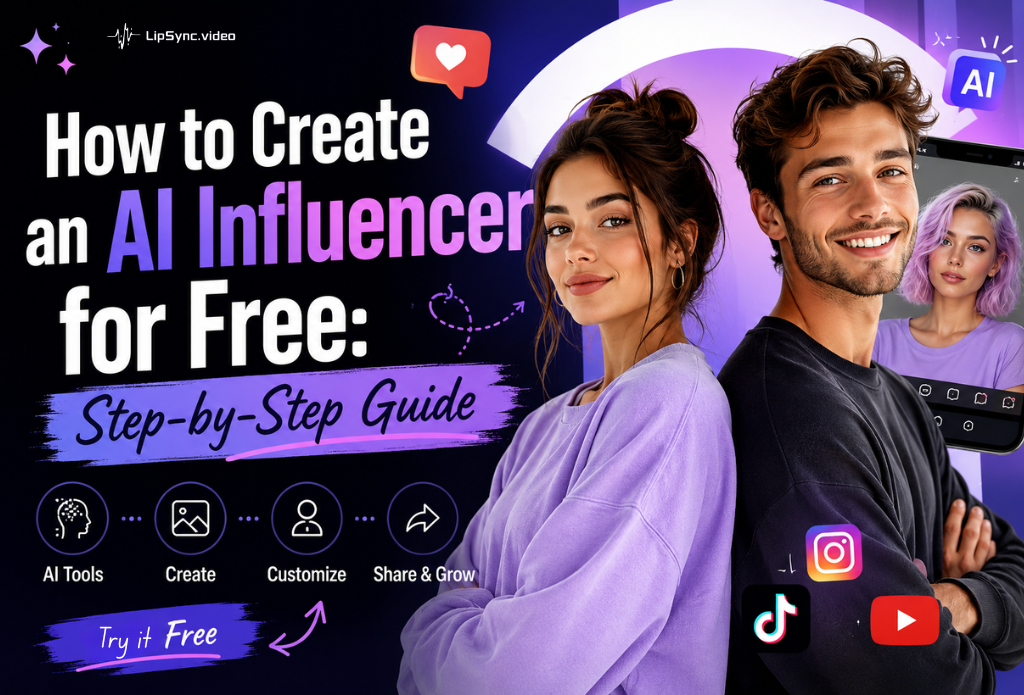
Still paying $500 to $50,000 for a single sponsored post — plus weeks of contracts, shoot scheduling, and revision rounds before it even goes live? That's the cost of working with a human influencer. Create an AI influencer instead, and you can be ready in an afternoon, for free, keeping the face, voice, and rights to reuse it for every video after.
This guide walks through the process from scratch — what to lock down before you touch a tool, how to build the face, voice, and movement, and what you legally need to disclose once you publish.
Table of Content
Before You Create an AI Influencer
Most people who want to create an AI influencer don't fail because the tools are hard to use. They fail because they skipped straight to generating a face with no plan behind it, and three videos in, nobody — including the creator — can say who this character actually is. Three things are worth deciding before you create an AI influencer's actual face and voice:
Pick a niche and a point of view. "Beauty" or "tech" isn't a persona, it's a category. What does this character actually have an opinion about? A product reviewer who's blunt about bad packaging is more memorable than a generic one who likes everything.
Write down the basics. Name, age, a rough backstory, tone of voice (playful, deadpan, earnest). This doesn't need to be a novel — a few lines is enough — but it's what keeps the captions, voice, and on-screen behavior feeling like the same person across fifty videos instead of drifting with every new prompt.
Decide where this is going to live. Instagram, TikTok, and YouTube each have their own AI-content labeling requirements, and if this is for a brand, you'll also want to know upfront whether legal or compliance needs to sign off before anything posts. Sorting this out now is cheaper than finding out after the tenth video.
With that settled, you're ready to create an AI influencer for real. Here's what the build itself takes.
How to Create an AI Influencer for Free with Lipsync.video
Three things, and nothing more, are all you need to create an AI influencer from scratch:
A reference image or generated face for your influencer's look. A voice — either a cloned voice, a recorded one, or an AI-generated voice. A script or topic for what your influencer will actually say.
You don't need a camera, a microphone, or editing software. Everything below can be done with AI tools that handle image generation, voice synthesis, lip sync, and scene generation in one workflow.
Step 1: Design Your AI Influencer's Look
Start with the face. This is the first real decision when you create an AI influencer, since it's what makes your influencer recognizable across every future video. You have two options here.
If you want full control over appearance — ethnicity, age, style, expression, outfit — head to avatars and click Create Avatar. From there you can either upload a reference photo directly, or switch to Text to Image and type a prompt describing the look you want (for example, "a friendly woman in her late 20s, casual streetwear, warm lighting, looking directly at camera"). Click Generate and your character is ready.
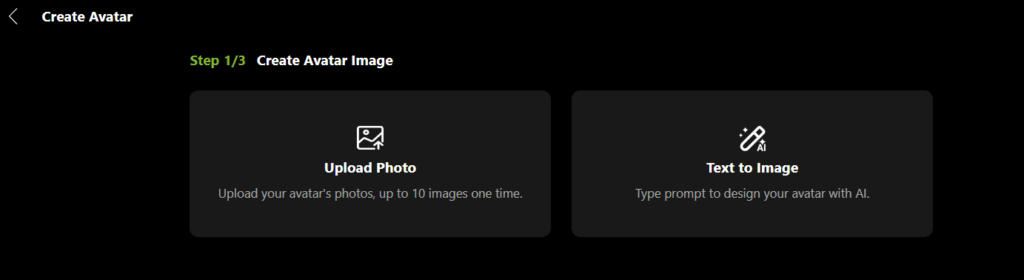
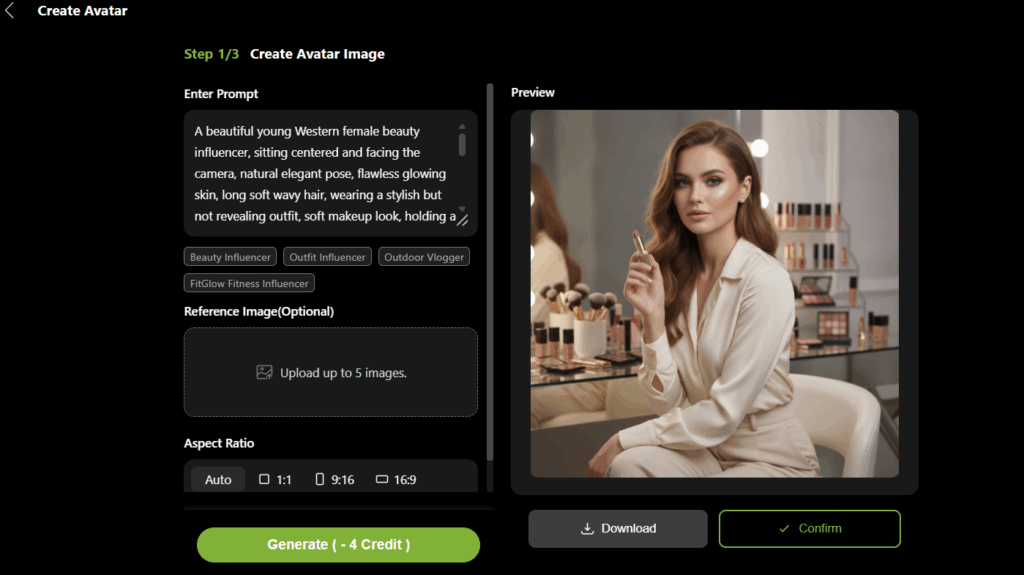
Lipsync.video hands out free credits every day, and you can pick up more by sharing your creations, so this entire first stage of building an AI influencer doesn't cost anything to try.
Whichever route you take, save this reference image — you'll bring it into the next step.
Step 2: Give Your AI Influencer a Voice
A face without a voice doesn't feel like a person. You have three practical options:
Type a script and let AI generate natural-sounding speech from text, choosing from a range of tones and accents. Clone your own voice (or a licensed voice) so every video sounds consistent. Record short audio clips and use them as the audio source directly.
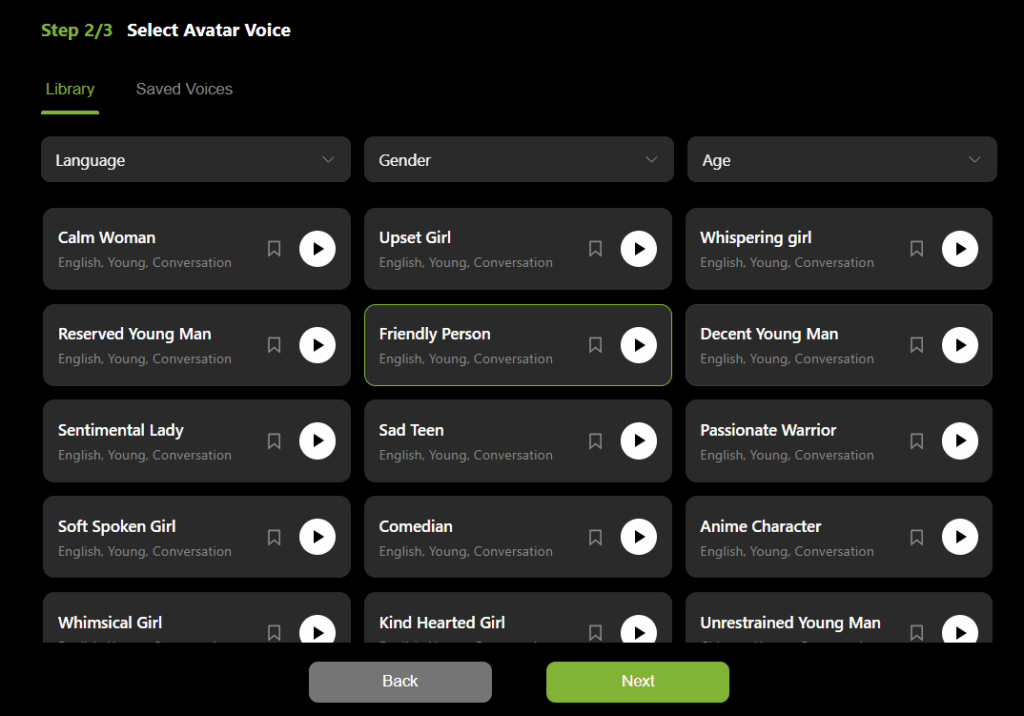
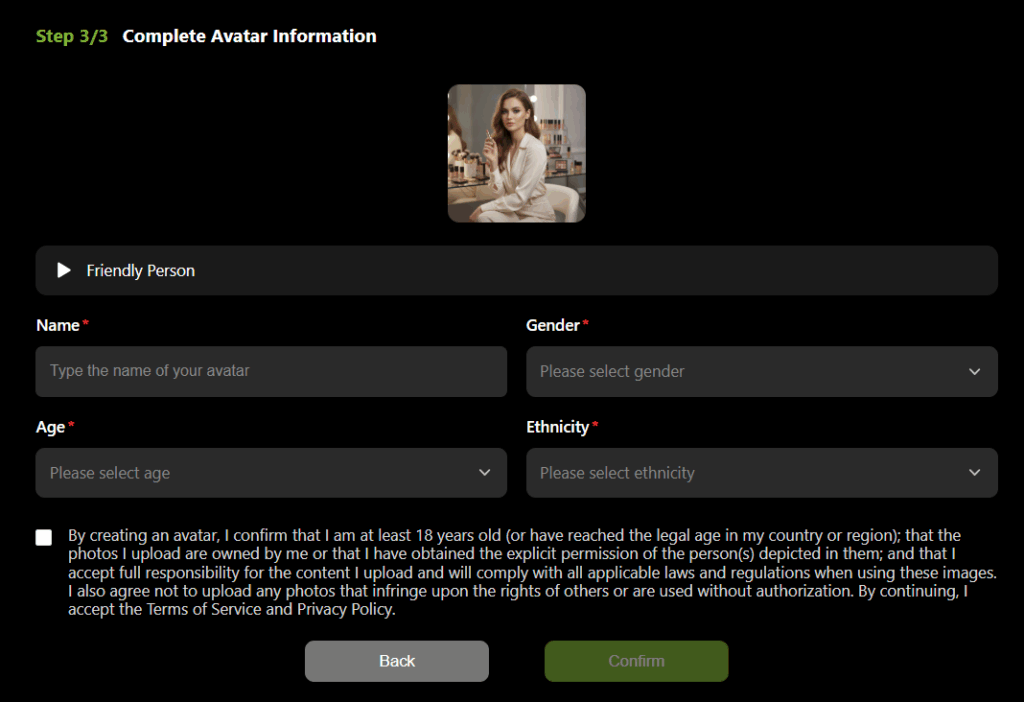
Lipsync.video supports over a hundred voices across multiple languages, spanning different genders and ages, so you can match the voice to the character you built in Step 1. Once you've picked one, name your AI influencer and fill in basic details like gender and age, then save the profile. You'll reuse it for every future video so your influencer sounds and looks like the same person each time.
Step 3: Make Your AI Influencer Talk
This is the step that turns a static image into a believable character. Upload your reference image along with your script or audio file to a Talking Avatar tool. The AI analyzes the audio and animates realistic mouth movements, expressions, and head motion to match — frame by frame, without manual keyframing.
Step 4: Give Your AI Influencer a World, Not Just a Face
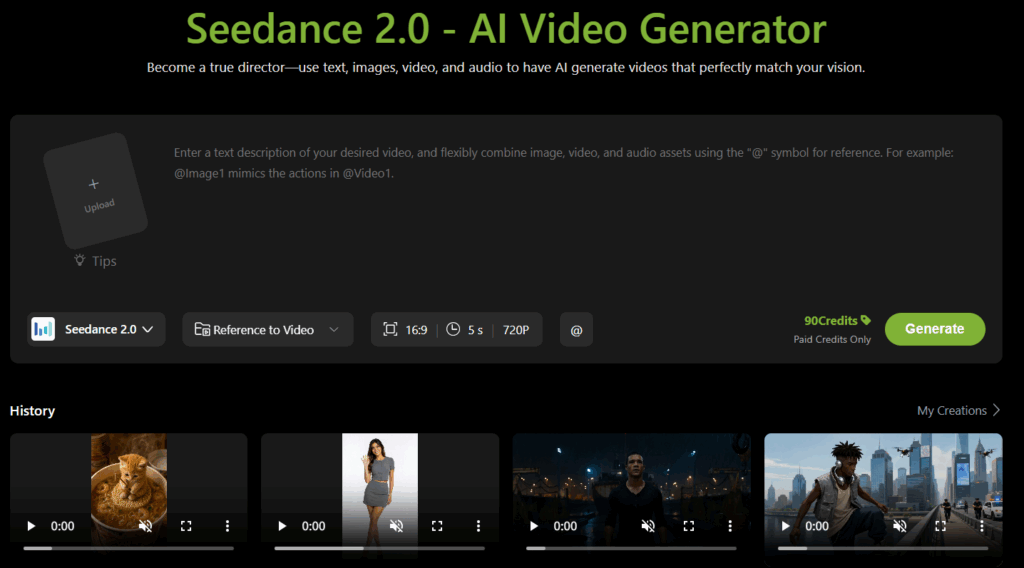
A talking head in front of the same plain background, post after post, is the fastest way to make an AI influencer feel repetitive. This is where most beginner AI influencer content falls short — and it's also where a model like Seedance 2.0 earns its place in the workflow.
Instead of generating only a static talking-head clip, use Seedance 2.0 to generate the scene around your influencer: walking through a store, unboxing a product, sitting in a café, reacting outdoors. Describe the setting and action in a text prompt, generate the clip, then bring your character into that scene. The result reads less like a single recycled avatar shot and more like an actual creator who goes places and does things — which is exactly the variety that keeps an audience watching past the first few posts.
This is also the step where AI influencer content for brands gets genuinely useful: product demos, "day in the life" formats, and location-based content no longer require an actual shoot.
Step 5: Build a Posting Routine, Not a One-Off Video
A single AI influencer video is a demo. A content calendar is what actually builds an audience. Plan a small set of recurring formats — a weekly opinion clip, a product reaction, a Q&A — using the same face and voice each time, and rotate the scenes you generate so the format stays familiar while the setting changes. Consistency in appearance and tone matters more than production polish.
Step 6: Export and Publish Your AI Influencer Video
Once a video is generated, download it and publish it the same way you would any other short-form content — vertical format for TikTok and Reels, captions burned in for sound-off viewing, and a hook in the first three seconds.
5 AI Influencer Use Cases
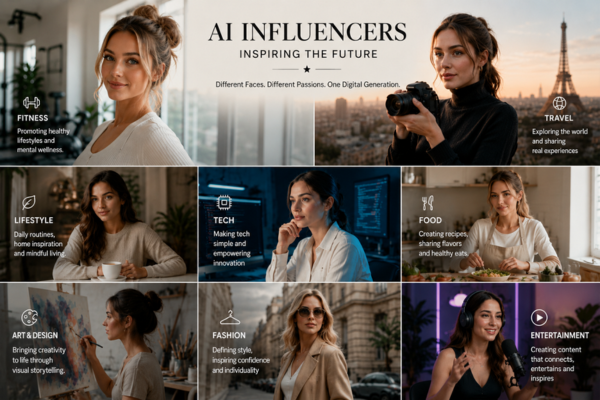
Seeing finished output makes the process easier to visualize than reading steps alone. Five formats people commonly use to create an AI influencer with this workflow:
Product reviewer. A persona that "tests" and reacts to items in different real-world settings generated with Seedance 2.0 — a store aisle, an unboxing desk, an outdoor shot — used by small e-commerce brands instead of hiring a presenter.
Daily news or update anchor. A recurring character that summarizes daily news, industry updates, or community announcements in a consistent on-screen format, so viewers recognize the "show" even as the topic changes.
Multilingual brand spokesperson. The same face delivering the same script in several languages, just swapping the voice track per market — useful for brands selling across regions without budget for separate local talent.
Entertainment character. A stylized cartoon or illustrated persona built purely for entertainment, where the appeal is the character design and personality rather than realism.
Singing AI influencer. Beyond talking, the same character can perform a song with synced lip movement, which opens up music covers, jingles, and audio-led content — a format most talking-head-only AI influencer tools can't produce.
AI Influencer vs. Human Influencer
Worth comparing the two directly rather than just listing the case for why you should create an AI influencer over hiring a human one.
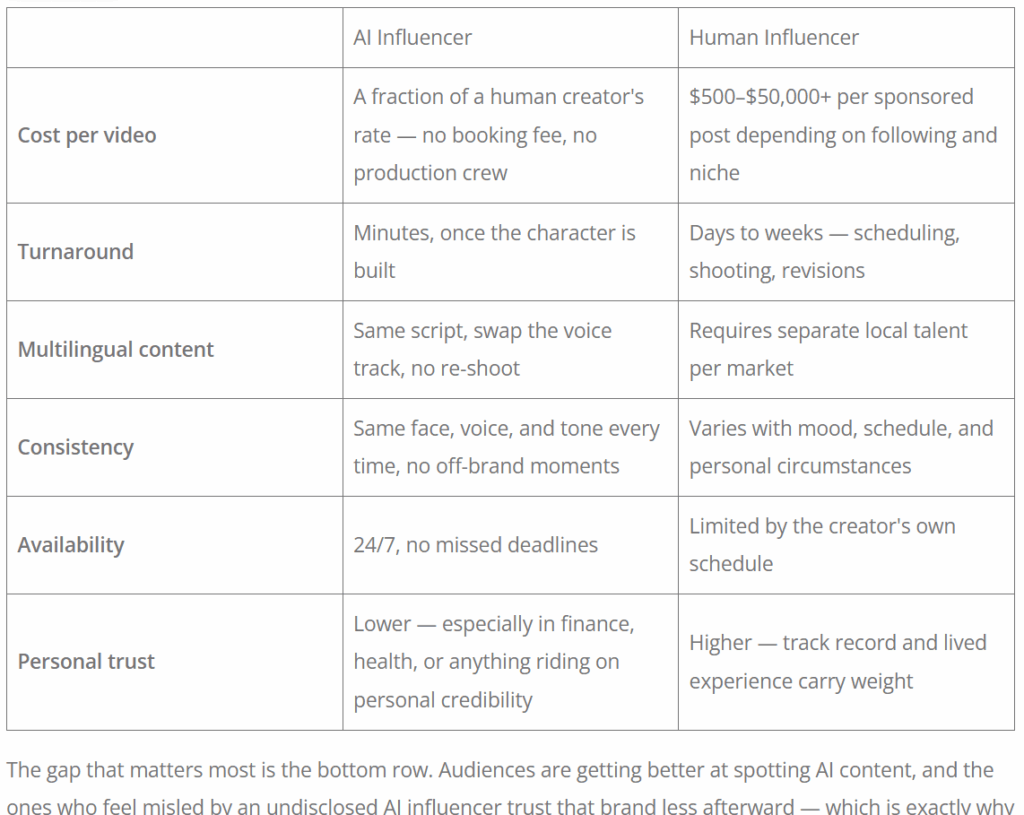
The gap that matters most is the bottom row. Audiences are getting better at spotting AI content, and the ones who feel misled by an undisclosed AI influencer trust that brand less afterward — which is exactly why disclosure isn't an optional extra (more on that below).
The practical takeaway: AI influencers are a strong substitute for volume, speed, and multilingual reach. For categories built entirely on personal trust, pairing an AI influencer with disclosed, transparent use tends to outperform either hiding the AI or skipping it altogether.
Frequently Asked Questions
Do I need any design or video editing experience?
No. The entire workflow to create an AI influencer is upload-and-generate. Skills like prompt writing (describing what you want clearly) matter more than technical editing ability.
Is it legal to create an AI influencer?
Yes — it's legal to create an AI influencer in the first place. The rules kick in once you publish: in the US, the FTC's Endorsement Guides now cover AI personas the same as human ones, so any commercial or brand-tied content needs a clear disclosure, not just a buried hashtag. In the EU, the AI Act's transparency rules for AI-generated content apply from August 2026. Platforms like Instagram and Meta also have their own AI-labeling requirements independent of either law. None of this is legal advice — check the current rules for your country and platform before scaling up a branded campaign.
How much does it cost to create an AI influencer?
On Lipsync.video, you can start with free daily credits — enough to design a character, give them a voice, and generate your first talking video without paying anything. If you need higher volume or deeper features, paid plans start at $9.99/month.
Can the same AI influencer speak different languages?
Yes. Keep the same reference face and swap the voice/audio track per language, so the character stays visually consistent across markets.
What should I look for in an AI influencer generator?
A few things matter more than the rest: how consistent the face stays across multiple generations, whether voice cloning sounds natural rather than robotic, and whether the tool can put your influencer into different scenes instead of locking you into one static background. A free tier worth testing before you commit to a paid plan also goes a long way. AI Influencer Generator covers all four if you want a starting point.
Create Your AI Influencer Today
The fastest way to understand how to create an AI influencer is to run the workflow once. Head to the AI Influencer Generator to design your character's look, give them a voice, and generate your first talking video — no sign-up required to try your first generation.