TypeBalanceValidity period
Check-in Credits0Today
Share Credits0Today
Follow Credits0This Week
Post Credits0This Week
Paid Credits0Permanent
Auto
21:9
16:9
4:3
1:1
3:4
9:16
5 s
768P
2K
lip sync
Unlimited subscription for Lipsync/ Talking/ Singing.Learn More→
Pricing
0
Sign In
Lip Sync
AI Avatar
AI Video
AI Ads
AI Audio
AI Image
Creation
Sign In
Lip Sync
AI Lip Sync
Talking Photo
Singing Photo
Talking Cartoon
Talking Animals
AI Baby Podcast
AI Avatar
AI Avatar Generator
Avatars
Talking Avatar
AI Human Generator
Avatar Dialogue
AI Influencer Generator
Video Tools
AI Image to Video
Motion Control
Seedance 2.5
Seedance 2.0
Minimax H3
Kling 3.0
Gemini Omni
Veo 3
Grok Imagine Video
Seedance 1.5 Pro
Hailuo 2.3
HappyHorse 1.0
AI Ads Tools
AI Ad Clone
Product Avatar
Product Video
Product Image
AI Audio
AI Voice Cloning
AI Image Tools
AI Image Editor
GPT Image 2.0
AI Character Generator
AI Hairstyle Changer
AI Hair Color Changer
AI Baby Generator
Creation Tools

MiniMax H3 Video Generator

Create a MiniMax H3 video from text, images, video, and audio references—with synchronized sound, watermark-free exports, and commercial usage rights.

Minimax H3
8+
Reference to Video
Upload Image/Video/Audio (0/12)
0 / 7000
5s
Auto
21:9
16:9
4:3
1:1
3:4
9:16
768P
2K
Paid Credits Only
Tips
Minimax H3
Reference to Video
16:9|
5 s|768P
@
40credits
Paid Credits Only

Direct every shot

MiniMax H3 Prompt Guide

Use clear references, a timed action, and an audio direction to turn an idea into a MiniMax H3 video.

Prompt Formula

A reusable five-part format

01

References:

assign images, video, and audio to a specific role.

02

Scene:

define the subject, setting, light, and style.

03

Motion:

describe action, camera behavior, and timed transitions.

04

Sound:

name speakers, dialogue, ambience, effects, and music.

05

Continuity:

list details that must stay recognizable.

Prompt Case 01

Input Assets

Input Assets

Image

Input Assets

Image

Input Assets

Image

Input Assets

Image

MiniMax H3 Prompt

Produce a high-end fashion brand video. Refer to [Image1] for the overall atmosphere, setting, and filmic texture; [Image3] for the handbag; [Image2] for the talent; and [Image4] for the brand's closing logo. Core narrative: Beside a vintage car on a desert highway, a woman returns to the rear of the vehicle, opens the trunk, and retrieves a black handbag. She shares a moment of quiet connection with the man standing nearby before walking away with the bag. The overall tone is sophisticated, cool, and restrained, with dynamic editing that captures a fashionable rhythm.

MiniMax H3 Sample Video

01 / 03

One multimodal direction

Build a MiniMax H3 Video with Up to 12 References

Combine images, videos, and audio clips in one MiniMax H3 video.

Up to 9

Image references

Anchor characters, products, environments, styling, opening frames, or final frames while keeping important visual details recognizable.

Up to 3

Video references

Guide body movement, object motion, pacing, camera language, or shot rhythm without forcing the source background into the result.

Up to 3

Audio references

Shape speech delivery, timing, music, ambience, and sound effects for an audiovisual MiniMax H3 video.

Resolution

768P or 2K

Duration

4–15 seconds

Aspect ratios

21:9 · 16:9 · 4:3 · 1:1 · 3:4 · 9:16

Why Creators Choose MiniMax H3

Control identity, motion, sound, and continuity in one MiniMax H3 video workflow.
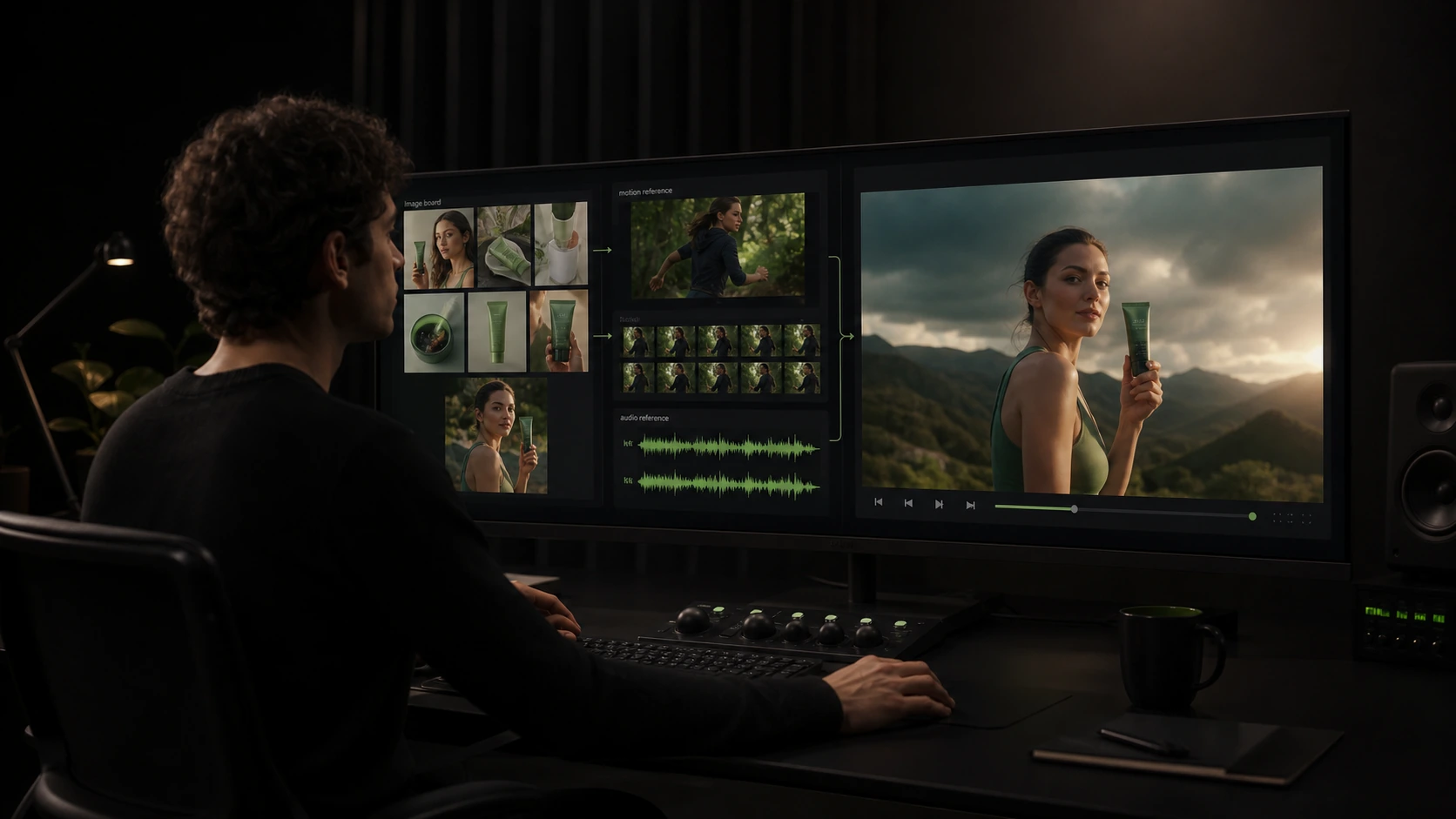
Combine Images, Video, and Audio in One Generation

Combine Images, Video, and Audio in One Generation

Create one MiniMax H3 video with up to 9 images, 3 videos, and 3 audio clips. Use images to define characters, products, settings, or first and last frames; video to guide motion and camera rhythm; and audio to guide dialogue, music, timing, or ambience—all inside the same MiniMax H3 Video Generator workflow.
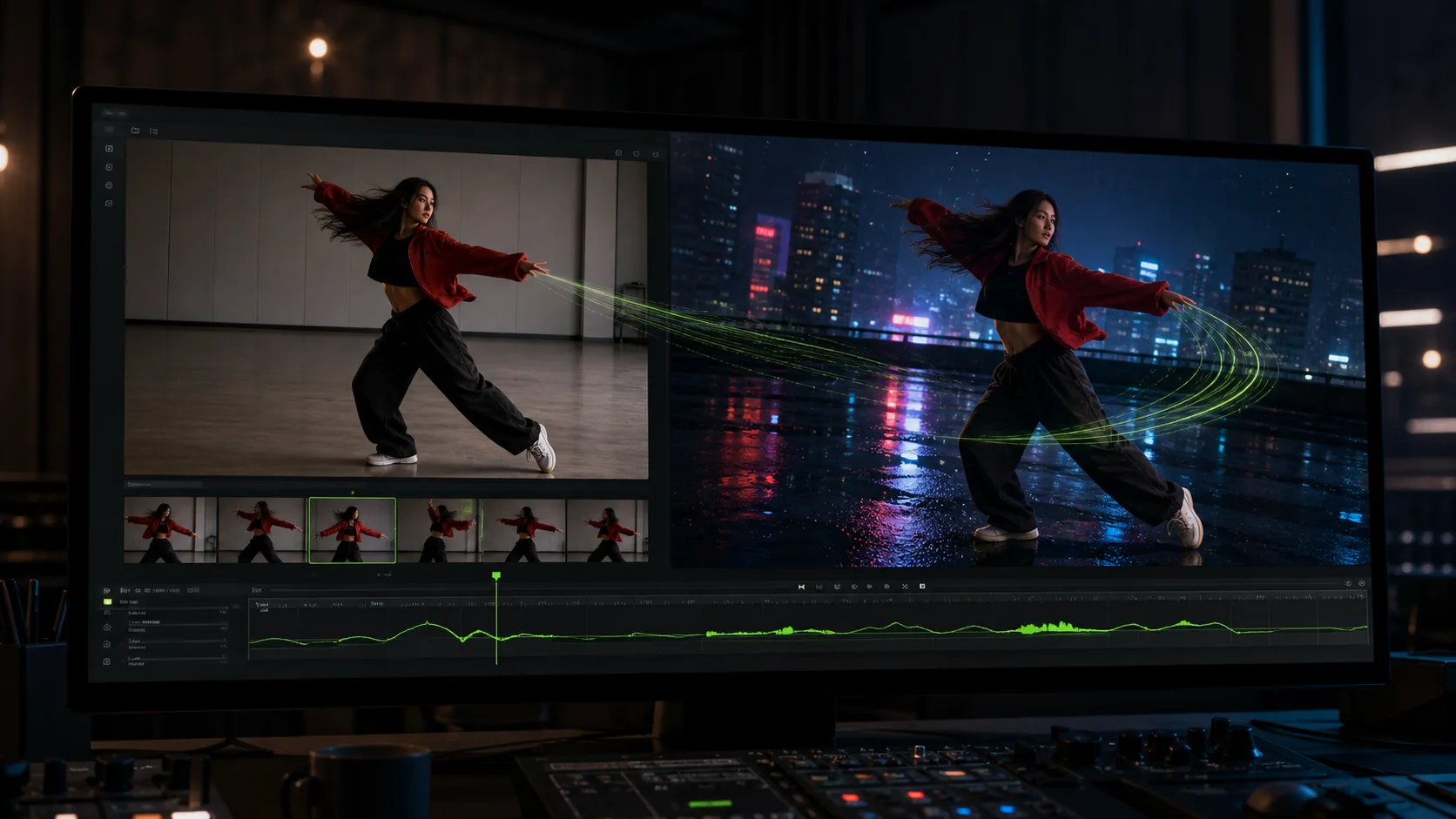
Transfer Motion into a New Scene

Transfer Motion into a New Scene

Use a reference video to transfer a gesture, object action, performance, or camera move into a completely new setting. Image references can preserve the recognizable character or product, while the MiniMax H3 video prompt controls the location, lighting, framing, wardrobe, and final visual style.
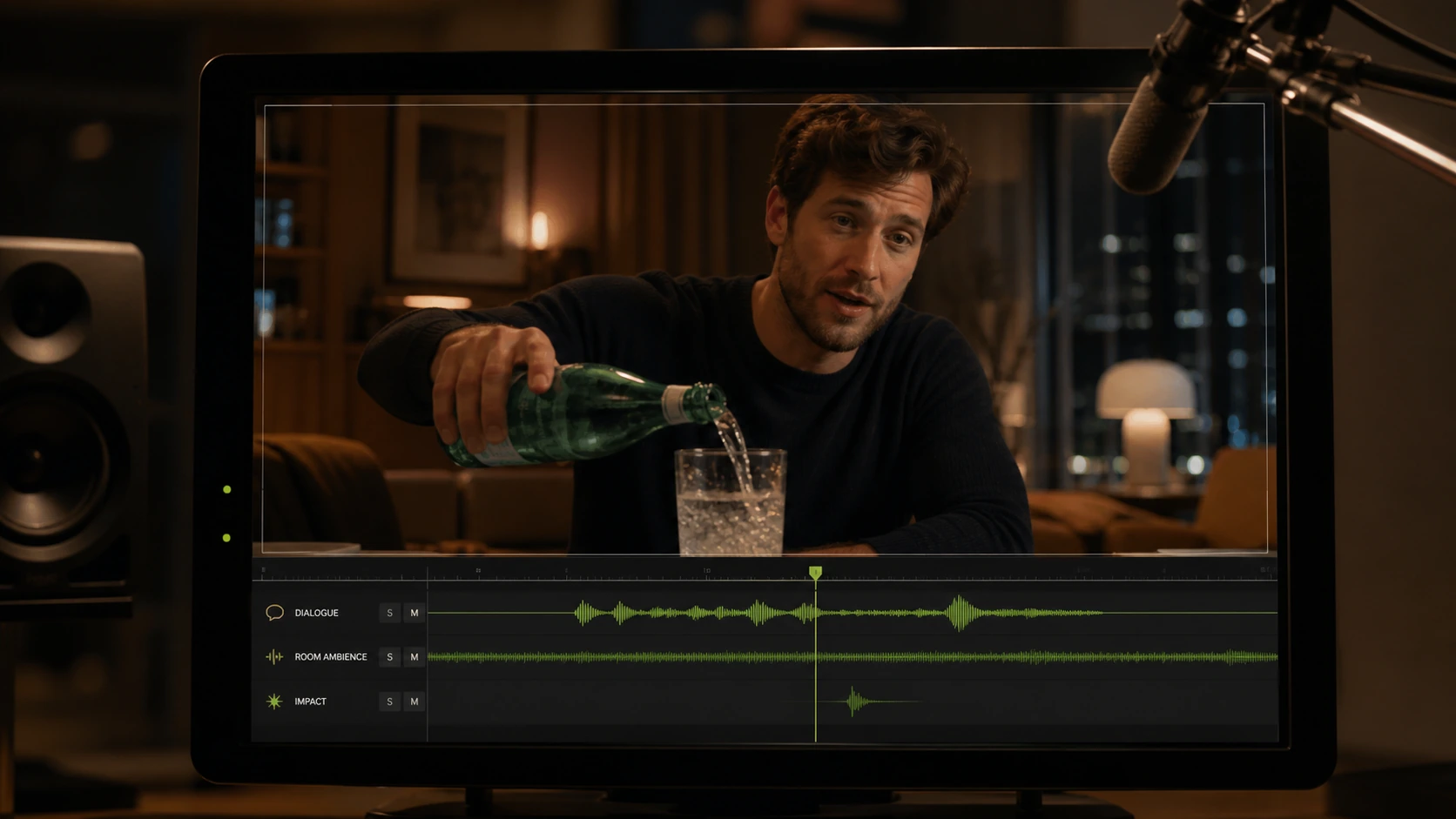
Generate Synchronized Video and Sound

Generate Synchronized Video and Sound

Direct dialogue, music, ambience, and action effects together with the visuals. Add timing cues for when a line begins or an effect lands, or use an audio reference to guide pacing and vocal delivery. MiniMax H3 creates the picture and synchronized sound as one directed audiovisual scene.
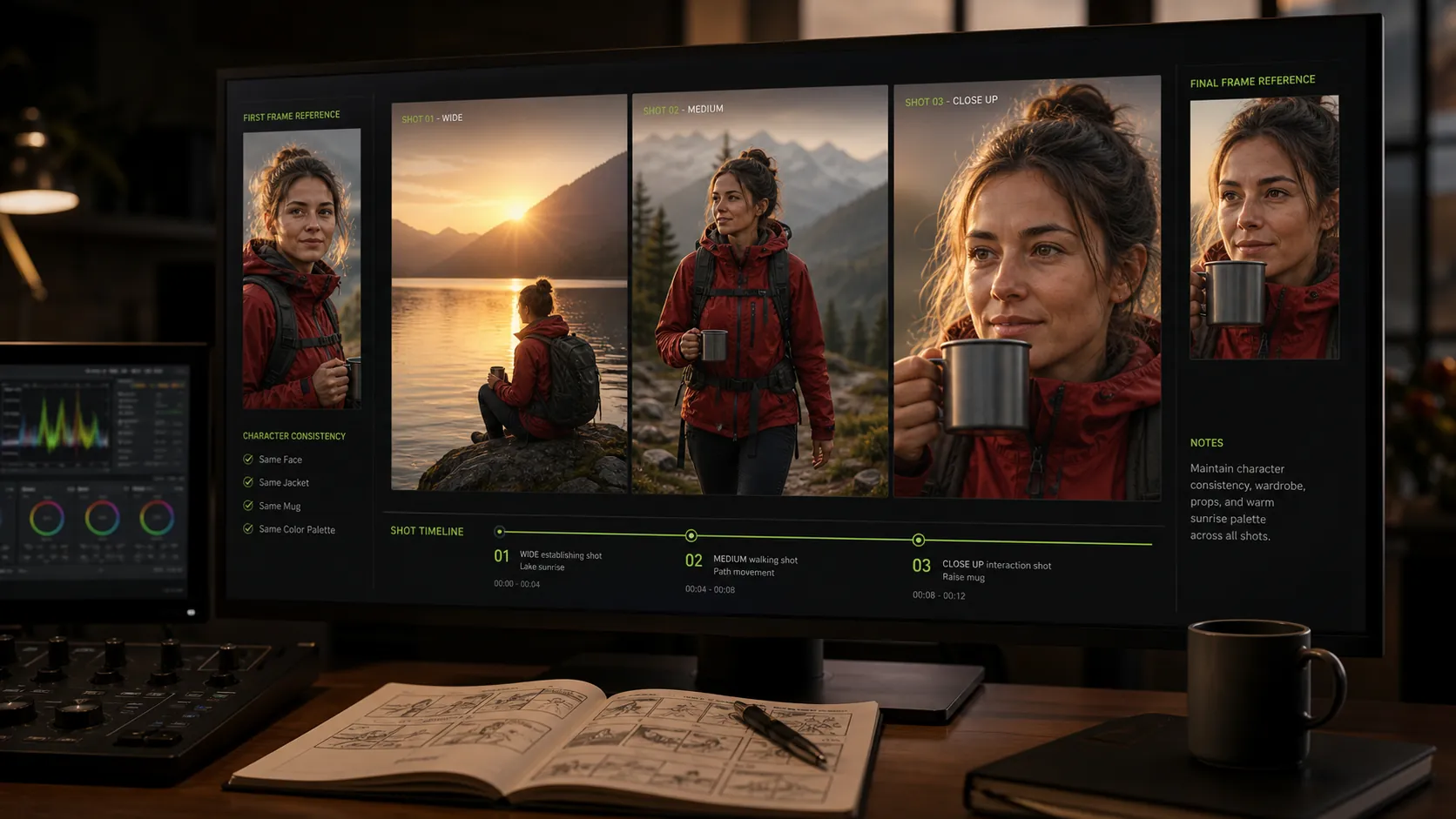
Keep Characters and Props Consistent Across Shots

Keep Characters and Props Consistent Across Shots

Upload reference images of characters or props to preserve the visual thread across a sequence. A MiniMax H3 video prompt can define wide, medium, and close-up shots while the references keep the face, wardrobe, product, and key scene details recognizable from one shot to the next.

Simple workflow
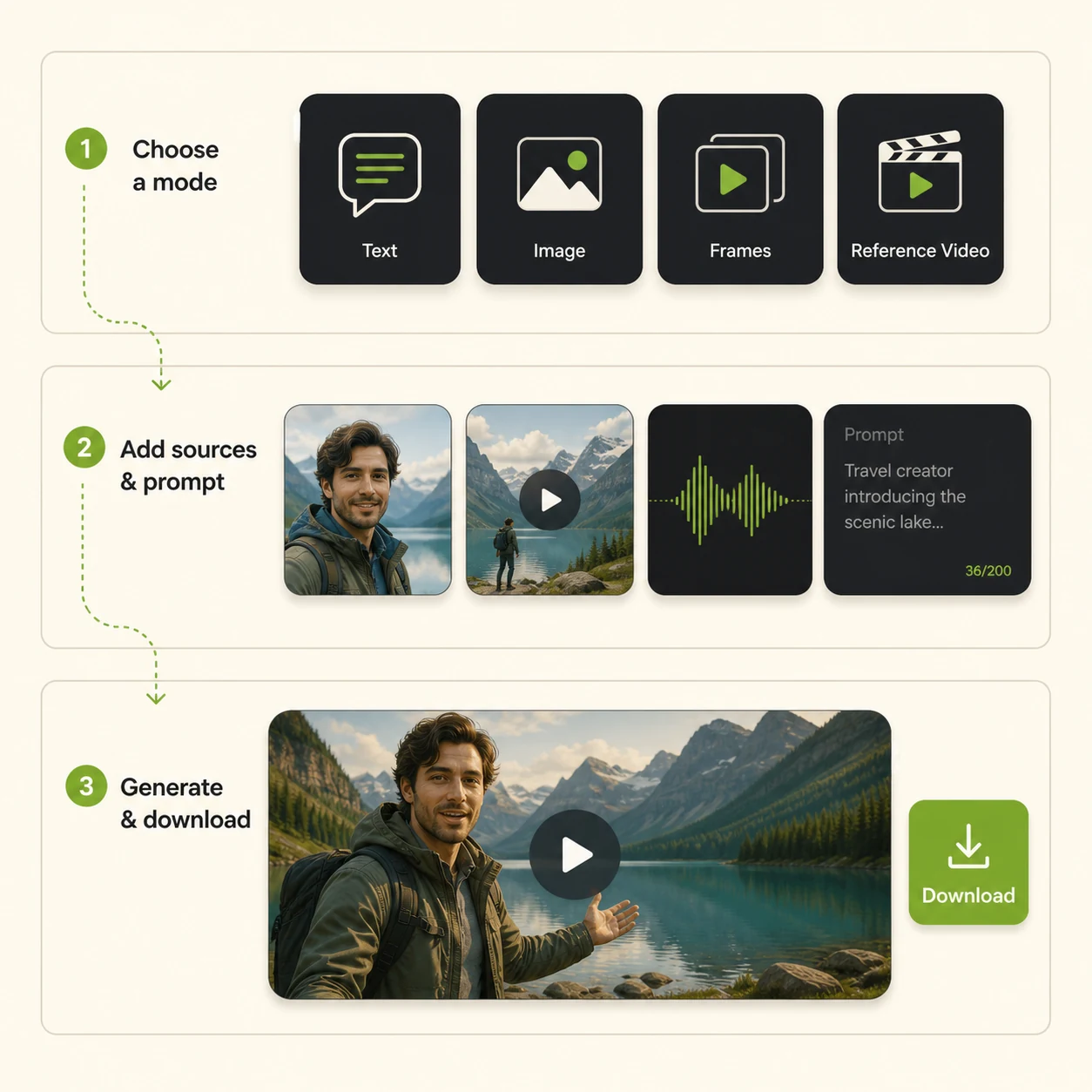
How to use MiniMax H3 Video Model

How to use MiniMax H3 Video Model
1

Choose a Generation Mode

Select Text to Video, Image to Video, Frames to Video, or Reference to Video for your goal.

2

Upload Assets and Add a Prompt

Add the images, videos, or audio you need, then describe the scene, movement, camera, sound, and continuity.

3

Generate and Download

Choose the duration, resolution, and aspect ratio. Generate your MiniMax H3 video, preview the result, and download it.

Reference-driven production

High-Impact MiniMax H3 Video Use Cases

Turn products, characters, performances, and storyboards into directed short videos.
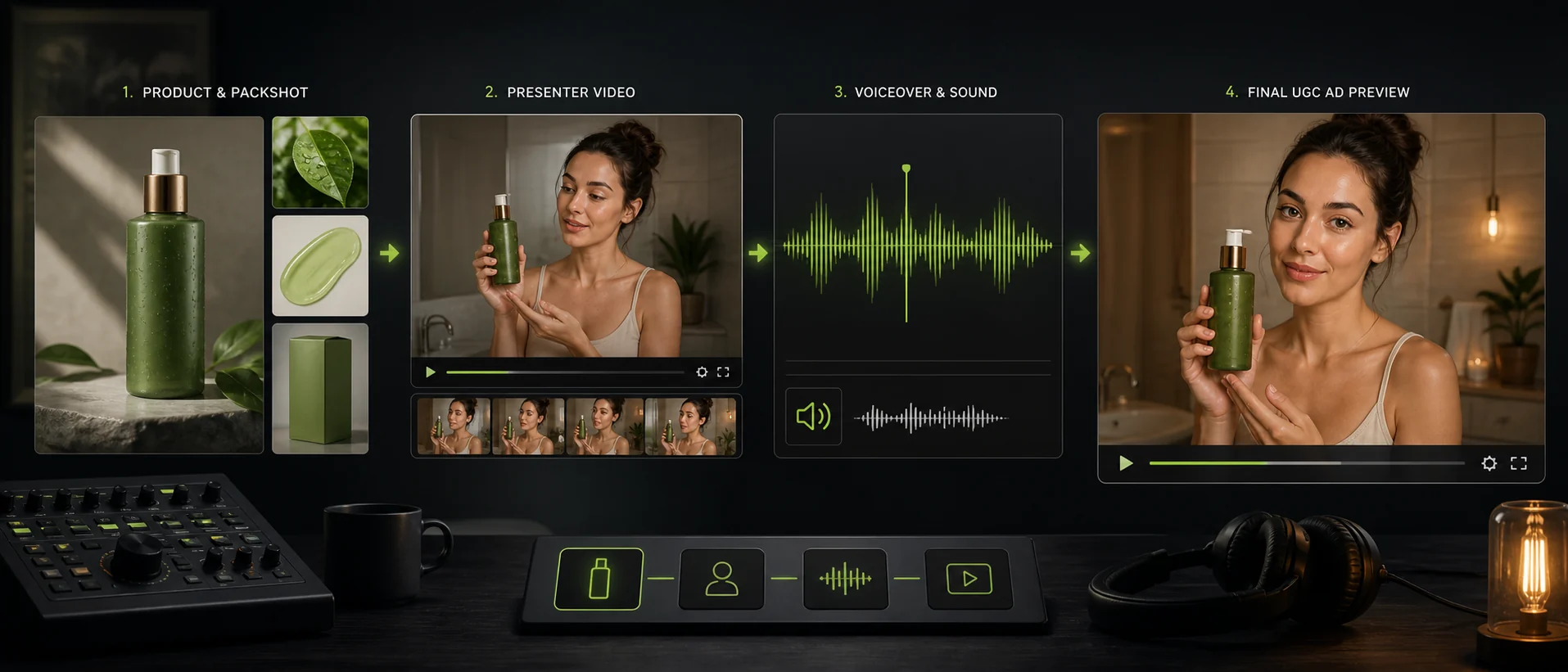
Product ads and UGC

Product ads and UGC

Combine product images, presenter motion, voiceover, and practical sound while keeping packaging and brand details recognizable.
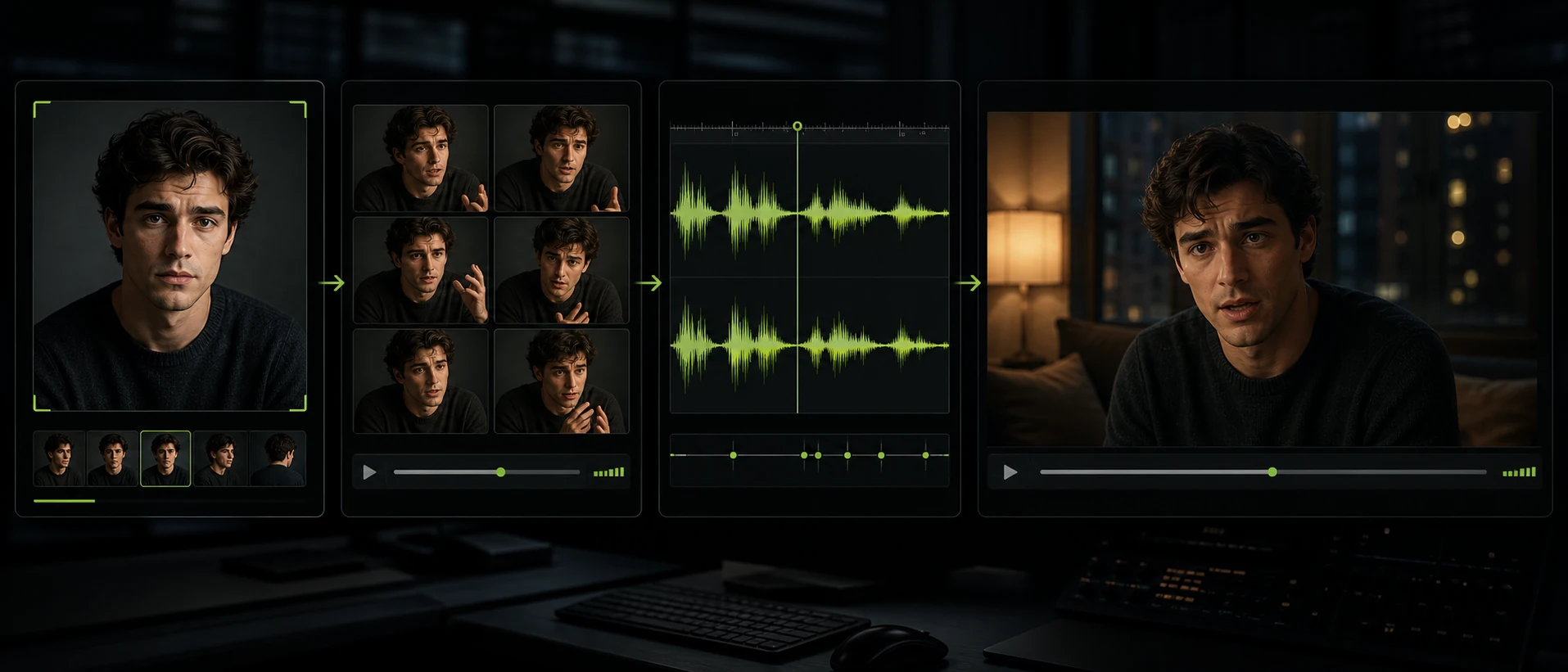
Dialogue-led scenes

Dialogue-led scenes

Use a character image, acting reference, and audio pacing to direct expressive short scenes with a consistent look and voice.
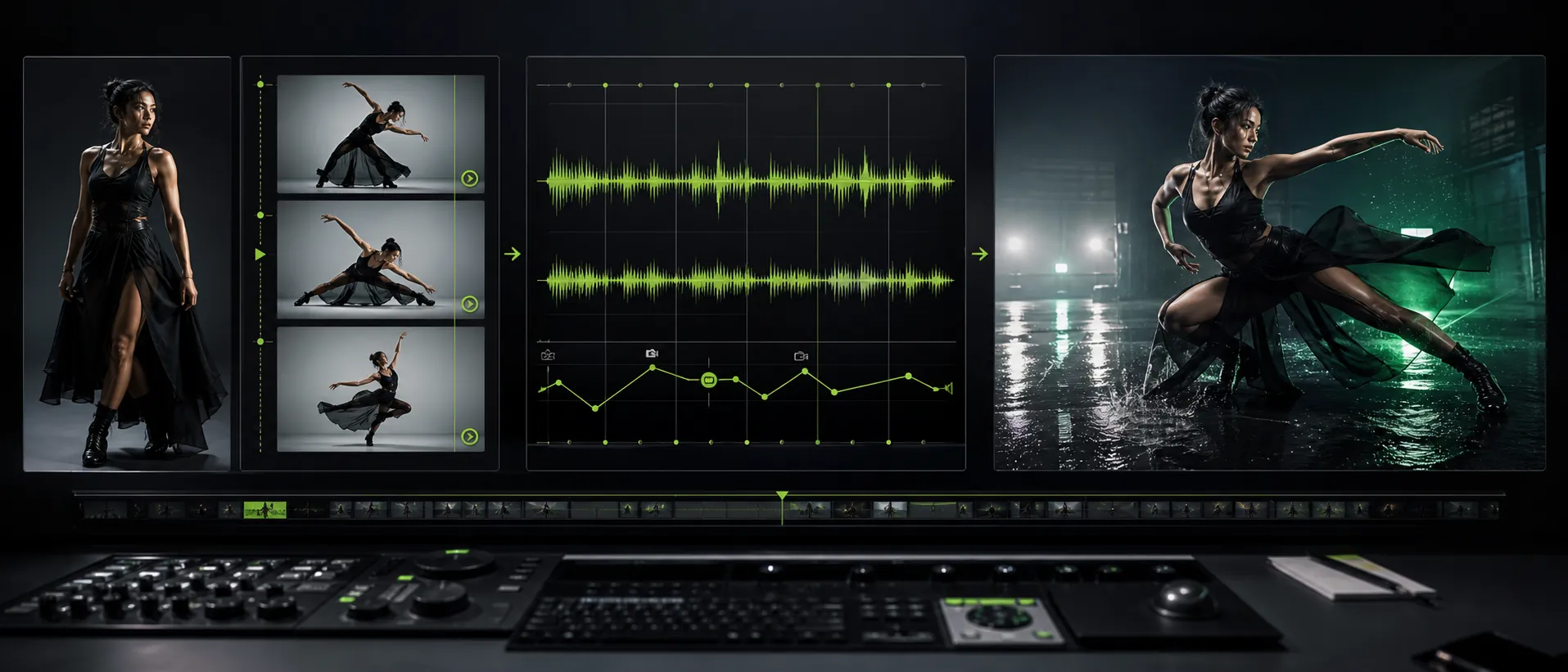
Performance videos

Performance videos

Match choreography or camera movement to an audio reference for music clips, dance sequences, and performance-led social content.
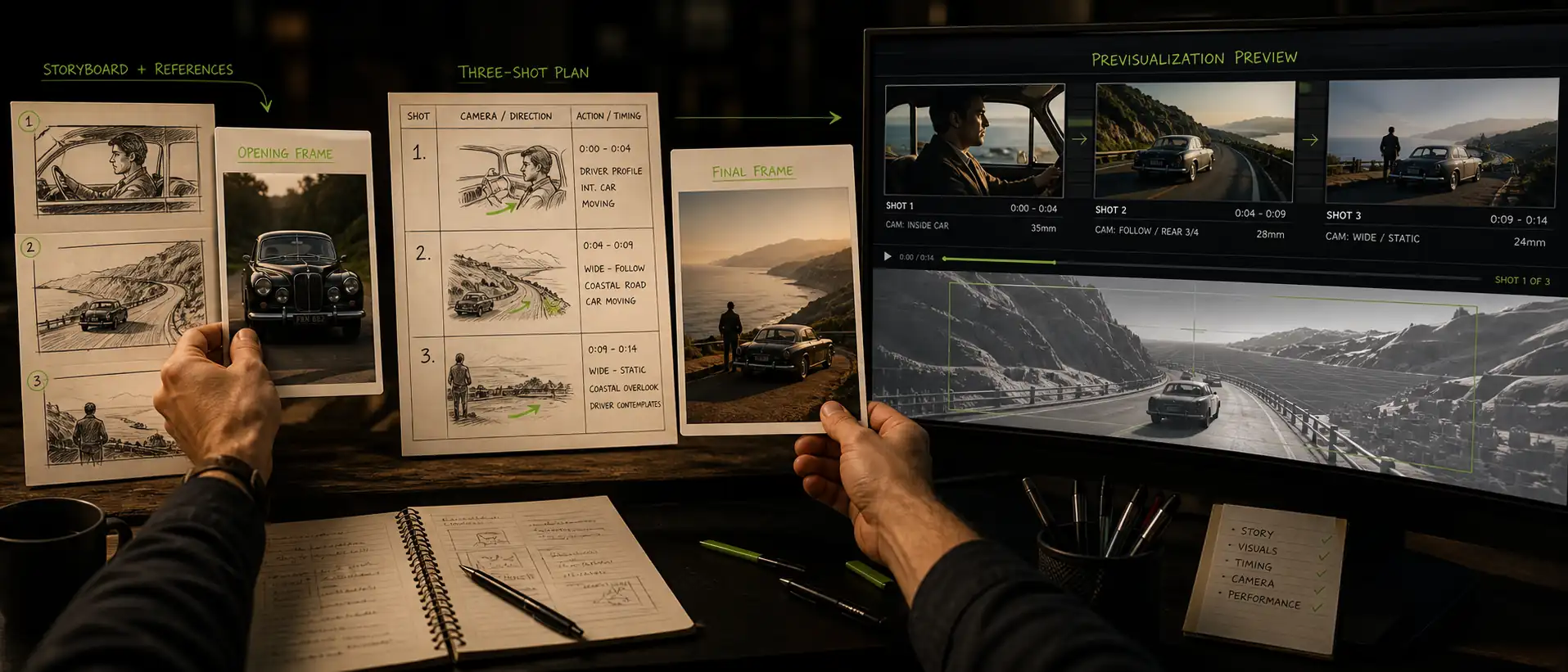
Storyboards and previsualization

Storyboards and previsualization

Connect opening frames, final frames, shot timing, and transitions in a MiniMax H3 video before full production begins.

Create Your MiniMax H3 Video

Combine up to 12 references, direct the scene with a structured prompt, and generate a MiniMax H3 video for your next creative project.
Explore Related AI Tools

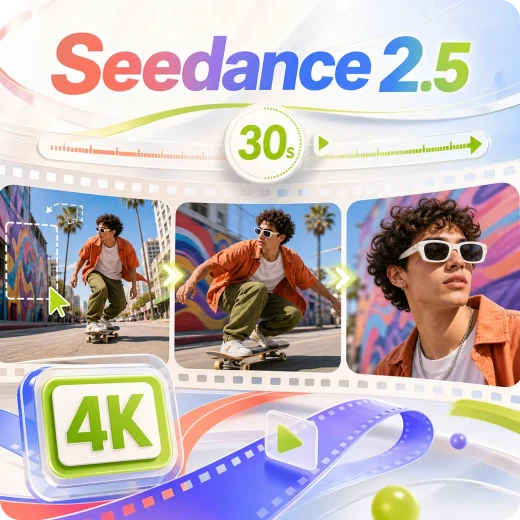
Seedance 2.5

Seedance 2.5

Generate a 30-second video directly using up to 50 multimodal references.
Hailuo 2.3

Hailuo 2.3

Create stunning AI videos with smooth motion and cinematic storytelling.
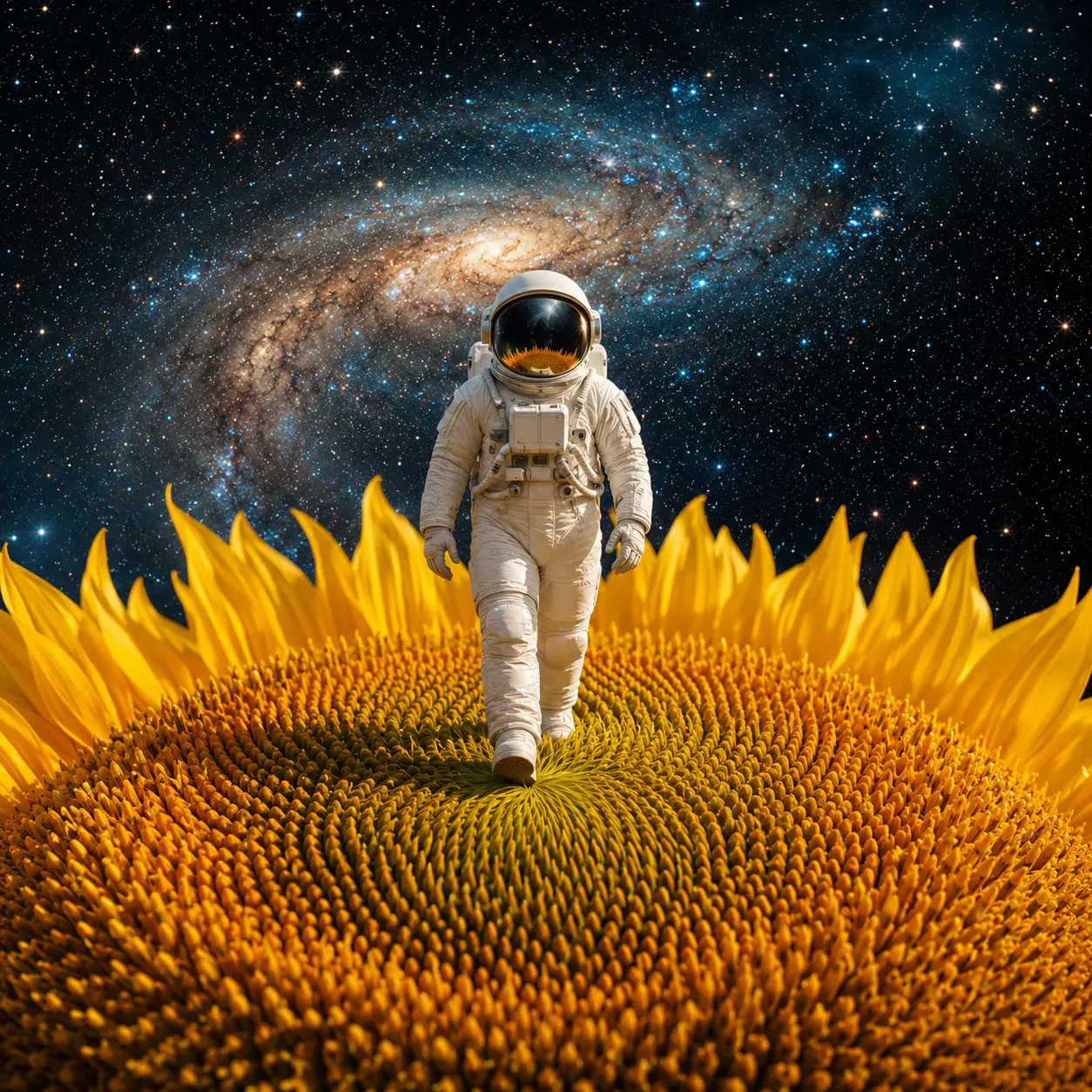
Gemini Omni

Gemini Omni

Scene understanding and multimodal inputs enable more realistic AI videos.
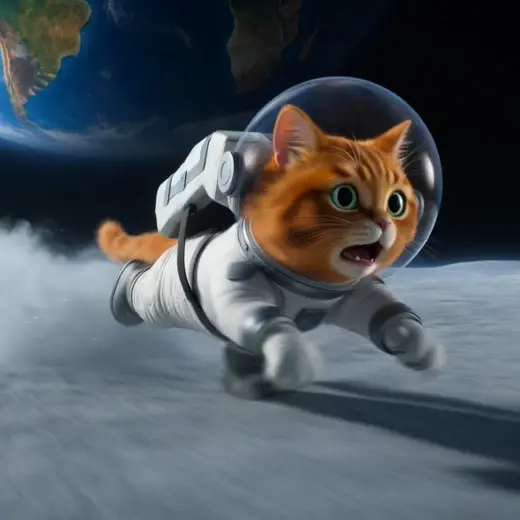
Grok Imagine Video

Grok Imagine Video

Follow complex prompts precisely for exactly the video you imagined.

What Creators Say About MiniMax H3

See how different creative roles use the MiniMax H3 Video Generator in their workflows.

I used the MiniMax H3 Video Generator for a launch teaser, mixing product shots, a presenter clip, and voiceover. The packaging stayed recognizable, and the whole edit felt much easier to direct.

Maya R.
Maya R.Product Marketing Lead

MiniMax H3 has become my quick previsualization tool. I can test camera moves, scene timing, and dialogue before a shoot, then share a clear MiniMax H3 video with the crew.

Ethan C.
Ethan C.Independent Filmmaker

For travel reels, MiniMax H3 text to video gets me from a rough idea to a usable first cut fast. Adding ambient audio and a reference image makes the result feel much more like my own style.

Nina P.
Nina P.Travel Content Creator

I brought in a dance reference, a character image, and the track timing. MiniMax H3 reference-to-video followed the movement well while letting me rebuild the scene with a completely different mood.

Lucas M.
Lucas M.Music Video Director

The first-frame and final-frame controls are what sold me. My MiniMax H3 video prompts can map a transition clearly, and the 2K preview gives clients something concrete to react to.

Aiko S.
Aiko S.Previsualization Artist

Our team uses the MiniMax H3 Video Generator to explore several ad directions before production. Switching between square, landscape, and vertical outputs saves us a lot of repetitive setup.

Ravi K.
Ravi K.Creative Agency Producer

MiniMax H3 Video Generator FAQ

What is MiniMax H3?

MiniMax H3 is an audiovisual generation model for creating short scenes from text and multimodal references. On this page, the MiniMax H3 Video Generator brings its main input modes and output controls into one workspace.

What can I upload to the MiniMax H3 Video Generator?

You can use text alone or upload images, videos, and audio clips. A single MiniMax H3 video project can combine up to 9 images, 3 videos, and 3 audio clips.

Can MiniMax H3 turn an image into a video?

Yes. Choose Image to Video to animate one visual, or Frames to Video when you want to guide both the opening and ending composition.

How long can a MiniMax H3 video be?

The supported duration is 4 to 15 seconds. Match the number of shots and transitions in your prompt to the chosen length.

Which resolutions and aspect ratios are supported?

Choose 768P or 2K and generate in 21:9, 16:9, 4:3, 1:1, 3:4, or 9:16. This covers cinematic, landscape, square, portrait, and vertical publishing formats.

How should I write a MiniMax H3 video prompt?

Use five parts: reference setup, scene and subject, motion and camera, dialogue and sound, and continuity. Add timestamps when a later shot or camera transition must begin at a specific moment.

Does MiniMax H3 support dialogue and sound?

Yes. A MiniMax H3 video can include dialogue, ambience, action effects, and music direction. Audio references can also guide delivery and timing.

Does the MiniMax H3 Video Generator add a watermark?

No. Completed generations can be downloaded without a watermark.

Can I use the generated videos commercially?

Yes. Commercial usage rights are included for completed outputs. You must still own or have permission to use the images, video, audio, trademarks, and other materials you provide.
lip sync

Create expressive AI videos, voices, images, and ads in one creative workspace.

Office Address: Singapore[email protected]
AI Lip Sync
  • AI Lip Sync
  • Talking Photo
  • Singing Photo
  • Talking Animals
  • Talking Cartoon
  • AI Baby Podcast
AI Image
  • AI Image Editor
  • GPT Image 2
  • AI Character Generator
  • AI Hairstyle Changer
  • AI Hair Color Changer
AI Avatar
  • AI Avatar Generator
  • Talking Avatar
  • AI Human Generator
  • AI Influencer Generator
  • Avatar Dialogue
AI Audio
  • AI Voice Cloning
AI Video
  • AI Image to Video
  • Motion Control
  • Video Dubbing

AI Video Models

  • Seedance 2.0
  • Seedance 2.5
  • Minimax H3
  • Kling 3.0
  • Gemini Omni
  • Veo 3
  • Grok Imagine Video
  • Seedance 1.5 Pro
  • Hailuo 2.3
  • HappyHorse 1.0
AI Ads
  • AI Ad Clone
  • Product Video
  • Product Image
  • Product Avatar
About Us
  • Pricing
  • Feedback
  • Privacy Policy
  • Terms of Service

Copyright © 2026 LipSync.video. All rights reserved.