lip sync
Create 30s videos with multiple keyframes in Kling 4.0.Learn More→
Talking 5.0 & LipSync 3.0: Choose who speaks, up to 10 mins!Learn More→
Create 30s videos with multiple keyframes in Kling 4.0.Learn More→
Pricing
Sign In
Lip Sync
AI Avatar
AI Video
AI Ads
AI Audio
AI Image
Creation
Sign In
Lip Sync
AI Lip Sync
Talking Photo
Singing Photo
Avatar DialogueUP
AI Video DubbingUP
Talking Cartoon
Talking Animals
AI Baby Podcast
Talking Objects
AI Avatar
AI Avatar Generator
Avatars
Talking Avatar
AI Human Generator
AI Influencer Generator
Video Tools
AI Video Generator
AI Image to Video
Motion Control
Green Screen Remover
ByteDance
Seedance 2.5
ByteDance
Seedance 2.0
Minimax H3
Kling 4.0
Kling 3.0
Gemini Omni
Veo 3
Grok Imagine Video
ByteDance
Seedance 1.5 Pro
Hailuo 2.3
HappyHorse 1.0
AI Ads Tools
Marketing Studio
AI Ad Clone
Product Avatar
Product Video
Product Image
AI Audio
Text to Speech
AI Voice Cloning
AI Image Tools
AI Image Editor
GPT Image 2.5
GPT Image 2.0
AI Character Generator
AI Hairstyle Changer
AI Hair Color Changer
AI Baby Generator
Creation Tools
Kling 4.0

Create 30-second videos with up to 10 keyframes.

Reference to Video
Upload Image/Video (0/15)
0 / 8000
5s
Display History

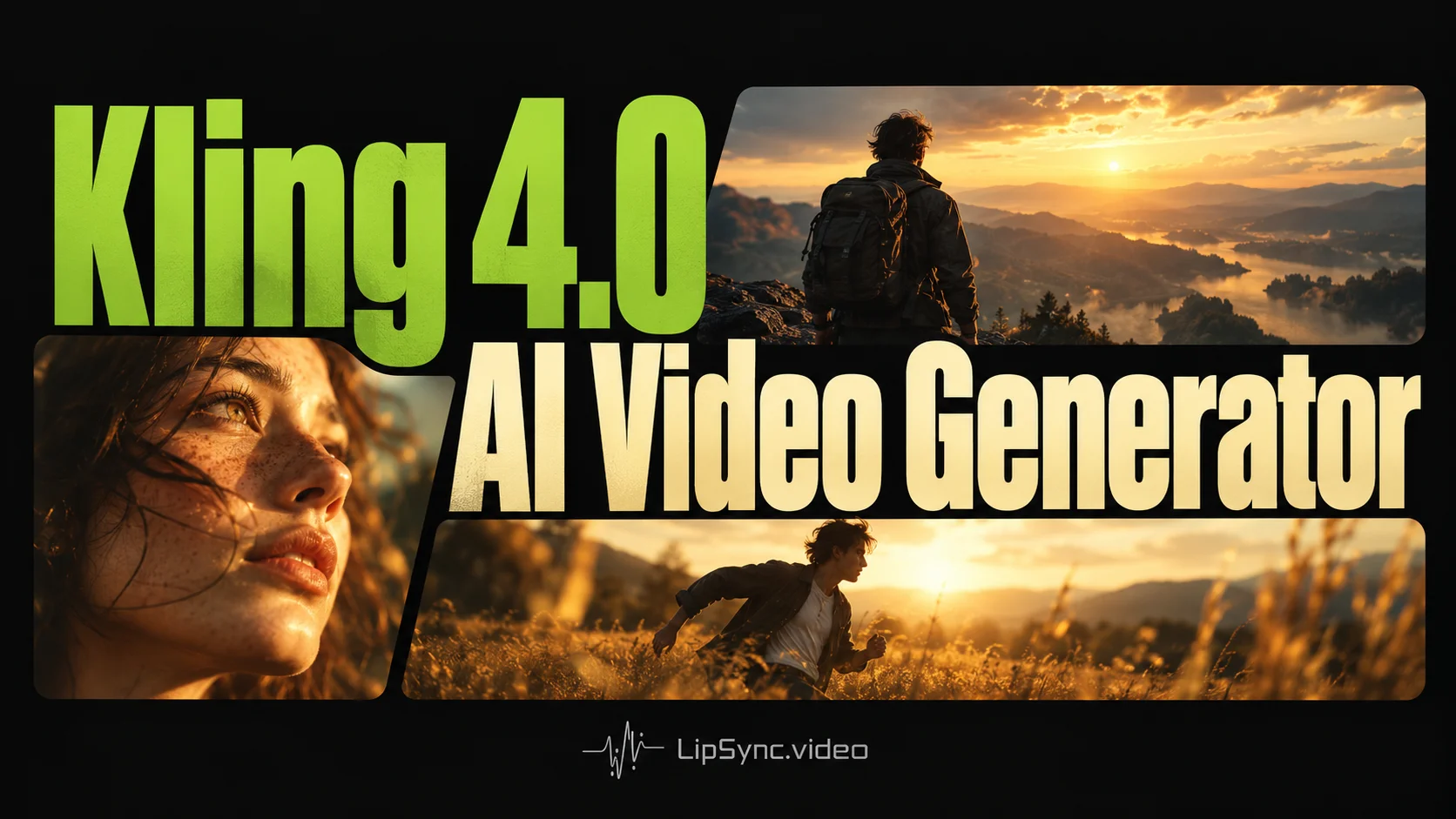
Kling 4.0 AI Video Generator

Create AI videos up to 30 seconds with text prompts, images, video references. Use multiple keyframes to shape how your scenes unfold.

Kling 4.0 AI Video Generator with Multi-Keyframe Control

Turn your ideas into cinematic videos with Kling 4.0. Combine text, images, and video references to create stories up to 30 seconds long. Use multiple keyframes to guide character movements, camera angles, and smooth scene transitions.

Kling 4.0 AI Video Generator with Multi-Keyframe Control

Real Videos Created with Kling 4.0 AI Video Generator

Prompt Case 01

Reference Frames

Reference Frames

First Frame:

Reference Frames

Middle Frame:

Reference Frames

Last Frame:

Kling 4.0 Prompt

Use the supplied keyframes to anchor the sequence, preserving the warrior, costume, and mountain setting between shots. Create a cinematic sequence featuring a lone East Asian warrior in traditional attire navigating a perilous, misty mountain landscape. Begin with a wide shot of the warrior, identifiable by her large conical straw hat and a sword strapped to her back, standing on a rugged stone-p…

Kling 4.0 Sample Video

01 / 03

Powerful Features of the Kling 4.0 AI Video Generator

Kling 4.0 offers multi-keyframe and reference-based video generation. Both support videos up to 30 seconds with native stereo audio.

Keep Characters Consistent Across Shots

The Kling 4.0 ai video generator uses character references to maintain consistent faces, clothing, and appearances across shots. Keep characters recognizable through changing scenes and camera angles.

Shape Every Scene with Multiple Keyframes

Go beyond first and last frames with the Kling AI video generator. Add up to 8 middle keyframes to guide character poses, scene changes, and visual transitions, with up to 10 keyframes in total.

Native Stereo Audio & Accurate Lip Sync

The Kling AI video generator creates stereo audio with natural dialogue, singing, and sound effects. Kling 4.0 syncs speech and lip movements to bring conversations, performances, and every scene to life.

Turn References into Smooth, Natural Motion

Use up to 15 images and videos with the Kling 4.0 AI video generator. Guide character actions and camera movements while keeping motion smooth and scenes visually consistent.

How to Use the Kling 4.0 AI Video Generator?

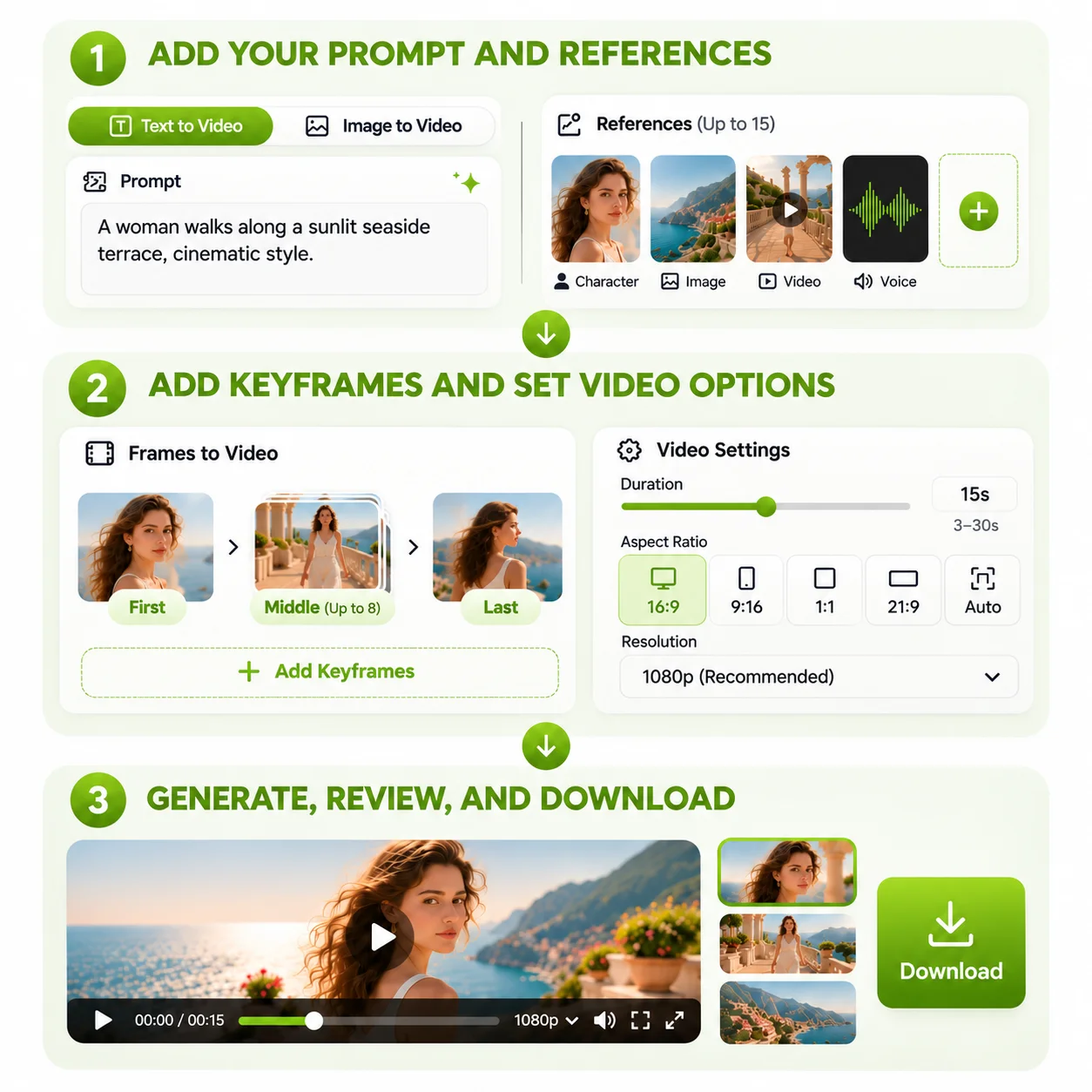
Create cinematic AI videos in three simple steps with Kling 4.0. Add a prompt, choose your references or keyframes, and guide the moments that matter most.

3 Steps to Using Kling 4.0
1

Step 1: Add Your Prompt and References

Describe your story, characters, and setting. Use the Kling AI video generator for text-to-video or AI image to video creation with visual and character references.

2

Step 2: Add Keyframes and Set Video Options

Choose a video length of up to 30 seconds and select your resolution. In Frames to Video, add middle keyframes to guide character poses, scene changes, and camera movement.

3

Step 3: Generate, Review, and Download

Generate your video with the Kling ai video generator. Preview character consistency, motion, and dialogue, then download your finished cinematic creation.

Kling 4.0 vs Kling 3.0 vs Seedance 2.5

Compare Kling 4.0, Kling 3.0, and Seedance 2.5 to find the right AI video model for your project. Explore differences in video length, keyframes, reference inputs, and audio generation.

CapabilityKling 3.0Kling 4.0Seedance 2.5
Video Duration Up to 15 secondsUp to 30 secondsUp to 30 seconds
Storytelling Multi-shot generation with custom prompts and durationsFrame-guided storytelling with multiple keyframes and natural transitionsNatural Storytelling with Seamless Scene Transitions
Keyframe Support First and last framesUp to 10 keyframes, including 8 middle framesFirst and last frames
Reference Inputs Image and video referencesUp to 15 combined image and video referencesUp to 50 image, video, and audio references
Audio Generation Native audio with dialogue, singing, and lip syncTwo-channel stereo audio with dialogue, singing, and lip syncNative audio with dialogue, music, and sound effects
Output Resolution Up to 4K on supported versionsUp to 1080pUp to 1080p

What Can You Create with Kling 4.0 AI Video Generator?

From cinematic short films to social media ads, the Kling 4.0 AI video generator brings creative ideas to life. Explore frame-guided storytelling, character consistency, and AI image to video creation.

Cinematic Short Films

Create short stories with multiple camera angles, expressive characters, and smooth transitions. Develop a complete narrative within 30 seconds.

Product Ads & Marketing Videos

Turn product photos into cinematic ads with the Kling AI Video Generator. Control camera movements, product appearance, and scene pacing to create engaging marketing videos.

Social Media Content

Create engaging videos for TikTok, Instagram Reels, and YouTube Shorts. Use character references to maintain a consistent style across your content.

Character-Driven Stories

Create character-driven stories with the Kling AI Video Generator. Maintain recognizable faces and voices across different scenes, from natural conversations to cinematic storytelling.

What Creators Say About Kling 4.0 AI Video Generator

Kling 4.0 helps me turn rough storyboards into 30-second scenes. I can switch between wide shots and close-ups while keeping my main character recognizable throughout the story.

Audrey Whitmore
Audrey WhitmoreIndie Filmmaker

I use the Kling ai video generator to bring product photos to life. Camera movements and scene references help me explore different ad concepts without organizing another product shoot.

Marcus Ellery
Marcus ElleryE-commerce Brand Owner

Creating a series with the same character used to be a challenge. Kling 4.0 helps me maintain a familiar look across scenes while testing new TikTok and Instagram video concepts.
Celeste Navarro
Celeste NavarroSocial Media Strategist

The ability to add middle keyframes interests me most. I can shape important visual moments and explore different camera angles in a 30-second music video.

Theo Callahan
Theo CallahanMusic Video Director

With ai image to video generation, I can bring my original characters into motion. Reference images help preserve their designs as I experiment with different scenes and camera movements.

Brielle Laurent
Brielle LaurentDigital Illustrator

The Kling 4.0 AI video generator makes early concept development more flexible. Our team can explore character-driven ads, test scene transitions, and present visual ideas to clients.
Nolan Mercer
Nolan MercerCreative Agency Producer

FAQs About the Kling 4.0 AI Video Generator

What Is Kling 4.0?

The Kling 4.0 AI video generator creates cinematic videos from text, images, and visual references. And multiple keyframes help guide key moments and visual continuity.

How Long Can Kling 4.0 Videos Be?

The Kling 4.0 AI video generator supports videos up to 30 seconds per generation, allowing creators to develop longer scenes and complete short stories.

What Is the Difference Between Kling 3.0 Multi-Shot and Kling 4.0 Multi-Keyframe?

Kling 3.0 Multi-Shot lets you set separate prompts and durations for each shot to plan your video sequence. Kling 4.0 Multi-Keyframe lets you use up to 10 keyframes, including 8 middle frames, to guide character movements, scene transitions, and visual storytelling.

Can Kling 4.0 Keep Characters Consistent?

Kling 4.0 uses character references to help maintain consistent faces, clothing, and visual details across different shots and changing scenes.

How Many References Can Kling 4.0 Use?

The Kling 4.0 AI video generator supports up to 15 mixed image, video, and character references for more controlled video creation.

Can I Control Camera Movements in Kling 4.0?

Yes. Kling 4.0 supports camera directions such as tracking, panning, and zooming, helping creators build cinematic shots with greater control.
lip sync

Create expressive AI videos, voices, images, and ads in one creative workspace.

Office Address: Singapore[email protected]
AI Lip Sync
  • AI Lip Sync
  • Talking Photo
  • Singing Photo
  • Talking Animals
  • Talking Cartoon
  • AI Baby Podcast
  • Talking Objects
AI Image
  • AI Image Editor
  • GPT Image 2.5
  • GPT Image 2.0
  • AI Character Generator
  • AI Hairstyle Changer
  • AI Hair Color Changer
AI Avatar
  • AI Avatar Generator
  • Talking Avatar
  • AI Human Generator
  • AI Influencer Generator
  • Avatar Dialogue
AI Audio
  • Text to Speech
  • AI Voice Cloning
AI Video
  • AI Video Generator
  • AI Image to Video
  • Motion Control
  • Green Screen Remover

AI Video Models

  • Seedance 2.5
  • Seedance 2.0
  • Minimax H3
  • Kling 4.0
  • Kling 3.0
  • Gemini Omni
  • Veo 3
  • Grok Imagine Video
  • Seedance 1.5 Pro
  • Hailuo 2.3
  • HappyHorse 1.0
AI Ads
  • Marketing Studio
  • AI Ad Clone
  • Product Video
  • Product Image
  • Product Avatar
About Us
  • Blog
  • Pricing
  • Feedback
  • Privacy Policy
  • Terms of Service

Copyright © 2026 LipSync.video. All rights reserved.