TypeBalanceValidity period
Check-in Credits0Today
Share Credits0Today
Follow Credits0This Week
Post Credits0This Week
Paid Credits0Permanent
Auto
16:9
9:16
3:4
4:3
1:1
21:9
5 s
480P
720P
1080P
4K
lip sync
GPT Image 2.5 is up to 50% faster, with better consistency.Learn More→
Pricing
0
Sign In
Lip Sync
AI Avatar
AI Video
AI Ads
AI Audio
AI Image
Creation
Sign In
Lip Sync
AI Lip Sync
Talking Photo
Singing Photo
Talking Cartoon
Talking Animals
AI Baby Podcast
Talking Objects
AI Video Dubbing
AI Avatar
AI Avatar Generator
Avatars
Talking Avatar
AI Human Generator
Avatar Dialogue
AI Influencer Generator
Video Tools
AI Video Generator
AI Image to Video
Motion Control
Green Screen Remover
ByteDance
Seedance 2.5
ByteDance
Seedance 2.0
Minimax H3
Kling 3.0
Gemini Omni
Veo 3
Grok Imagine Video
ByteDance
Seedance 1.5 Pro
Hailuo 2.3
HappyHorse 1.0
AI Ads Tools
AI Ad Clone
Product Avatar
Product Video
Product Image
AI Audio
Text to Speech
AI Voice Cloning
AI Image Tools
AI Image Editor
GPT Image 2.5
GPT Image 2.0
AI Character Generator
AI Hairstyle Changer
AI Hair Color Changer
AI Baby Generator
Creation Tools
  1. AI Video
  2. ›
  3. Seedance 2.0

Seedance 2.0 - AI Video Generator

Become a true director—use text, images, video, and audio to have AI generate videos that perfectly match your vision.

ByteDance
Seedance 2.0
4+
Reference to Video
Upload Image/Video/Audio (0/12)
0
5s
Paid Credits Only
Tips
ByteDance
Seedance 2.0
Reference to Video
16:9|
5 s|720P
@
70credits
Paid Credits Only
HistoryMy Creations
0:00
A dramatic surf sequence begins in a violent tropical storm ...
0:00
A fixed camera position, with a central fisheye lens peering...
0:00
Referring to all the transitions and camera movements in [Vi...
0:00
[Image1] [Image2] [Image3] [Image4] [Image5], a single, cont...

Seedance 2.0: All-round Video Generator

Seedance 2.0 AI video generator reads four modalities at once — image, video, audio, and text — turning multiple references into coherent AI videos with consistent characters, realistic motion, and precise scene control.

Introduce of Seedance 2.0 AI Video Generator

Key Features of Seedance 2.0 AI Video Generator

Multimodal Video Generation with Flexible References

  • Seedance 2.0 supports multiple video creation workflows with text, image, video, and audio inputs. Upload multiple references and use {'@'}reference tags in your Seedance 2.0 prompt to control characters, camera movement, and sound.
  • This allows the Seedance 2.0 AI video generator to create more consistent and controllable scenes.

Cinematic Image Quality and Character Consistency

  • The Seedance 2.0 AI video generator outputs up to 4k resolution and holds character appearance, wardrobe, lighting, and scene structure steady across a whole sequence, solving the style-drift problem common to earlier seedance ai video tools.
  • Motion looks physically grounded rather than collaged, so the result reads like footage from a camera, not a slideshow stitched together by an algorithm.

Built-in Audio for Complete Video Generation

  • Seedance 2.0 can generate dialogue, sound effects, and background music as part of the same video workflow, helping the sound follow the action, pacing, and mood of each scene. With support for multiple languages, it can create complete audiovisual content for short films, social videos, product stories, and other narrative projects.

Video Extension and Non-Destructive Editing

  • Seedance 2.0 doesn't only generate from a blank page — it can extend an existing clip, swap a character, or change a scene element without disturbing anything else in the frame. That makes it closer to an AI editing suite than a one-shot generator.

Multi-Shot Storytelling from One Prompt

  • Instead of producing an isolated shot, Seedance 2.0 can plan and generate an entire multi-scene sequence — opening, transitions, and ending — while keeping visual style and character design consistent throughout. The Seedance 2.0 AI video generator can plan and generate complete multi-scene sequences.

Seedance 2.0 Prompt Examples for Every Creation Mode

See the input assets, full Seedance 2.0 prompt, generation settings, and result for each creation mode so you know what to upload, what to write, and how to reproduce the effect.

Prompt Case 01

Seedance 2.0 Prompt

A 360-degree panoramic selfie. The camera rotates counterclockwise to capture the interior of a dessert shop. Then it shows a woman posing in various scenes, wearing different outfits.

Seedance 2.0 Sample Video

01 / 03

How to Use Seedance 2.0 AI video generator

Step-by-step guide to using Seedance 2.0
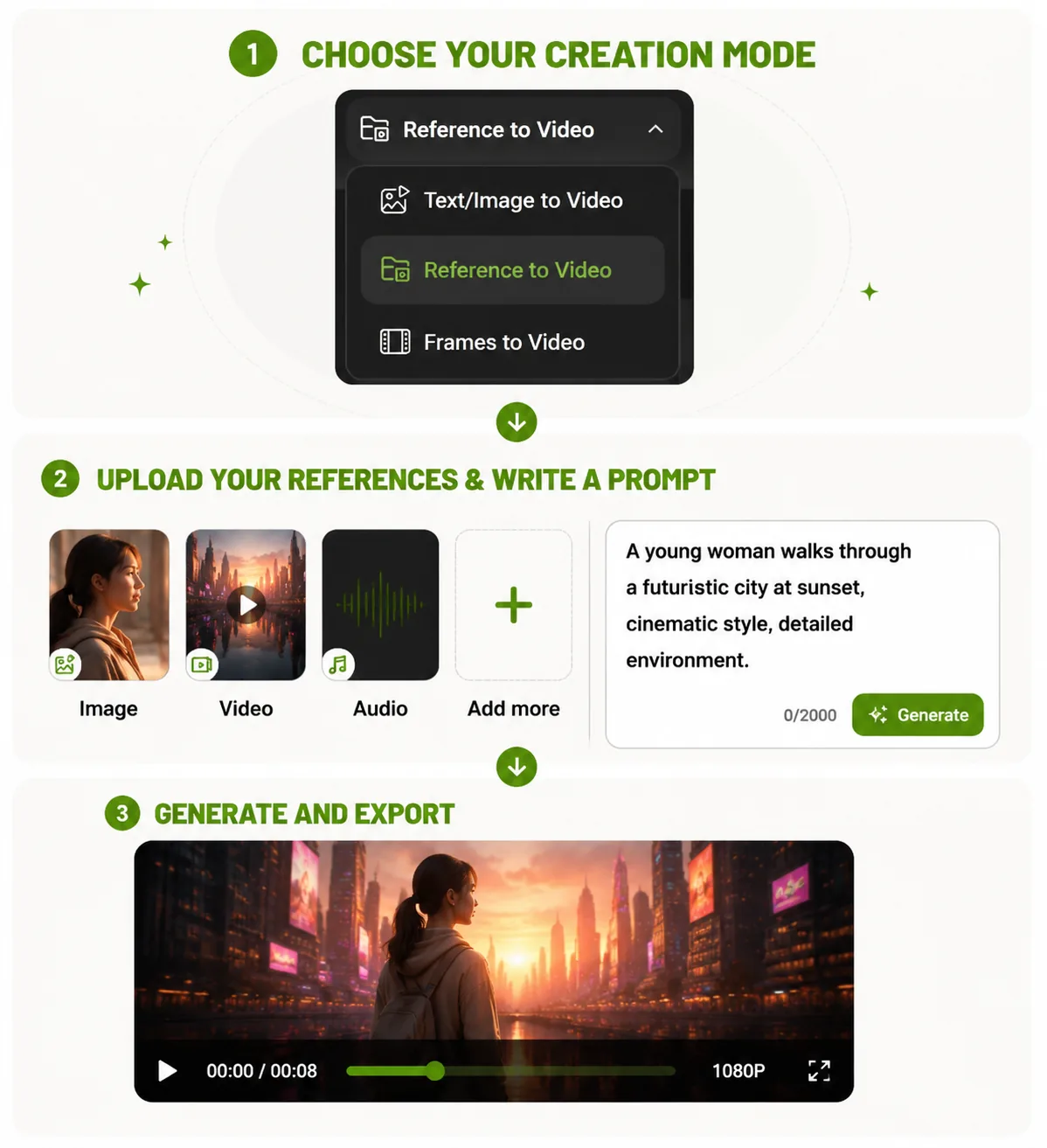
1

Choose Your Creation Mode

Select a workflow for your AI video:

  • Text / Image to Video – Create videos from text prompts or images.
  • Reference to Video – Use image, video, and audio references with {'@'}reference control.
  • Frames to Video – Generate smooth transitions from start and end frames.
2

Upload References & Write a Prompt

Upload images, videos, audio, or frames, then describe your scene with a Seedance 2.0 prompt. Use {'@'}reference tags to control characters, camera movement, and style.

3

Generate & Download Your Video

Click Generate to create your AI video.

Compare Seedance 2.0 with Other AI Video Models

FeatureSeedance 2.0Seedance 2.5Kling 3.0Gemini Omni
Duration4–15sUp to 30s3–15s4 / 6 / 8 / 10s
Max Resolution4k4K4K4K
Standout StrengthMultimodal references & cinematic multi-scene storytelling30s video, 4K output & up to 50 referencesAI Director multi-shot generationWorld understanding & interactive video generation

Seedance 2.0 Makes You Become A True Director

Fully understands various materials including video, audio, images, and text, and generates precise, cinematic-quality videos according to your requirements.

Explore Related AI Tools

Seedance 2.5

Seedance 2.5

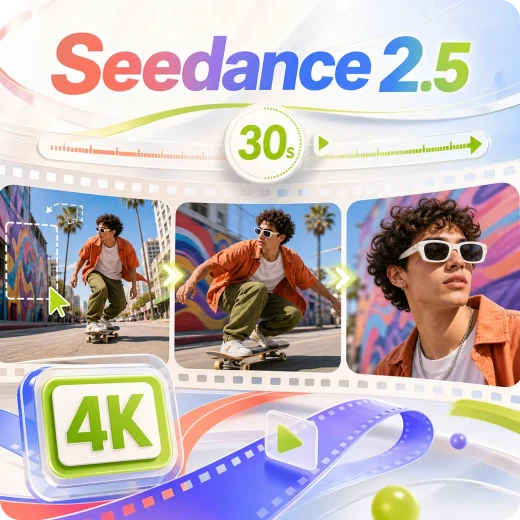
Generate a 30-second video directly using up to 50 multimodal references.

Seedance 1.5 Pro

Seedance 1.5 Pro

Create cinematic videos with seamless audio-video synchronization.

Kling 3.0

Kling 3.0

Create cinematic AI videos with multi-shot control and native audio.

Gemini Omni

Gemini Omni

Scene understanding and multimodal inputs enable more realistic AI videos.

User Reviews about Seedance 2.0 AI Video Generator

Seedance 2.0 AI video generator helps me turn simple ideas into complete video scenes. The combination of prompts and references makes character consistency much easier to achieve.

Lucas Bennett
Lucas BennettIndependent Creator

I like how Seedance 2.0 handles different inputs in one workflow. I can use images, videos, and audio references to create more controlled AI video content.

Maya Collins
Maya CollinsCreative Producer

Seedance 2.0 AI video generator saves a lot of time when creating campaign videos. The generator understands my prompts well and produces smooth, consistent scenes.

Ethan Walker
Ethan WalkerMarketing Specialist

The reference-based workflow is impressive. With a well-written Seedance 2.0 prompt, I can guide characters, camera movements, and visual style more precisely.

Nora Mitchell
Nora MitchellFilmmaking Enthusiast

Creating short videos for social platforms is much faster with Seedance 2.0. The different generation modes give me more flexibility for every creative idea.

Oliver Hayes
Oliver HayesSocial Media Creator

I have tested many AI video tools, but Seedance 2.0 provides better control over multi-scene storytelling. It feels more suitable for professional video creation.

Chloe Anderson
Chloe AndersonDigital Content Manager

FAQs About Seedance 2.0 AI video generator

What is Seedance 2.0?

Seedance 2.0 AI video generator is an advanced AI video generator designed to create cinematic-quality videos from text prompts and images. It supports text to video, image to video, and multi-scene storytelling with strong motion consistency and realistic visuals.

How does the Seedance 2.0 AI video generator work?

You write a Seedance 2.0 prompt and attach images, video, and audio, tagging each with {'@'}reference so the model knows whether it's a character design, a camera move, or a soundtrack cue.

Does Seedance 2.0 support text to video?

Yes. Seedance 2.0 supports text to video generation. Users can describe characters, environments, camera movement, and mood, and the Seedance 2.0 AI video generator converts the text into a cinematic video sequence.

Can Seedance 2.0 turn images into videos?

Yes. The Seedance 2.0 AI video generator also supports image to video. You can upload a reference image and generate motion, camera transitions, or animated storytelling based on that image.

What makes Seedance 2.0 different from other AI video generators?

Compared to traditional AI video tools, Seedance 2.0 focuses on motion stability, character consistency, and cinematic camera control. It produces smoother transitions and more coherent multi-shot storytelling.

How do I write a good Seedance 2.0 prompt?

Start with a plain-language scene description, then tag your uploaded files with {'@'}reference so the model knows which one controls character, camera, or sound — see the prompt example above.

What kind of videos can I create with Seedance 2.0?

You can create marketing videos, short films, cinematic clips, product ads, social media content, and AI storytelling videos using the Seedance 2.0 AI video generator.

Does Seedance 2.0 support multi-scene storytelling?

Yes. Seedance 2.0 AI video generator can generate multi-scene videos with consistent characters and natural transitions, making it suitable for short narrative content and cinematic storytelling.

What resolution does Seedance 2.0 support?

Seedance 2.0 supports 480p, 720p, 1080p, and 4K output. The Seedance 2.0 AI video generator lets you choose the right resolution for quick previews, social content, or high-quality video production.

Is Seedance 2.0 good for professional video creation?

Yes. Seedance 2.0 AI video generator combines multimodal references, character and scene consistency, controllable camera movement, multi-shot storytelling, and built-in audio in one workflow. These capabilities make it useful for creators, marketers, and production teams producing short films, product videos, social content, and visual concepts.
lip sync

Create expressive AI videos, voices, images, and ads in one creative workspace.

Office Address: Singapore[email protected]
AI Lip Sync
  • AI Lip Sync
  • Talking Photo
  • Singing Photo
  • Talking Animals
  • Talking Cartoon
  • AI Baby Podcast
  • Talking Objects
AI Image
  • AI Image Editor
  • GPT Image 2.5
  • GPT Image 2.0
  • AI Character Generator
  • AI Hairstyle Changer
  • AI Hair Color Changer
AI Avatar
  • AI Avatar Generator
  • Talking Avatar
  • AI Human Generator
  • AI Influencer Generator
  • Avatar Dialogue
AI Audio
  • Text to Speech
  • AI Voice Cloning
AI Video
  • AI Video Generator
  • AI Image to Video
  • Motion Control
  • Green Screen Remover

AI Video Models

  • Seedance 2.5
  • Seedance 2.0
  • Minimax H3
  • Kling 3.0
  • Gemini Omni
  • Veo 3
  • Grok Imagine Video
  • Seedance 1.5 Pro
  • Hailuo 2.3
  • HappyHorse 1.0
AI Ads
  • AI Ad Clone
  • Product Video
  • Product Image
  • Product Avatar
About Us
  • Pricing
  • Feedback
  • Privacy Policy
  • Terms of Service

Copyright © 2026 LipSync.video. All rights reserved.