
AI Halloween Trend 2026: Turn Spooky Photos into Videos
 Jennifer
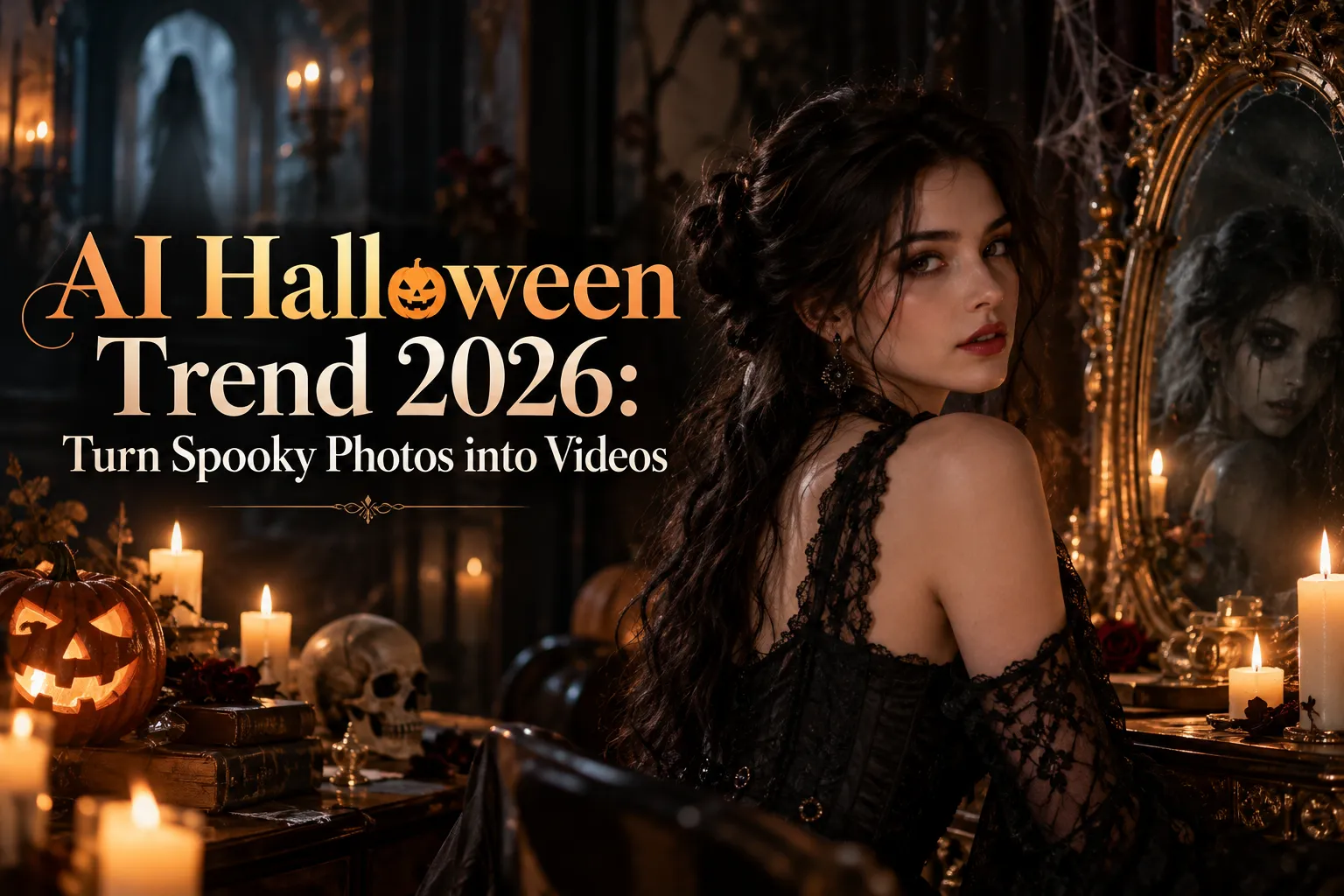
Halloween is almost here. If you've followed the AI Halloween photo trend, you've probably seen those Halloween AI photos online: a glamorous vampire posing in a candlelit castle, or a perfectly normal mirror reflection doing something very abnormal.
The AI Halloween photo trend makes them striking as still images. But imagine the stranger taking a step closer, the vampire slowly looking up, or the reflection smiling before you do. Suddenly, your Halloween picture has a story.
That's the fun of the AI Halloween trend in 2026. You don't need elaborate costumes, a haunted mansion, or a production crew. You can start with a photo you already have and turn it into a spooky little video.
In this AI Halloween trend guide, you'll find five creative Halloween ideas, ready-to-use image and video prompts, and a simple way to bring your favorite scenes to life. Whether you're creating TikTok content, promoting a Halloween event, or just trying to scare your group chat, there's something here for you.
What Is the AI Halloween Trend in 2026?
The AI Halloween trend is a creative way to turn everyday photos into Halloween-themed images and videos using artificial intelligence. Instead of buying an expensive costume or building an elaborate set, you can upload a selfie, describe the scene you want, and let AI create a new version of your photo.
The AI Halloween photo trend focuses on transforming still images into imaginative seasonal portraits. In 2026, the AI Halloween trend also gives those portraits a second life as short videos. Popular ideas include vintage horror movie selfies, gothic character transformations, supernatural mirror scenes, and ghostly encounters.
5 AI Halloween Photo Trends That Look Even Better in Motion
The best AI Halloween photo trend ideas have something in common: they already suggest a story. That's what makes the AI Halloween trend a natural fit for photo-to-video creation.
For the AI Halloween photo trend, each scene works as a photograph, but a few seconds of carefully chosen motion can make it more interesting.
Below are five ideas for the AI Halloween trend, with two prompts for every concept:
- AI Photo Prompt: Upload your own image to GPT Image 2.5 and use the prompt to create the Halloween scene.
- AI Video Prompt: Upload the newly generated image to Seedance 2.5 and use the corresponding prompt to animate it.
These AI Halloween trend prompts are starting points. You can change the clothing, lighting, colors, background, or action to suit your taste.
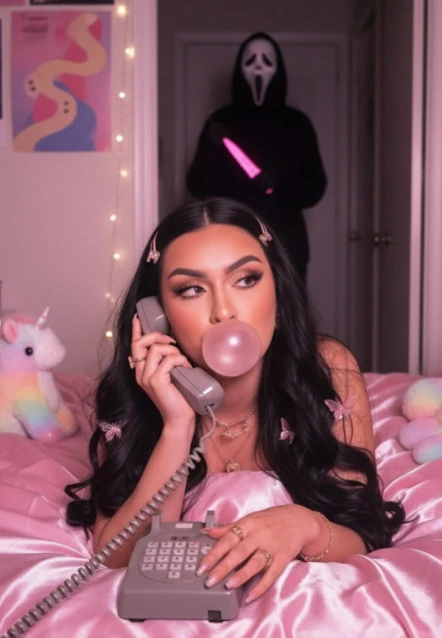
1. Y2K Horror Selfie: Someone Is Behind You
Remember the old horror movie scenes where someone is casually talking on the telephone, completely unaware that a stranger is watching from the hallway?
This is that scene, except you're the main character.
A recognizable AI Halloween photo trend look, the Y2K horror selfie combines the nostalgic look of late-1990s and early-2000s photography with the suspense of a classic scary movie. Think pink corded telephones, vintage bedrooms, soft flash photography, and one deeply unwelcome visitor.
For anyone joining the AI Halloween trend, it's a strong choice for creators who want a dramatic Halloween profile picture or a short suspense clip. It also works as a playful "watch until the end" moment for social media.
Best photo to upload: A clear selfie or upper-body portrait. A relaxed expression works particularly well because it contrasts with the unsettling background.
AI Photo Prompt — GPT Image 2.5
Use the uploaded photo as the main character reference. Preserve the person's facial identity, hairstyle, and recognizable features. Create a cinematic late-1990s horror movie scene. The person sits on a bed in a nostalgic bedroom, holding a pink corded telephone. A mysterious shadowy figure stands in the open doorway behind them. Add soft pink lighting, subtle film grain, realistic bedroom details, and dramatic shadows. The person looks relaxed and unaware of the figure. Realistic photography, vertical 9:16 composition.
AI Video Prompt — Seedance 2.5
The person holds the pink telephone and remains unaware of the background. The camera slowly pushes closer. The shadowy figure in the doorway takes one slow step into the room. The person's eyes shift slightly as if they have heard something. Keep the character's appearance, clothing, and bedroom layout consistent. Cinematic suspense, subtle natural movement, one continuous shot.
Quick Tip: Keep the doorway visible in your AI photo. If the mysterious figure is barely visible in the original composition, viewers might miss the best part of the video.
Want to give this AI Halloween trend idea a more unsettling ending? Instead of having the stranger approach, make the bedroom lights flicker while the figure stays perfectly still.
Sometimes doing less is what makes the scene scarier.
2. Vampire Transformation: From Ordinary to Undead
Not every AI Halloween trend video needs a jump scare. Some are simply about looking spectacularly supernatural.
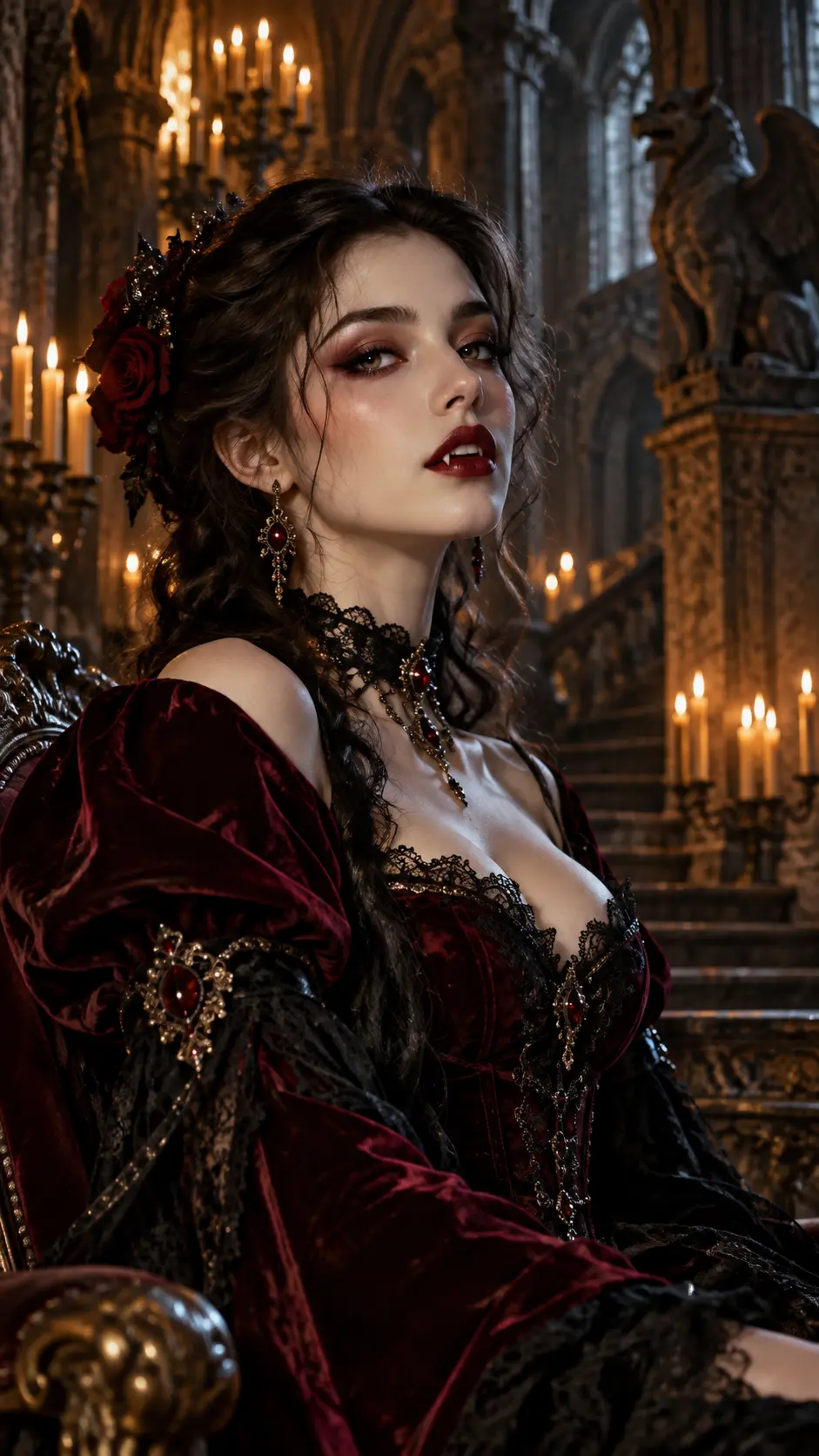
Among AI Halloween photo trend styles, the vampire transformation is a great option if you want a dramatic Halloween portrait without renting a costume, buying colored contact lenses, or spending an hour on makeup.
In this take on the AI Halloween trend, your everyday selfie becomes a gothic character portrait, complete with elegant clothing, candlelight, and an atmospheric castle background. Then a little motion gives the character personality.
This version of the AI Halloween trend is particularly useful for beauty creators, fashion accounts, costume inspiration posts, and anyone who prefers glamorous Halloween visuals over traditional horror.
Best photo to upload: A well-lit portrait where your face is clearly visible. A neutral expression gives the image model flexibility to create a confident, mysterious look.
AI Photo Prompt — GPT Image 2.5
Transform the person in the uploaded photo into an elegant gothic vampire while preserving their facial identity and recognizable features. Dress the person in a luxurious black and burgundy velvet outfit with refined gothic accessories. Place them inside an ancient candlelit castle. Add dramatic side lighting, rich fabric textures, realistic skin, subtle vampire fangs, and a mysterious expression. The scene should resemble a high-end cinematic Halloween portrait. Vertical 9:16 composition.
AI Video Prompt — Seedance 2.5
The vampire slowly raises their head and looks directly at the camera. A subtle mysterious smile appears as candle flames flicker in the background. The camera gently moves closer. Keep the character's facial features, hairstyle, and clothing consistent with the reference image. Smooth, restrained movements and cinematic gothic atmosphere.
Quick Tip: Try strong side lighting instead of making the entire picture dark. You want viewers to see your vampire look, not spend ten seconds searching for your face.
For a fashion-oriented Halloween post, the camera can slowly reveal the outfit details rather than focusing on facial movement. For a beauty account, a close-up that highlights makeup and accessories may be more useful.
The same AI Halloween photo trend can therefore support different types of content without requiring an entirely new concept.
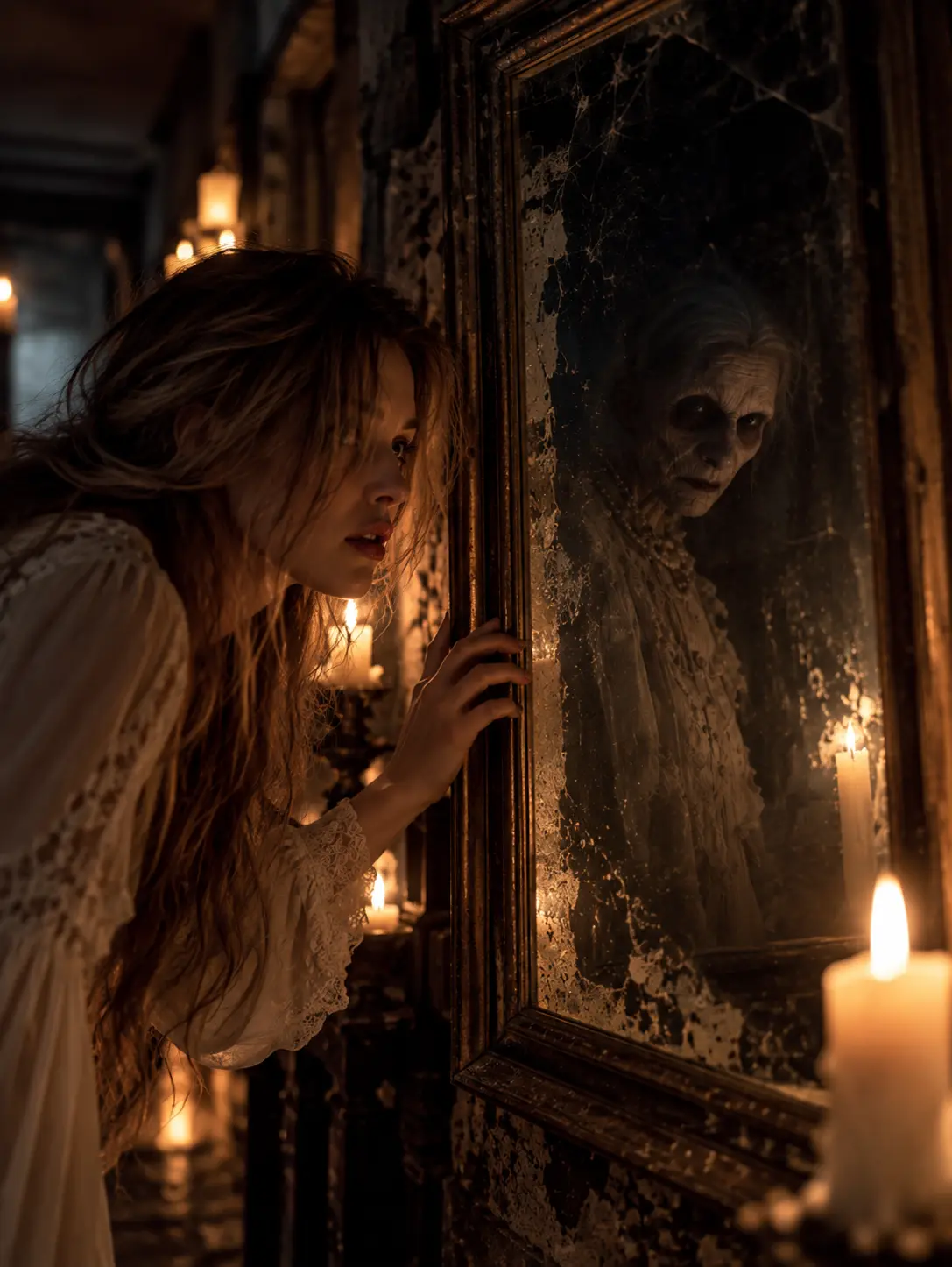
3. Haunted Mirror: Your Reflection Has Other Plans
The AI Halloween photo trend has a surprisingly creepy trick: mirrors that refuse to reflect reality.
Halloween is a perfect excuse to break that rule.
In this idea, you stand in front of an antique mirror. Everything appears normal, except your reflection has an expression you aren't making.
As an AI Halloween photo trend image, the difference is strange enough. As a video, it becomes genuinely unsettling when the reflection moves independently.
This is one of the most interesting AI Halloween trend ideas for short horror storytelling, because the entire twist can happen in a single shot.
It doesn't need complicated scenery, a second actor, or a dramatic costume change. The mirror does most of the storytelling.
Best photo to upload: A front-facing or three-quarter portrait with a clear view of your face. Choose a simple hairstyle and an outfit you'd like to keep in the finished scene.
AI Photo Prompt — GPT Image 2.5
Use the uploaded person's face and identity as the main character reference. Create a realistic cinematic Halloween scene featuring the person standing in front of a large antique mirror inside a dim gothic room. The real person has a neutral expression. Their reflection shows the same person with a faint, unsettling smile. Keep both faces recognizable and consistent with the reference photo. Add candlelight, an ornate mirror frame, atmospheric shadows, and detailed realistic surroundings. Vertical 9:16 composition.
AI Video Prompt — Seedance 2.5
The real person remains still and looks at the mirror. Their reflection slowly turns its head and develops an eerie smile, moving independently from the real person. The camera makes a gentle push toward the mirror. Preserve the character's appearance, clothing, and the room layout. Keep the motion subtle, unsettling, and cinematic.
Quick Tip: Make the mirror large enough to clearly show both the person and the reflection. A tiny mirror in the corner won't give the audience enough information to appreciate the twist.
For a particularly effective AI Halloween trend ending, let the reflection smile just before the clip finishes.
That creates a small unanswered question: what exactly is living inside that mirror?
A five-second Halloween scene can become the opening to an entire story.
4. Haunted Halloween Invitation: Make the Message Move
The AI Halloween trend isn't just about selfies. Sometimes you need something spooky that actually tells people where to go.
Maybe you're promoting a Halloween party, announcing an online costume contest, inviting colleagues to a virtual celebration, or creating a themed social post for your brand.
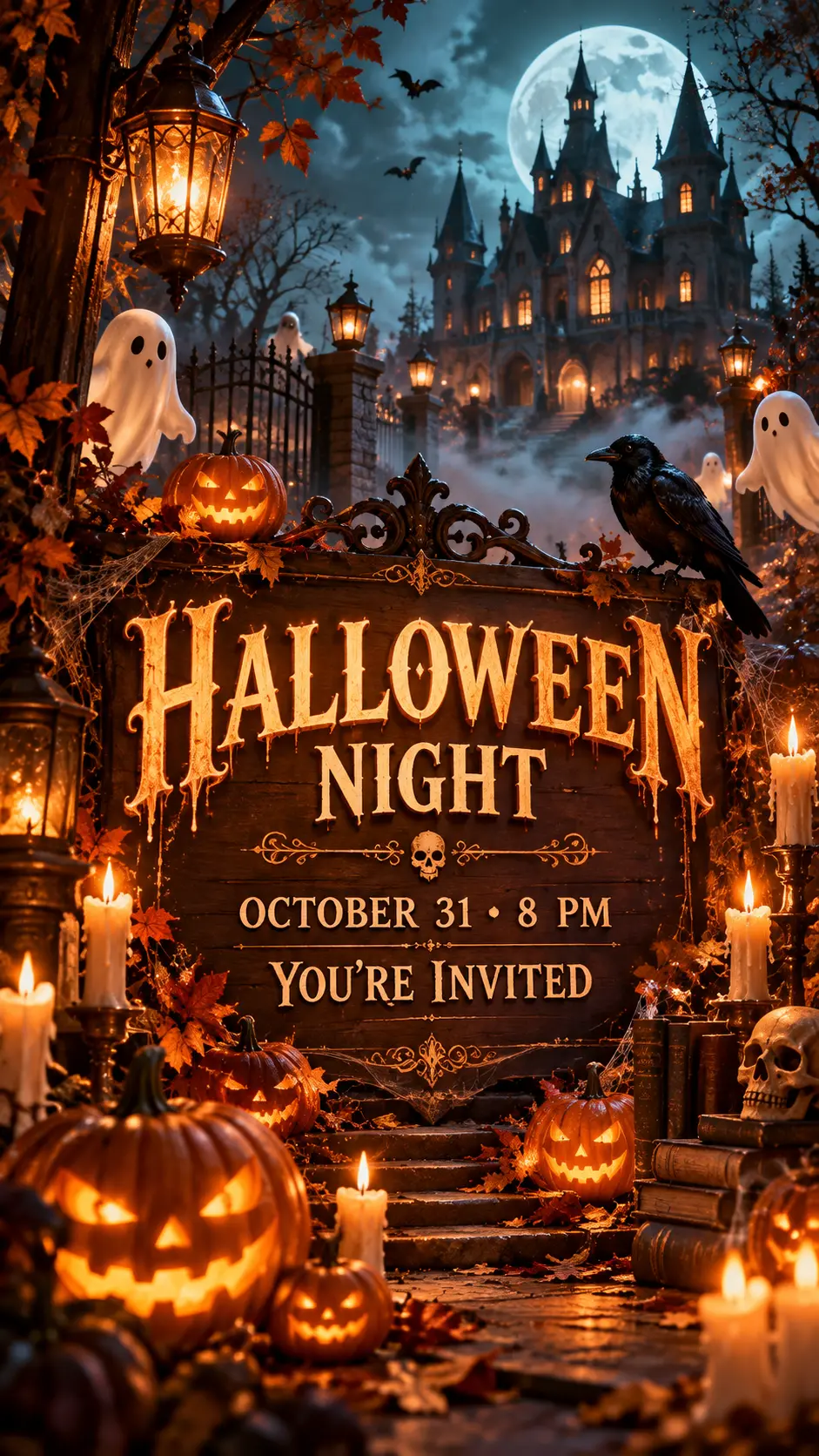
A static invitation can do the job, but the AI Halloween photo trend can make the design more memorable. A Halloween invitation with glowing text, flickering candles, and drifting fog makes the announcement feel like part of the event.
This idea takes the AI Halloween trend beyond personal portraits and gives marketers, event organizers, and remote teams a practical reason to use AI-generated visuals.
The key is simple: the message needs to remain readable.
A gorgeous invitation isn't very useful if nobody can figure out when the party starts.
Best image to upload: A reference image of your venue, product, decoration, or brand style. You can also begin without a reference image if you prefer an entirely new Halloween design.
AI Photo Prompt — GPT Image 2.5
Create a premium cinematic Halloween event invitation in a vertical 9:16 layout. An elegant gothic mansion stands in the background, surrounded by glowing pumpkins, soft fog, and warm candlelight. At the center, display the exact headline "HALLOWEEN NIGHT" in large, readable vintage gothic lettering. Beneath it, display the exact text "OCTOBER 31 • 8 PM" and "YOU'RE INVITED". Keep all text correctly spelled, centered, and easy to read. Use an elegant orange, black, and gold color palette. Leave clear visual space around the lettering. High-quality event poster design.
AI Video Prompt — Seedance 2.5
Animate the Halloween invitation with gently drifting fog, slowly flickering candle flames, and pumpkins that gradually glow brighter. Add a subtle cinematic camera push-in. Keep the text "HALLOWEEN NIGHT", "OCTOBER 31 • 8 PM", and "YOU'RE INVITED" clearly readable and unchanged throughout the video. Preserve the poster layout, typography, and color palette. Elegant, mysterious Halloween atmosphere.
Quick Tip: Double-check every word, date, and time before creating the video. For important announcements, add the final event details as a separate text overlay in your publishing editor if you need exact typographic control.
This AI Halloween trend format works well for businesses promoting seasonal events, but it can also be fun for friends organizing a Halloween movie night.
If you're creating several invitations, keep the same fonts, colors, and layout across versions. Change the event details or the background scene rather than rebuilding the entire style every time.
The AI Halloween photo trend becomes much more useful when the finished visual helps people do something, not just admire an image.
5. Ghost in the Hallway: Don't Look Back
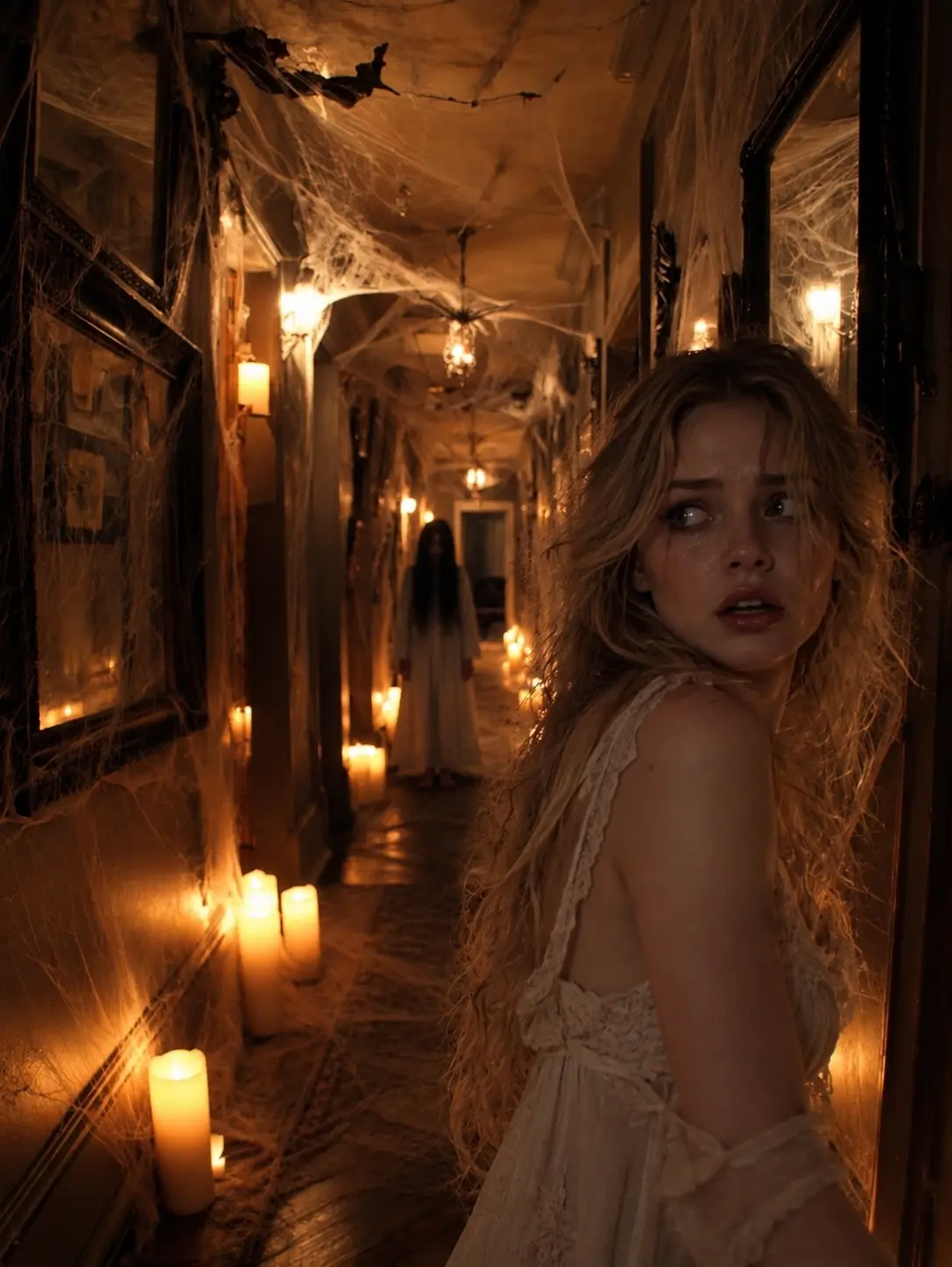
One of the simplest AI Halloween photo trend ideas borrows a classic horror-movie scene: someone stands in a dark hallway, and something appears behind them.
The audience notices it immediately.
The character, unfortunately, does not.
That small gap between what the viewer knows and what the character knows makes this one of the easiest horror concepts to understand.
It also makes an excellent short-video idea for the AI Halloween trend.
You don't need a complicated transformation or a crowded scene. One person, one ghost, and one very uncomfortable moment will do.
For the AI Halloween trend, this idea works particularly well for cinematic TikTok videos, short-form storytelling accounts, Halloween teasers, and humorous group-chat surprises.
Best photo to upload: A clear standing or upper-body photo. A portrait with a neutral expression makes the contrast between ordinary and supernatural more convincing.
AI Photo Prompt — GPT Image 2.5
Use the uploaded person's photo as the main character reference. Preserve their recognizable facial features and identity. Place the person inside a long, dimly lit Victorian mansion hallway. A faint translucent ghost stands several feet behind them. The person faces the camera and appears unaware of the ghost. Add old wall lamps, subtle fog, dusty air, long shadows, and realistic architectural details. Cinematic horror photography with a restrained, suspenseful atmosphere. Vertical 9:16 composition.
AI Video Prompt — Seedance 2.5
The camera remains steady in a dim Victorian hallway. The wall lamps flicker softly. The translucent ghost slowly glides closer behind the main character. After a short pause, the person senses something and turns their head slightly. Keep the person's face, clothing, and the hallway composition consistent. Realistic cinematic lighting, slow suspenseful pacing, one continuous shot.
Quick Tip: Leave enough empty space behind the main character when creating the image. The ghost needs room to approach, and the audience needs time to notice it.
For a classic AI Halloween trend scary ending, stop the video just as the character starts to turn.
For a funnier version, have the character calmly notice the ghost and wave.
The difference between horror and comedy can be surprisingly small when you control the timing.
This is also why the AI Halloween photo trend works so well with video. The photo establishes the situation, but timing determines how the audience feels about it.
How to Join the AI Halloween Trend with Your Own Photo
You now have five AI Halloween trend ideas. The next step is making one with a photo of your own.
The AI Halloween photo workflow is straightforward: create a Halloween image, check the composition, and then animate it.
For this tutorial, we'll use GPT Image 2.5 for image creation and Seedance 2.5 for video generation on LipSync.
You can follow the same basic process for a personal Halloween selfie, a branded event invitation, a creator video, or a classroom storytelling scene.
Step 1. Upload Your Photo to GPT Image 2.5
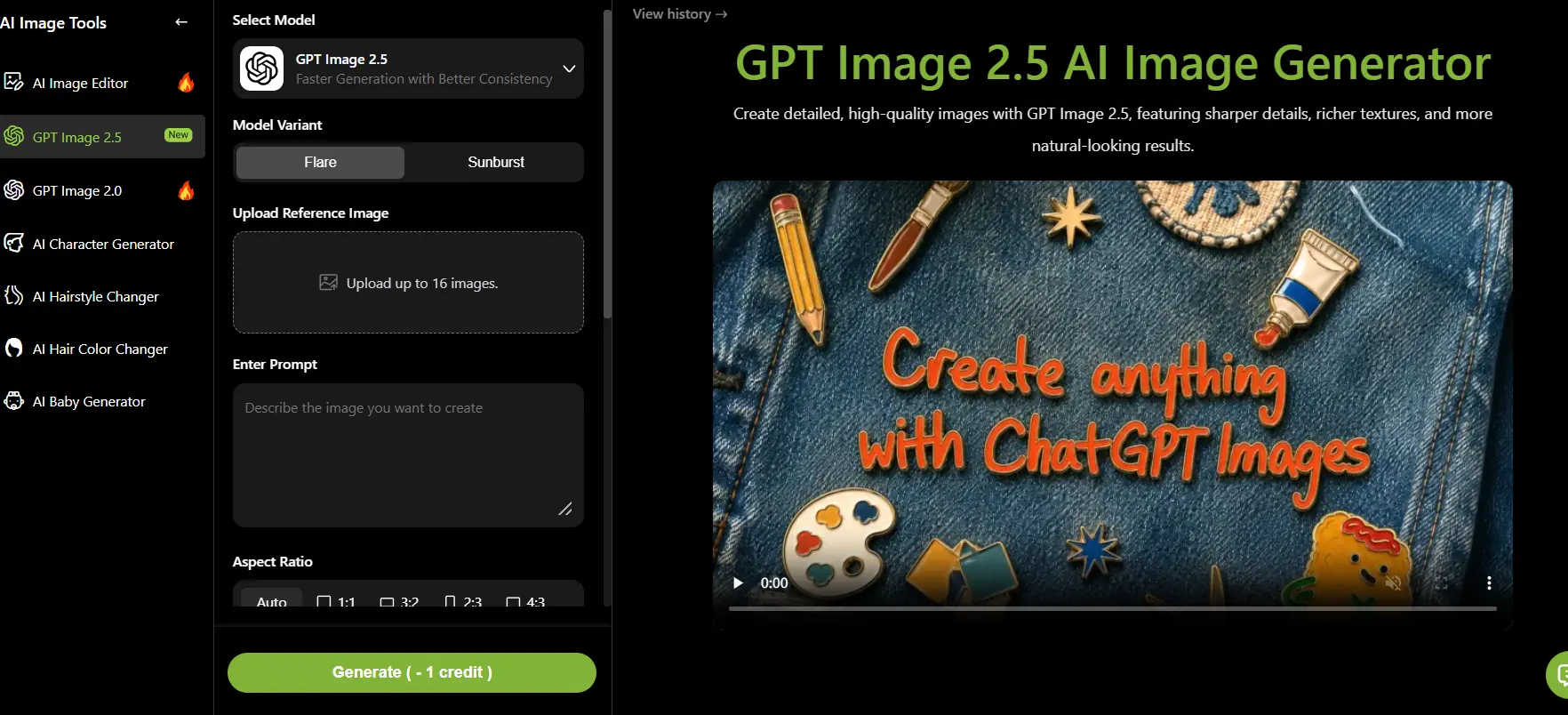
Open GPT Image 2.5 on LipSync.
To try the AI Halloween photo trend, choose the image you want to transform. For a personal Halloween portrait, a clear selfie is usually a practical starting point. For the haunted invitation, you might upload a background reference, product photo, or visual style example instead.
The GPT Image 2.5 interface supports reference-image uploads, prompt input, several aspect ratios, and image-generation settings.
For the AI Halloween photo trend, a clear selfie works best for Halloween portraits. Choose a photo with good lighting and visible facial features so AI can preserve your appearance.
Step 2. Copy the Prompt and Generate Your Halloween Look
Return to the five AI Halloween trend ideas above and choose your favorite.
Copy its AI Photo Prompt, paste it into GPT Image 2.5, and adjust any details you want to personalize.
For example, you might change the vampire's clothing from burgundy velvet to black lace. You could replace the Victorian hallway with a modern hotel corridor. Or you could change the Halloween invitation from an elegant gothic design to something playful and colorful.
The prompt already contains the important creative ingredients: a subject, a setting, a visual style, and a clear composition.
You don't need to rewrite everything.
For the AI Halloween photo trend on TikTok and Instagram Reels, a 9:16 image is a practical choice. If you're designing a wide Halloween scene for a presentation or website, consider 16:9 instead.
Step 3. Animate Your Halloween Photo with Seedance 2.5
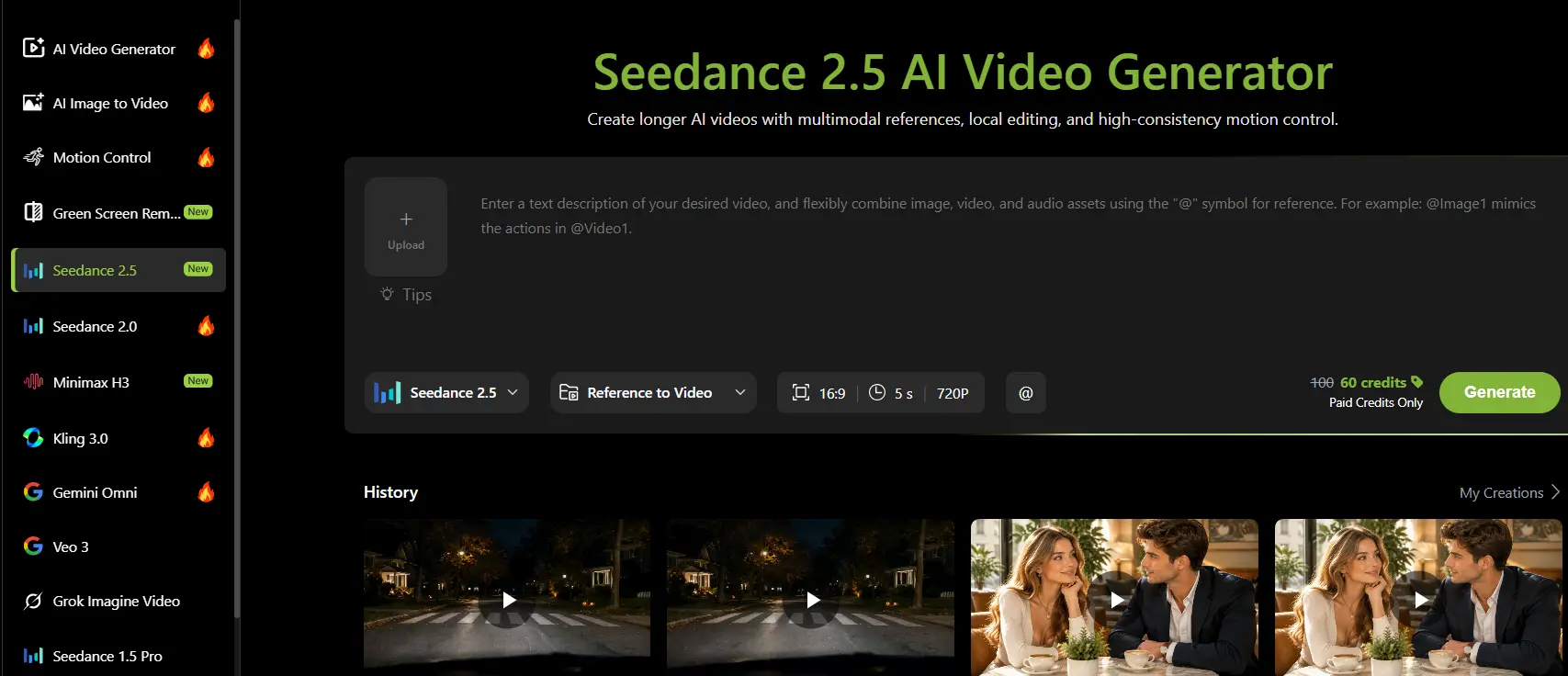
Open Seedance 2.5 on LipSync, select the available reference-to-video workflow, and upload your completed Halloween image.
Copy the corresponding AI Video Prompt from the idea you chose.
For the AI Halloween trend, the video prompt tells the model what should happen in the scene.
For the haunted mirror, the reflection moves independently. For the vampire portrait, the character slowly looks toward the camera. For the Halloween invitation, the candles flicker while the text remains unchanged.
The key to the AI Halloween trend is giving the motion a clear purpose.
Instead of writing "make this scary," describe what moves, what stays still, how the camera behaves, and what the viewer should notice.
Download the result once you're happy with it.
You've turned the AI Halloween photo into a Halloween video made from your own image, without having to organize a traditional video shoot.
AI Halloween Trend Tips for Better Photos and Videos
A great AI Halloween trend video doesn't need complicated prompts. A few thoughtful details can make your photos look better and your videos more exciting.
1. Photo Tips: Get Your Halloween Look Just Right
Choose a Clear Reference Photo. Use a well-lit photo with recognizable facial features. For the AI Halloween photo trend, a simple selfie is often all you need to get started.
Set the Halloween Mood. For the AI Halloween trend, atmosphere matters as much as the costume. Add details like candlelight, mysterious fog, dramatic shadows, or vintage film grain to your prompt. These small touches can turn an ordinary portrait into a cinematic Halloween scene.
Leave Room for Action. The AI Halloween photo trend looks better in motion when the original scene leaves space for it. Think about the video while creating your photo. Give ghosts space to move, keep mirrors clearly visible, and make sure the main subject stands out.
2. Video Tips: Make Every Spooky Moment Count
Focus on One Main Action. One memorable move often makes an AI Halloween trend clip stronger. A ghost slowly approaching or a vampire turning toward the camera can be more effective than several movements happening at once.
Use Camera Movement Wisely. Try a slow zoom-in to build suspense, or keep the camera still to highlight an unexpected moment.
Make the Ending Count. The AI Halloween trend gives you room for a tiny surprise. Save the biggest surprise for the final seconds. A sudden smile in the mirror or a ghost appearing behind someone can give viewers a reason to watch until the end.
Final Thoughts
The AI Halloween trend makes it easy to turn everyday photos into spooky, creative videos. Whether you're creating TikTok content, promoting a Halloween event, or just having fun, a good idea and the right prompt can go a long way.
Want an easier way to join the AI Halloween trend? Explore LipSync's ready-to-use Halloween AI templates. Pick your favorite, add your own creative touch, and start making Halloween videos without building everything from scratch.
Your Halloween photos are ready. Now it's time to make them move!