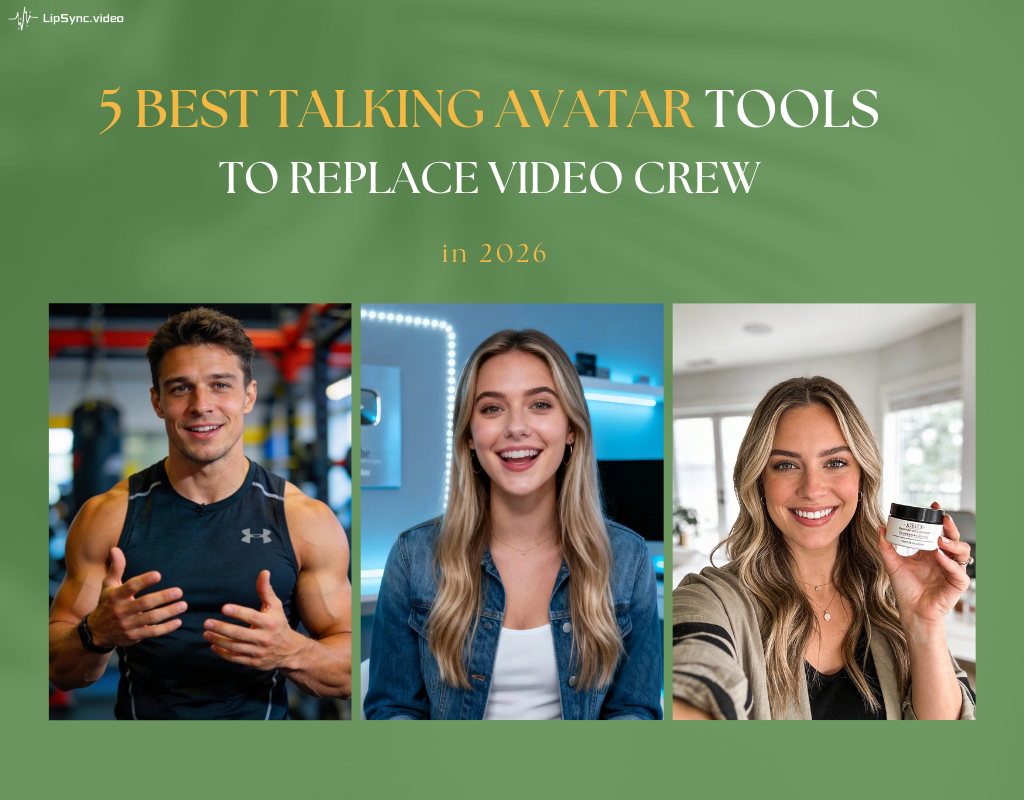
5 Best AI Spokesperson tools: Most Realistic Tools Compared
Are you still spending hundreds of dollars to shoot a 30-second product video with real actors?
In 2026, the average cost of producing a simple 30-second explainer video with traditional filming has already exceeded $800. With AI, the same result can be created in minutes—for just a few dollars—while achieving near-human realism.
But here’s what most people get wrong:
AI spokespersons are no longer competing on just “looking real.”
In 2026, the real competitive edge is something deeper—
how natural the movement feels, and whether it carries that subtle human warmth.
This 2026 guide compares leading AI spokesperson options, focusing on realism, controllability, speed, and value. We highlight what truly sets the best AI spokesperson apart now.
Why 2026 Is the Year of Advanced AI Spokesperson Tools
The AI spokesperson landscape has evolved rapidly. Three key shifts define 2026:
- Full-Body Realism Trumps Face-Only Lip Sync. Basic talking avatar AI tools handle mouths well, but lack natural gestures or breathing. Studies show videos with authentic body language boost trust and completion rates by 30-40%. The best AI spokesperson in 2026 feels alive overall.
- Prompt-Driven Control for Personalized Digital Humans Leading platforms let you direct avatars like actors: specify "enthusiastic gestures while explaining benefits" or "calm nods during key points." This turns generic AI presenter clips into branded, engaging content.
- Zero-Barrier Access and Creative Freedom No-login trials, instant generation, and support for diverse roles—from photoreal executives to fun mascots or custom characters—win users.
These trends favor hybrid approaches: generate motion-rich video first, then perfect lip sync to audio.
Detailed Comparison of the Best AI Spokesperson Tools
Instead of just listing features, we tested these tools based on real usage scenarios—from creating short-form content to producing longer spokesperson videos.
Here’s what actually stands out (and where each tool falls short).
1. LipSync.video
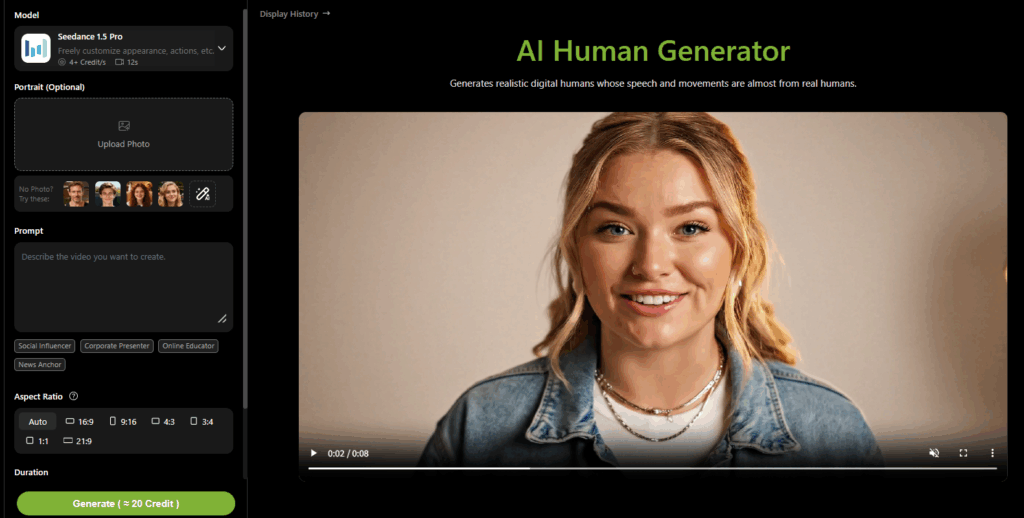
LipSync.video focuses on making AI spokesperson creation both accessible and expressive, especially for short-form content. Compared to many tools that rely on fixed templates, it allows users to define how a digital human behaves from the start, which leads to more flexible results.
The Features
One of its standout aspects is how much control you get directly through prompts. You can describe not just the script, but also the character’s tone, emotion, gestures, and pacing in a single input. For longer videos, a more advanced workflow can be used—first generating motion through prompts, then applying lip sync with uploaded audio—resulting in more controlled and natural output. The platform also lowers the entry barrier by offering free credits and simple onboarding, making it easy to test without upfront cost.
Pros
- Strong prompt-based control over expressions and gestures
- Flexible workflow for both short and longer videos
- Natural lip sync with smooth speech alignment
- Beginner-friendly with free credits available
- No downloads required — everything runs directly in your browser
Cons
- Longer videos require a two-step workflow
- Prompt-based voice generation with automatic lip-sync—without providing an audio file—is available in paid plans
2. HeyGen
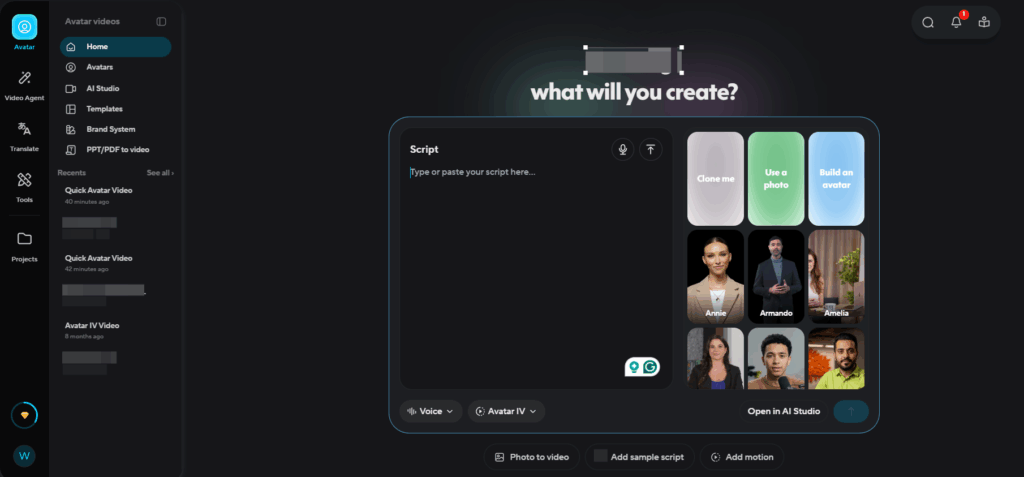
HeyGen is one of the most well-known AI spokesperson platforms, particularly strong in avatar variety and marketing-ready output. It’s designed to help users quickly create polished videos using pre-built assets.
The Features
The platform offers a large library of avatars, and each avatar comes with multiple variations—different outfits, backgrounds, and camera angles. It also supports voice cloning and even allows users to create a digital version of themselves via webcam. However, most animations are system-driven unless you unlock more advanced control through paid plans.
Pros
- Large and diverse avatar library
- Supports voice cloning and personalization
- Easy to produce polished marketing videos
- Strong brand recognition and ecosystem
Cons
- Limited control over gestures and expressions without paid plans
- Default animations can feel stiff or repetitive
- Free version is very restricted (only basic videos)
3. Synthesia
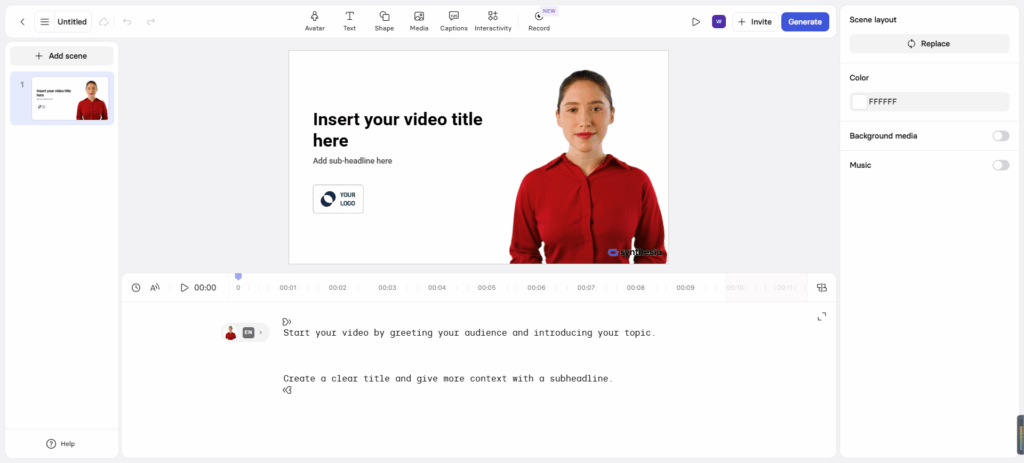
Synthesia is built primarily for enterprise and professional use, with a strong focus on turning structured content into video.
The Features
One of its most distinctive capabilities is converting documents—such as .docx, .pptx, or .pdf—into videos. It can also generate videos directly from URLs like blog posts or landing pages. Instead of focusing on individual characters, the platform emphasizes presentation-style templates, similar to slide-based video formats. It supports longer video durations, making it suitable for training or internal communication.
Pros
- Excellent for converting documents into video
- Supports long-form video generation
- Strong template system for structured content
- Suitable for enterprise and team workflows
Cons
- Limited control over character movement and expression
- More complex workflow, not beginner-friendly
- Less suitable for short-form or social media content
4. D-ID
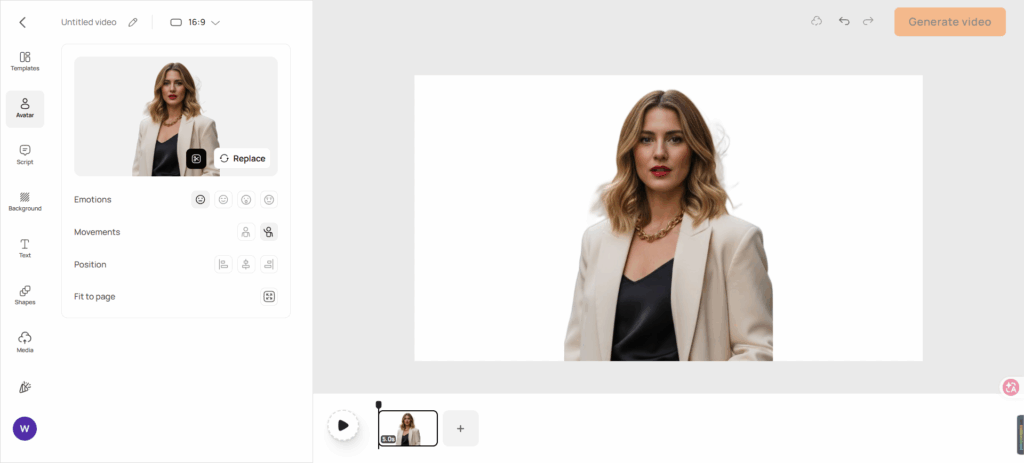
D-ID is designed for speed and simplicity, making it one of the easiest tools to get started with.
The Features
Users can generate AI spokesperson videos by uploading an image or video and adding text or audio. The interface is clean and straightforward, but customization is limited. Instead of detailed prompt control, users choose from predefined options for emotion and movement, such as “natural,” “happy,” or “serious,” and basic motion styles.
Pros
- Very simple and intuitive interface
- Fast video generation
- Low barrier to entry
- Suitable for quick experiments
Cons
- Very limited control over expressions and gestures
- Few customization options
- Less realistic compared to more advanced tools
5. Colossyan
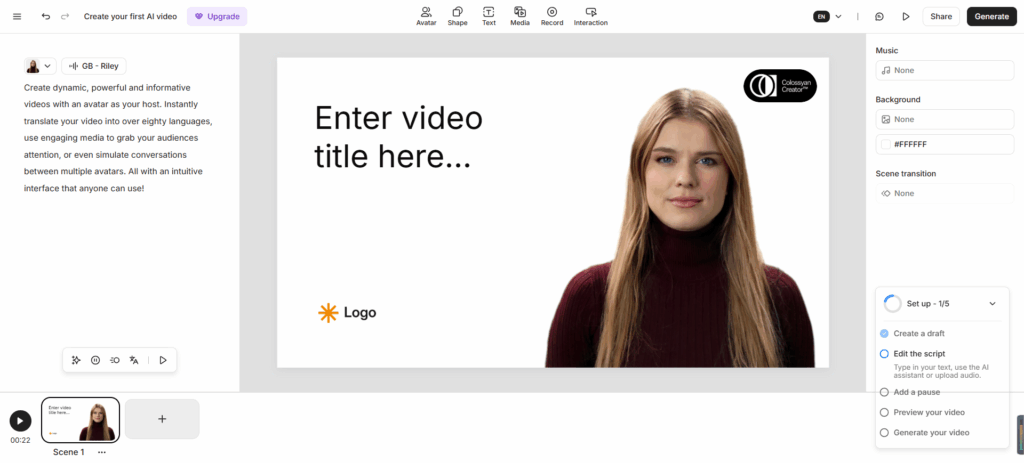
Colossyan is similar to Synthesia in that it focuses on structured, script-driven video creation, often used in business or educational contexts.
The Features
The platform supports generating videos from scripts or documents and includes multi-character dialogue capabilities. Its templates are more presentation-oriented rather than focused on a single expressive avatar, making it better suited for instructional or corporate content.
Pros
- Good for multi-speaker and dialogue-based videos
- Strong for educational and training content
- Structured workflow for teams
Cons
- Less suitable for social media or short-form content
- Limited flexibility in character expression
- Template style may feel rigid
Which AI Spokesperson Tool Fits You Best
After testing these tools, the differences become clear. The biggest gap in 2026 is no longer just visual quality— it’s how natural the movement feels and how much control you have over it.
- Highest motion realism + full performance control → LipSync video (via AI Human Generator + AI Lip Sync)
- Large-scale corporate training & multilingual needs → Synthesia and Colossyan
- Fast personalized marketing & face cloning → HeyGen
- Ultra-low budget + creative experimentation → D-ID
How to Create a Professional AI Spokesperson video
Before diving into the step-by-step process, it’s helpful to use a tool that reflects how AI spokesperson creation actually works today.
Some platforms focus primarily on templates or pre-built avatars, which are useful for quick outputs but don’t fully show how performance, tone, and motion can be shaped during generation. To better illustrate the full workflow—from controlling gestures and expressions to achieving accurate lip sync—this guide uses lipsync.video as a working example.
It supports both a structured, step-by-step approach and a more automated generation mode, making it easier to demonstrate how different creation methods impact the final result.
Option 1 – Two-Step Workflow (Free to Begin)
- Open lipsync.video → launch AI Human Generator.
- Upload your image or write a detailed performance prompt (example: “Young male tech reviewer, excited energy, pointing gestures toward features, friendly eye contact, casual modern background”). Generate base motion video.
- Switch to the Lip Sync tool → upload the generated clip.
- Add your audio (recorded voice, TTS, etc.).
- Generate → advanced synchronization perfectly aligns lip movements while preserving natural body language and expressions.
Option 2 – VIP One-Click Generation (Fastest Professional Path)
- In AI Human Generator, enable audio input mode.
- Upload an image or simply describe your spokesperson in detail—including appearance, outfit, posture, facial expressions, and gestures. Most importantly, clearly define the dialogue, along with voice tone and speaking pace, to achieve more natural results. Then, select your desired video length before generating.
- Generate → receive a complete AI spokesperson video with directed gestures, natural expressions, and precise lip sync in seconds.
Real examples created with this exact process perform noticeably better in viewer retention and engagement metrics.
Conclusion: The Future of AI Spokesperson Is Already Here
In 2026, the best AI spokesperson isn’t defined by how many avatars a platform offers, but by how convincingly that digital human can perform—with believable emotion, natural gestures, authentic presence, and perfect synchronization to any voice.
LipSync.video has carved out a leading position by giving creators director-level control over the entire performance through its AI Human Generator, followed by best-in-class lip sync precision. The combination produces virtual spokesperson videos that cross the uncanny valley more consistently than most alternatives.
Whether your goal is building brand trust, driving conversions on social platforms, or simply creating content faster and cheaper, starting with a truly lifelike AI spokesperson changes the game.
Ready to experience the difference? Visit lipsync. Video today, generate your first realistic digital human video in under a minute.