How to Create an AI Twin for Effortless Content Creation
You have ideas. Great ones, actually. But between filming, editing, re-recording that one line seventeen times, and somehow still needing to post on three platforms by Thursday — the ideas start to feel less like opportunities and more like obligations.
What if your AI twin could handle the talking while you focus on the thinking?
An AI twin isn't some sci-fi fantasy anymore. It's a working tool that content creators, educators, marketers, and solo entrepreneurs are already using to multiply their output without multiplying their hours. This guide breaks down exactly what an AI twin is, why you need one, and how to build yours — step by step — starting today.
What Is an AI Twin?
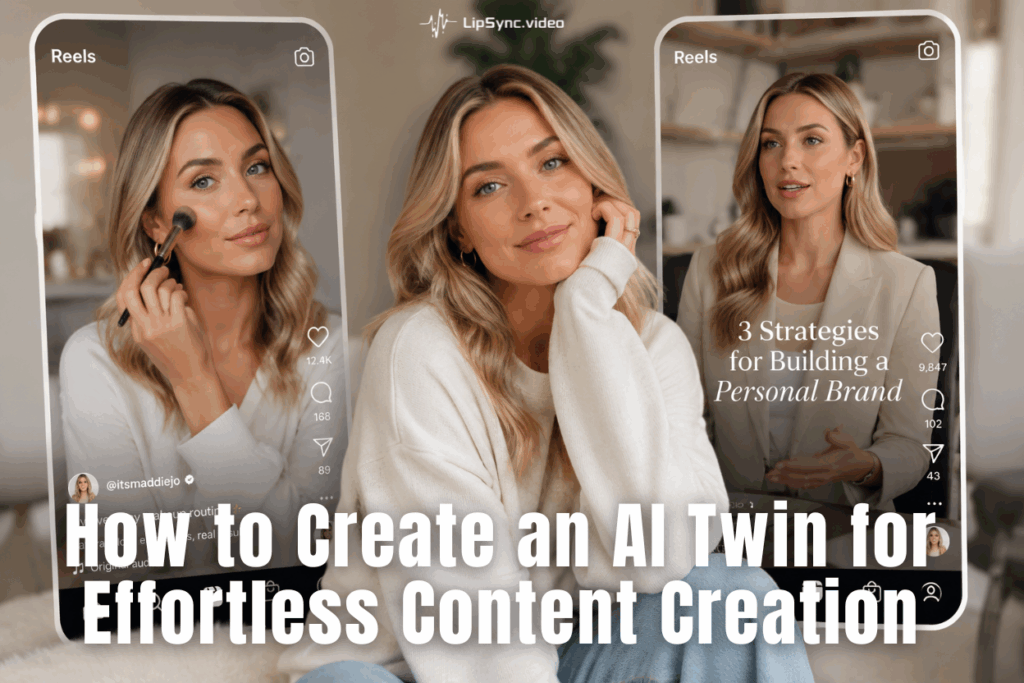
Let's cut through the buzzword fog. An AI twin — sometimes called an AI digital twin — is a personalized digital version of you that can speak, present, and communicate on your behalf using artificial intelligence. It combines a visual likeness (your face or an avatar) with a cloned or synthesized voice, driven by a script you write, to produce video content that looks and sounds like you made it.
The Three Components of an AI Twin
- Visual Identity: Either your real face digitized into a lifelike avatar, or a fully synthetic AI-generated character that represents your brand. AI avatar generator have become sophisticated enough that the line between "real" and "generated" is genuinely hard to spot.
- Voice Clone: AI trained on your actual voice recordings — or a carefully selected synthetic voice — that delivers your words with natural rhythm, tone, and emotion. Not the robotic text-to-speech of 2015. Something that actually sounds human.
- Script-Driven Output: You write (or generate) the script, feed it to your AI twin, and receive a finished video. No camera setup, no re-takes, no "wait, I blinked."
An AI twin doesn't give you more hours. It makes the hours you have go further.
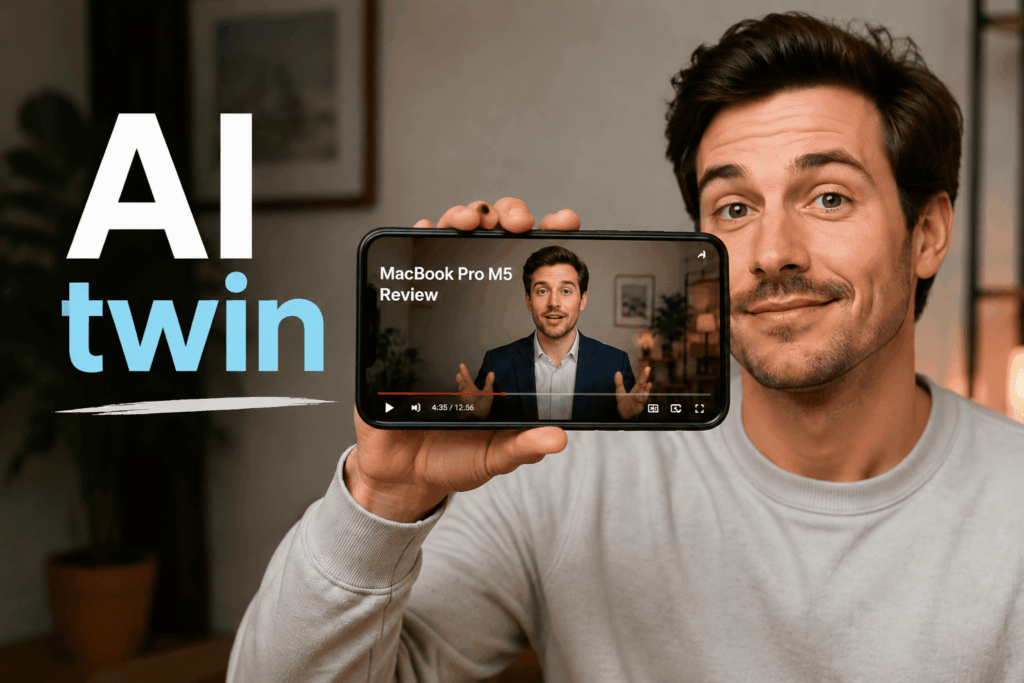
The Real Costs of Traditional Video Production
- Time: An average 5-minute YouTube video takes 4–8 hours to film and edit for a solo creator. Multiply by five videos per week and you're working a second full-time job.
- Consistency pressure: Algorithms reward regularity. But life is irregular. Getting sick, traveling, having a bad hair day — all of it interrupts your content pipeline.
- Camera anxiety: A significant percentage of creators — even successful ones — experience genuine anxiety about being on camera. The performance pressure is real, and it silences people who have genuinely valuable things to say.
- Localization limitations: If you want to reach audiences in multiple languages or regions, you're looking at either hiring voice talent or recording multiple versions yourself. Both are expensive.
An AI twin solves each of these problems in a direc. What makes this different from generic AI video tools? A generic tool gives you a random AI presenter with no connection to your brand. An AI digital twin is your brand — built from your face, voice, ideas. That distinction matters more than it might seem.
How to Build Your AI Twin on LipSync: A Step-by-Step Guide
Building an AI twin sounds technically intimidating. It isn't. What used to require a team of engineers, a motion capture studio, and a significant budget can now be done in an afternoon by a single person with a laptop and a good script. Platforms like LipSync have made the AI avatar generator workflow genuinely accessible.
The process breaks into two phases: setting up your AI twin once, and using it to make videos whenever you want. The setup is front-loaded — but once your avatar exists, every future video skips straight to the part where you type a script.
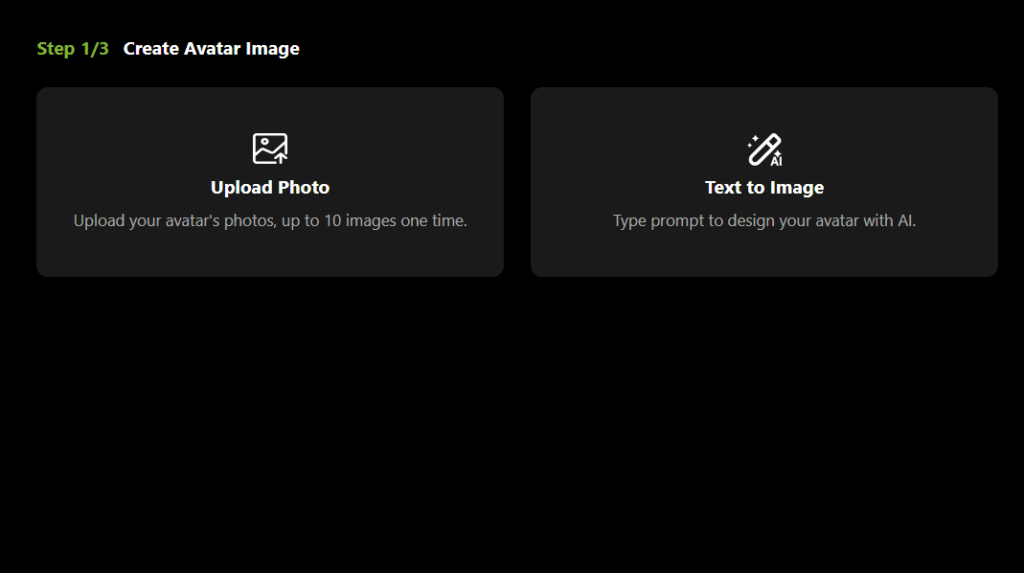
Step 1 — Upload or Create Your Avatar
Your AI twin starts with a face — and this is the step you only have to do once.
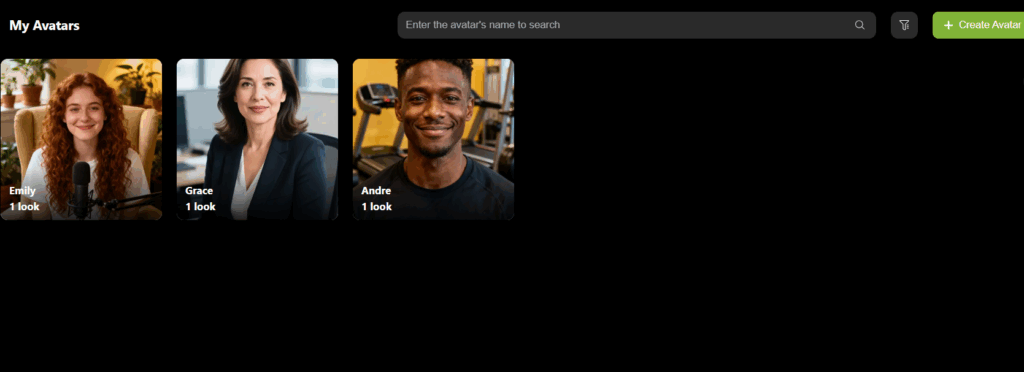
You have two paths. The first is to upload your own likeness. The AI avatar generator processes your facial features, expressions, and natural movements to build a digital version of you that can be animated to deliver any script you write. The result looks like you're genuinely the one speaking — because your face, your ideas, and your words are all still there. Only the camera work happened on a computer.
The second path is to build a custom avatar from scratch: choose from a library of realistic AI-generated personas, or design one to match your brand's personality. This is the route for creators building a faceless video presence — a channel or course that doesn't depend on one person's real face. The AI avatar generator handles the visual complexity; you just pick the look that fits.
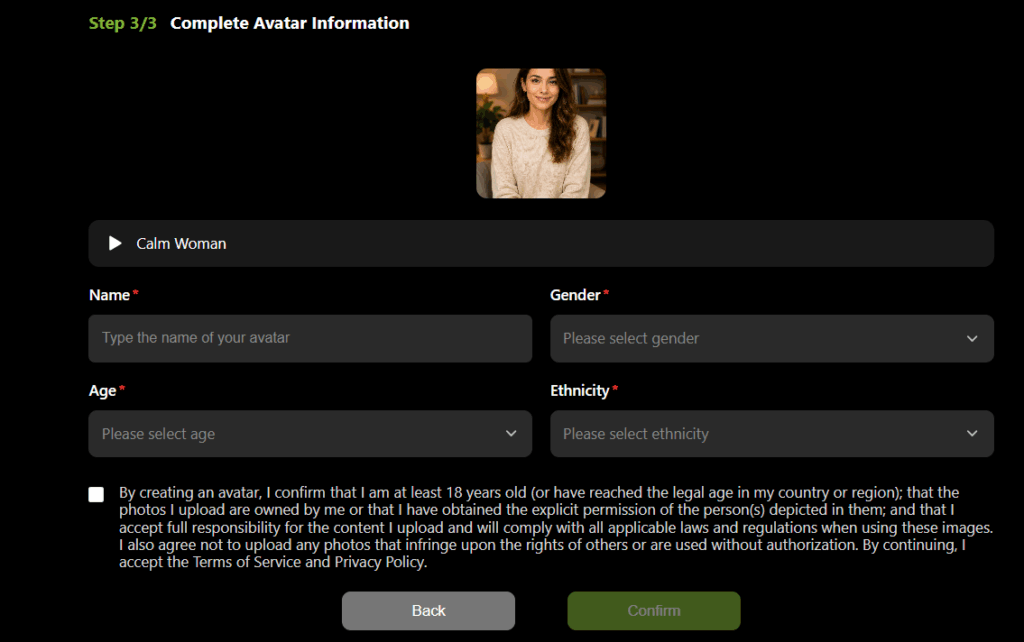
Once you're happy with the appearance, give your avatar a name and save it to your account. This is your AI twin — now stored in your library, ready to use in any video you make from here on.
Step 2 — Clone Your Voice and Complete Your AI Twin's Profile
With your avatar's appearance locked in, the next step is giving it a voice — and finishing the profile that makes your AI twin truly yours.
Voice Cloning:
Record a short sample of yourself speaking naturally — a few minutes of relaxed, conversational speech is usually enough. The platform's AI processes that sample and builds a synthetic voice model that matches your pitch, your pacing, your accent, and the rhythm of how you actually talk. The result isn't a voice that sounds "similar" to you. It's a voice that sounds like you on a good recording day, every time.
For creators with an established audience, this is a continuity tool as much as a convenience. Your audience already trusts your voice. Keep it.
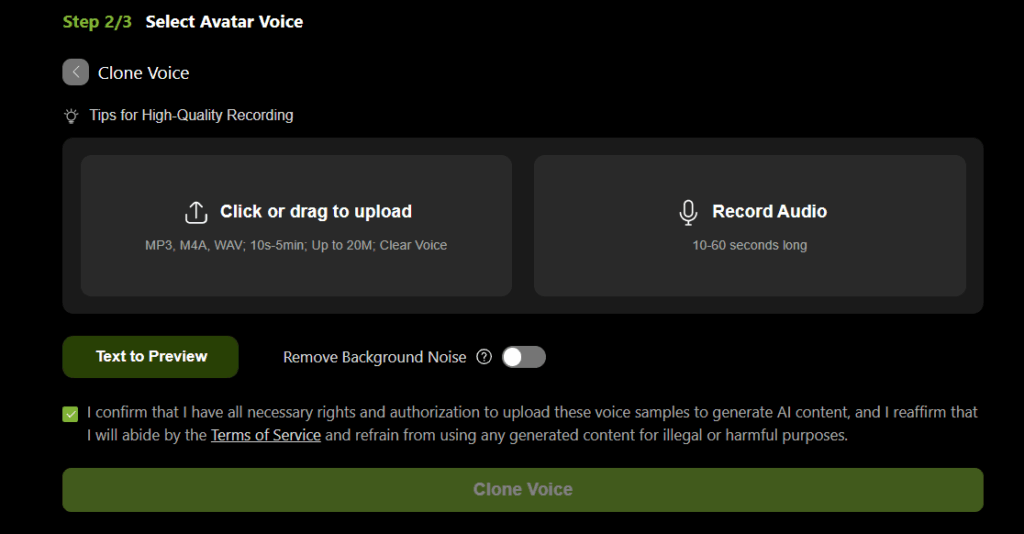
Pre-Built Voice Library:
Not ready to record yourself? Browse a library of professional AI voices built for different content styles — warm and educational, authoritative and concise, energetic and conversational. This option works especially well for faceless video content where you're building a brand character, not a personal presence. For educators and course creators, the consistent delivery across every lesson is worth calling out specifically: no recording fatigue, no "off" days captured on audio.
Pro tip: if you're producing content in multiple languages, the voice library is where localization becomes genuinely easy. Your AI twin can deliver the same script in English, Spanish, Japanese, or Portuguese — without a translator or voice actor in sight.
Once your voice is set, your AI twin profile is complete. Name it, save it, and it lives in your account — ready to be dropped into any video project, with the option to swap its background, adjust its setting, or update its outfit depending on the scene you're creating.
Step 3 — Select Your AI Twin and Type Your Script
Here's where the two phases meet — and where the workflow becomes genuinely different from anything that came before it.
Open a new video project and select the AI twin you just saved. Your avatar and voice load instantly, ready to go. If the video calls for a different visual context — a more formal setting, a casual background, a specific outfit — adjust it here before you start. The face and voice stay the same; only the scene changes.
Then write your script — or paste in content you've already written, repurpose a blog post, or adapt an outline you've been sitting on. Your AI twin reads it, delivers it with natural pacing and appropriate emphasis, and syncs every word to your avatar's lip movements and expressions.
No performance. No lighting setup. No re-recording because you stumbled over a sentence. You edit text, not footage.
This is also where the AI digital twin concept earns its name. You're not watching a generic AI presenter read words off a page. You're watching a digital version of you — your face, your voice, your delivery — present your ideas as if you sat down and recorded it yourself. The script is yours. The output is unmistakably yours. The only thing software handled was the camera work.
Step4 —Video Is Ready to Go
Once the video renders, it's yours in full. Export it in your preferred format and resolution, drop it into your scheduling tool, or upload it directly to YouTube, TikTok, Instagram Reels, or LinkedIn.
LipSync outputs are optimized for direct publishing to major platforms — no conversion steps, no format juggling.
A polished two-to-three minute video — from opening your saved AI twin to exported file — can realistically be done in under thirty minutes. And the next one will be faster, because your avatar, your voice, and your visual settings are already there waiting.
How Creators Use AI Twins for Faceless Video Content
The faceless video format has exploded over the past two years for a simple reason: it works. Channels with no identifiable creator, no on-camera host, and no personal brand attachment routinely accumulate millions of views. The content performs because the information is good — not because someone's face made it trustworthy.
An AI twin makes faceless video creation dramatically faster, more scalable, and more consistent.
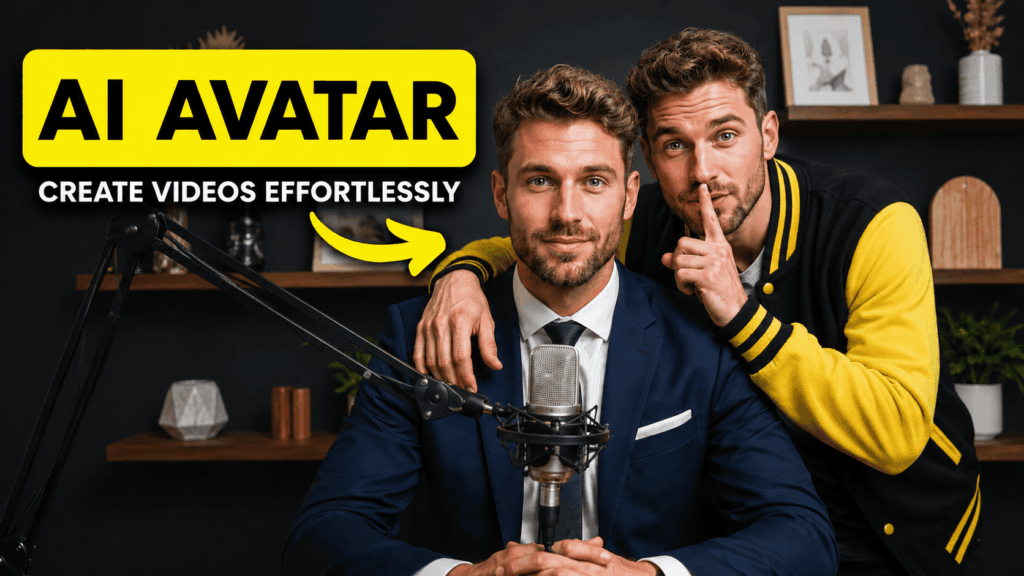
1. Build a Faceless YouTube Channel Without Being on Camera
The basic playbook for a faceless video channel is pretty simple: pick something you can talk about consistently, write scripts, add a voice and visuals, publish. What used to slow people down was the production part — finding a quiet room to record, editing out the stumbles, sourcing footage. With an AI avatar generator handling the on-screen presenter and a voice clone doing the talking, that whole middle chunk collapses into a script-to-video workflow that takes a fraction of the time. A few formats that consistently work well for faceless channels:
- Tool reviews & comparisons — "Best AI tools for X in 2025" videos have evergreen search demand and are easy to script. Your AI twin delivers the walkthrough; you just need the research.
- Educational explainers: From beginner finance to history deep-dives, there's endless search demand for clear explanations of things people want to understand. An AI twin playing a consistent "host" character makes viewers feel like they're returning to a familiar teacher.
- Commentary & breakdown videos — Industry news, trend analysis, product launches. Script your take, generate the video, publish before the moment passes.
Once the channel has traction, monetization stacks naturally:
- YouTube ad revenue
- Brand sponsorships (sponsored segments drop straight into any script)
- Affiliate links in the description
- Your own digital products
One honest note: faceless video doesn't mean zero effort. Your AI twin handles the production headaches — no camera setup, no re-recording the same line eight times. But the research and the script still come from you. That's where the real quality gap between channels shows up.
2. Reach a Global Audience Without Speaking Every Language
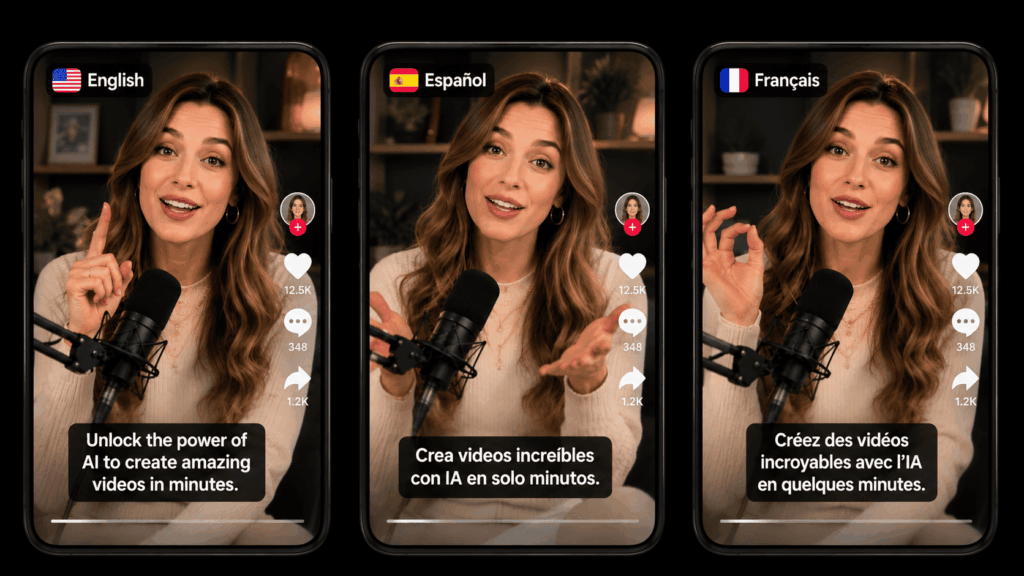
Here's a scenario most creators never even try: publishing the same video in English, Spanish, Japanese, and Portuguese — simultaneously, in the same week, without hiring a single translator or voice actor.
With an AI twin, that's not a fantasy. It's just a workflow.
You write your script once. Translate it — or use an AI tool to do it. Then feed each version to your AI digital twin with a matching voice from the language library. Same face, completely different language, zero additional recording time.
What this looks like in practice:
- Write one core script in your native language
- Translate into target languages (AI tools handle this in minutes)
- Select a matching voice for each language in your AI twin's voice library
- Generate each language version — same avatar, localized audio
- Publish to regional channels or platform-specific accounts
For international marketers and brand builders, this is the most direct use case. Product demo videos, regional campaigns, localized explainers — content that used to require separate production runs for each market can now come from a single script session. Your AI twin becomes the consistent face of the brand across every region, speaking each market's language fluently, without you ever needing to step in front of a camera again.
One script. One afternoon. Multiple languages.
3. Sell More With AI-Powered Digital Products
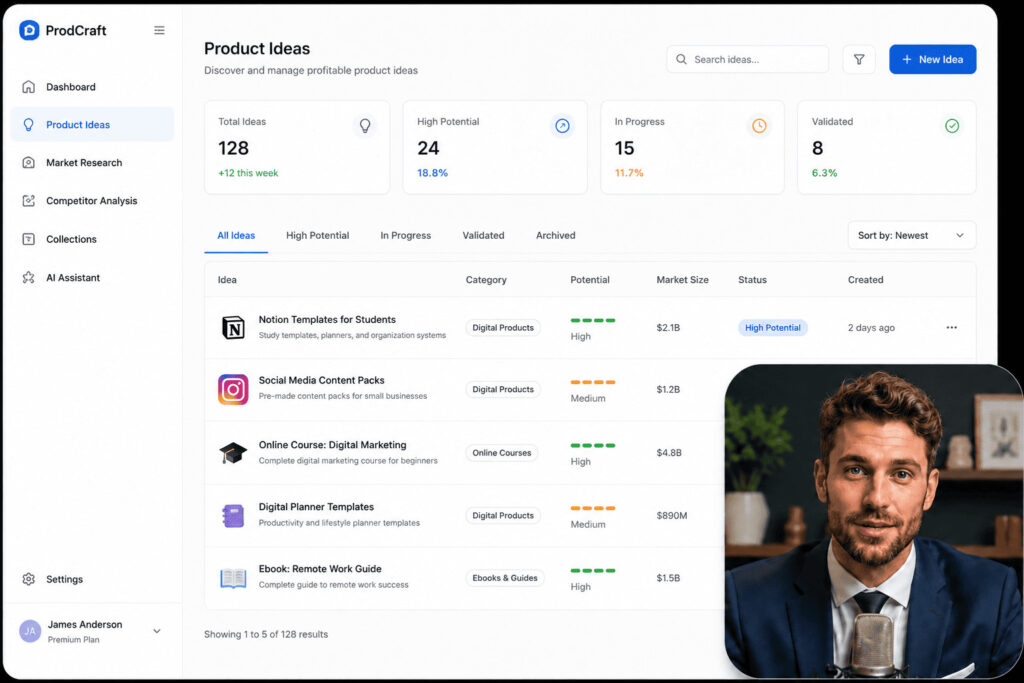
This one tends to surprise people. Beyond running a channel, an AI twin is actually a really practical tool for building and selling digital products — courses, video guides, membership content, anything that's essentially "me on video, teaching something."
The traditional course-creation workflow looks like this:
- 30 lessons = 30 separate recording sessions
- 30 rounds of editing and audio cleanup
- Re-film everything whenever the content becomes outdated
- Repeat indefinitely while questioning your life choices
With an AI twin, the same project looks like this:
- Write the lesson script
- Run it through the AI avatar generator
- Export the finished video — update later by editing the script and re-rendering
No rebooking studio time. No doing your hair again. No finding the forty-five-minute window where the house is actually quiet enough to record.
The same logic applies to lead generation content — free video guides, mini-courses, webinar-style content that you use to attract and convert an audience. With an AI twin, these assets are cheap and fast to produce, so you can actually make enough of them to matter instead of treating each one like a major production.
The short version: your AI twin turns "I should make a course about this" from a six-month project into something you can actually finish.
Ready to Build Your AI Twin? Here's Where to Start
The creators winning the content game in 2026 aren't necessarily the most talented or the best-looking or the most charismatic on camera. They're the ones who found systems that let them show up consistently, at quality, at scale — and then used those systems relentlessly.
LipSync is built for exactly this workflow — face, voice, script, video. If you've made it to the end of this guide, you already have everything you need to get started.
Create Your AI Twin Free on LipSync