
5 Best Talking Avatar Tools to Replace Video Crew in 2026
 Jennifer
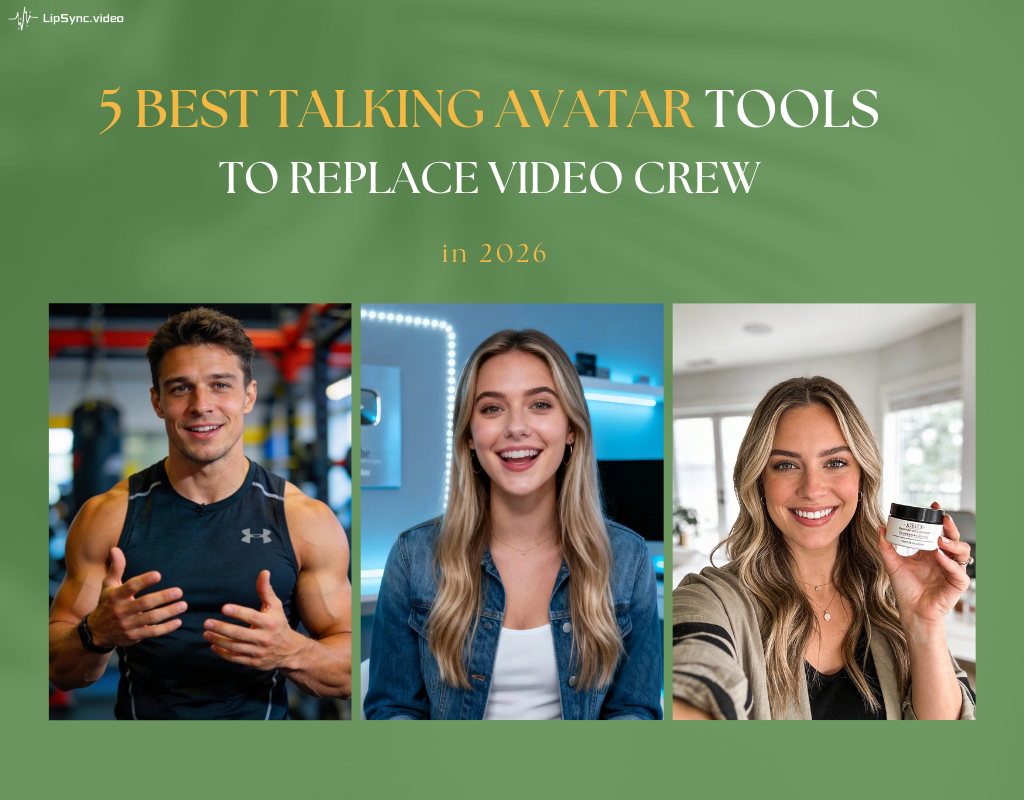
Hiring a professional video crew in 2026 can cost upwards of $5,000 per shoot day—a significant barrier for many businesses. But what if you could achieve the same studio-quality results directly from your laptop? Today’s high-fidelity AI technology has officially reached a tipping point, allowing you to create professional presenter videos without cameras, lights, or expensive talent. In this guide, we’ve vetted the top 5 tools to help you find the best talking avatar generator that are effectively replacing traditional video crews this year.
What Defines the Best Talking Avatar Generator in 2026?
To be crowned the best talking avatar generator in 2026, a tool must move beyond basic animation and bridge the "uncanny valley." The industry leaders focus on three technical pillars that ensure digital characters feel human, not robotic.
Natural Language Prosody and Synthetic Voices
The foundation of any high-end character is Neural Prosody. Unlike early text-to-speech models, the best talking avatar generator uses AI to understand context, automatically adding natural intonation, rhythmic pauses, and emotional inflections. These "Emotion-Aware" voices incorporate subtle breaths and speech nuances, ensuring the auditory performance is as compelling as the visual one.
Precision Lip-Syncing and Phoneme Mapping
Visual immersion depends on Phoneme-to-Viseme mapping—the science of matching speech sounds to mouth shapes. The best talking avatar generator uses deep learning to ensure millisecond-perfect synchronization. Whether it’s the labiodental "f" sound or complex multilingual pronunciations, precision lip-syncing prevents the distracting "lag" often found in amateur AI tools, maintaining professional credibility in 4K resolution.
Generative Facial Expressions and Body Language
Real human communication is 90% non-verbal. The best talking avatar generator stands out by simulating Micro-expressions. This includes natural eye blinks, ocular saccades, and brow movements that respond to the script's emphasis. By integrating organic head tilts and shoulder shifts, these platforms create a persona that doesn't just "talk," but truly "presents" with warmth and authority.
Top 5 Best Talking Avatar Generators(Free&Paid Options)
1. Lipsync.video – Easy-to-Use All-in-One Talking Avatar Solution
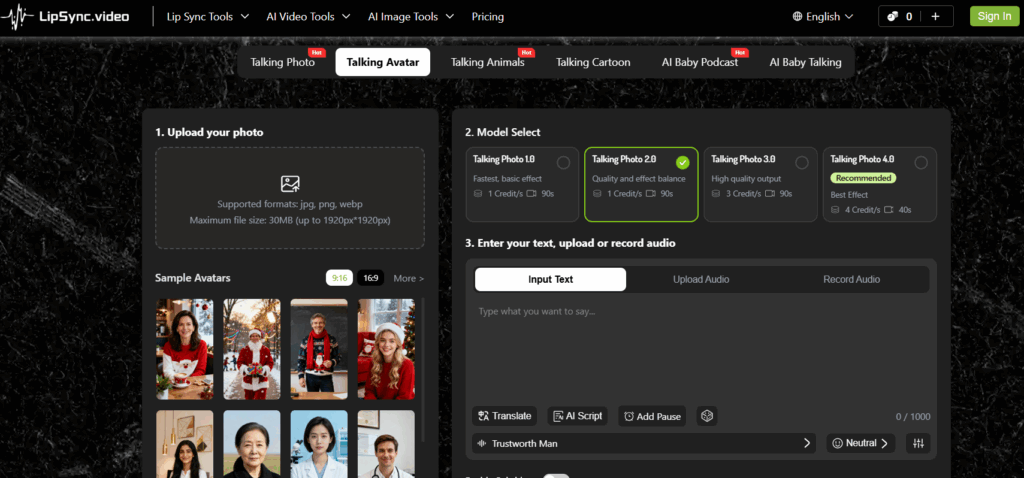
Lipsync.vide's Talking Avatar stands out for combining advanced lip-sync precision with an extremely simple workflow. Powered by its Neural Precision engine, the platform maintains highly accurate synchronization—even with fast speech, technical terminology, or complex scripts—making it a strong choice for professional tutorials and product demonstrations. At the same time, the process remains effortless: upload or choose an avatar, paste your script, select a voice, and generate. Even users with no editing background can create polished talking avatar videos in minutes, without complicated timelines or production delays.
Key Features:
- Advanced Lip-Sync Accuracy – Matches speech patterns with near millisecond-level precision for natural delivery.
- High-Fidelity AI Voices – Access humanlike, emotion-aware voices capable of expressing excitement, authority, empathy, and more.
- Extensive Avatar Library – Choose from a powerful collection of avatars across different genders, age groups, and visual styles.
- Custom Character Uploads – Turn any static portrait into a professional talking avatar within seconds.
- Full Voice Control – Adjust tone, pauses, speed, volume, and pitch for precise delivery control.
- 1080p Export with No Watermark – Download high-definition videos ready for commercial use.
- No Login Required – Even without signing in, users receive free credits to test the platform before creating an account.
For those looking to build a consistent brand identity, Lipsync.video offers the flexibility and realism required to maintain professional standards without the professional price tag.
Pricing:
- Free: 30 credits without signing in;
- Earn 50 credits daily by logging in;
- 1–4 credits/s for video generation;
- Premium: starting at $4.99 for 200 credits;
2. Veed – Create and Edit Talking Avatar Videos in One Place
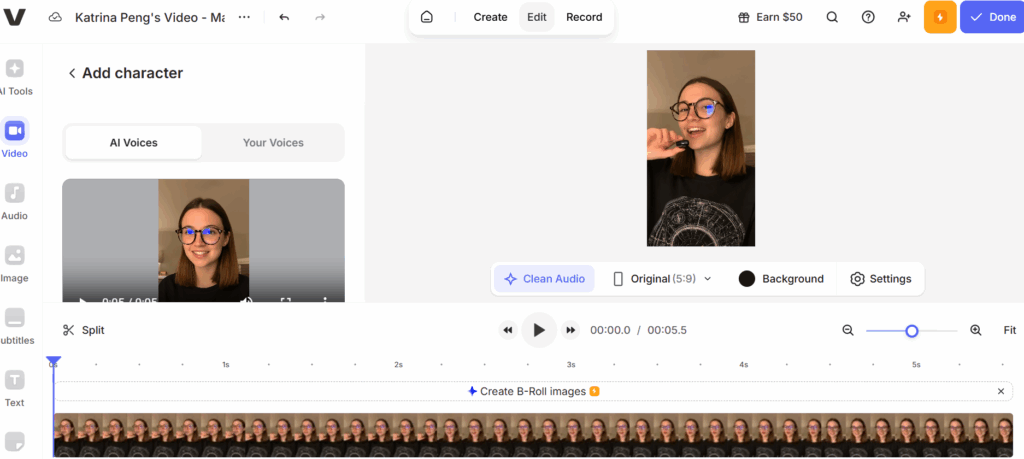
Veed.io combines AI avatar generation with a built-in online video editor, offering more than just basic talking avatar creation.
What sets Veed.io apart is its all-in-one workflow: after generating your avatar video, you can instantly edit it by adding captions, changing backgrounds, inserting music, and trimming scenes within the same platform. This integrated approach makes it a fast and scalable solution for creators who want both generation and editing in one place.
Key Features:
- 50+ AI Avatars – Choose from a diverse library of digital presenters with different genders, styles, and personalities.
- Custom Avatar Creation – Record yourself to generate a personalized avatar based on your face and voice profile.
- Voice Cloning – Create instant narrations using your own AI-generated voice profile.
- Integrated Video Editor – Add subtitles, music, backgrounds, animations, and trim scenes without exporting to other software.
Pricing:
- Free Plan: Generate 1 video for free.
- Paid tiered plans start at $24 per month
3.Synthesia – Enterprise-Grade Talking Avatars at Scale
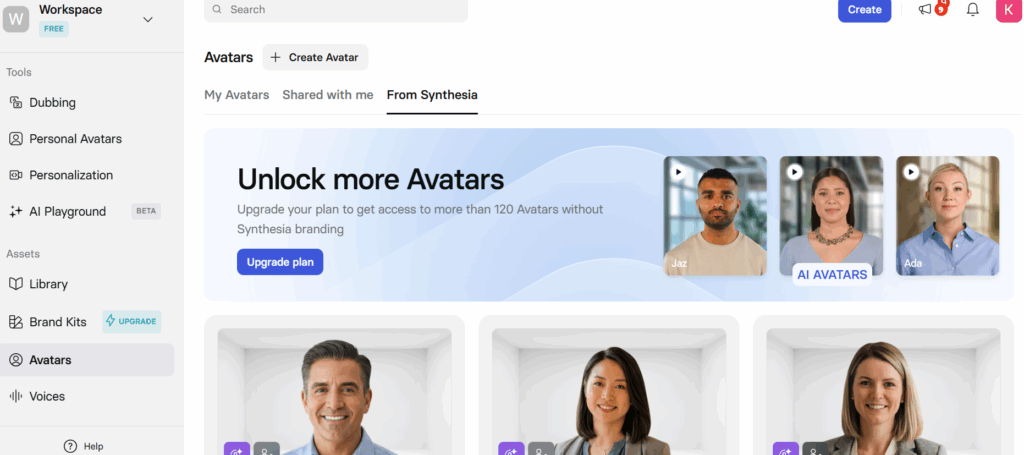
Synthesia is an AI-based video production platform that caters to businesses seeking scalable and professional avatar-based video content. This technology allows organizations to create high-quality videos without the need to shoot them traditionally, which makes it very useful for training employees, communicating internally within an organization, and carrying out global marketing campaigns. The company has built their service to provide a consistent on-screen presence and efficient video production for larger-scale businesses.
Key Features:
- 240+ Realistic AI Avatars – Full-body presenters with natural gestures and expressions.
- Personal AI Avatars – Record once and reuse your digital twin across multiple videos.
- Customizable Stock Avatars – Place avatars in immersive AI-generated scenes with branded outfits and backgrounds.
- Studio Avatars – Professionally captured, hyper-realistic custom avatars for enterprise use.
- 160+ Languages & Accents – Create multilingual content for global audiences.
Pricing:
- Free Plan: 10 minutes of video per month;
- Paid tiered plans start at $24 per month.
4. HeyGen – Versatile Stock Avatars for Global Content
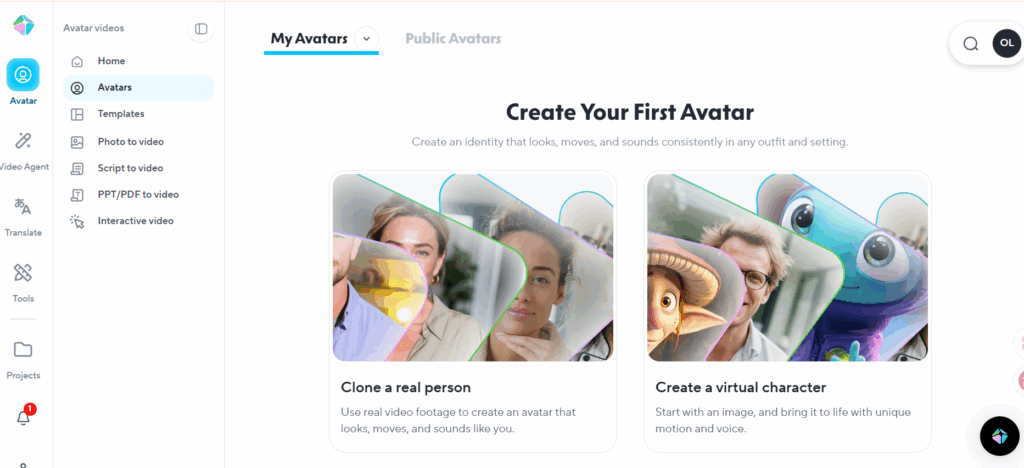
Heygen offers hundreds of AI avatars created for business communication, social media, and marketing use so users can select from a wide range of presenters, modern-day influencer-like characters, and models of various ethnicities, depending on the needs of their specific audience and industry.
With Heygen's ease of use, users may create numerous talking avatar videos that can be used in meetings, tutorials, advertising, or as a means to support customers through troubleshooting.
Key Features:
- 1,000+ Stock Avatars – Choose from professional presenters, influencer styles, and multicultural models.
- Custom Avatar Creation – Turn photos into personalized talking avatars.
- 100+ Realistic AI Voices – Select from a wide range of languages, accents, and tones.
- Voice Cloning – Clone your own voice or design unique tones.
Pricing:
- Create up to 3 videos per month for free, with a maximum 3-minute video length per project under the free plan.
- Paid tiered plans start at $24 per month
5.D-ID– Interactive AI Talking Avatars
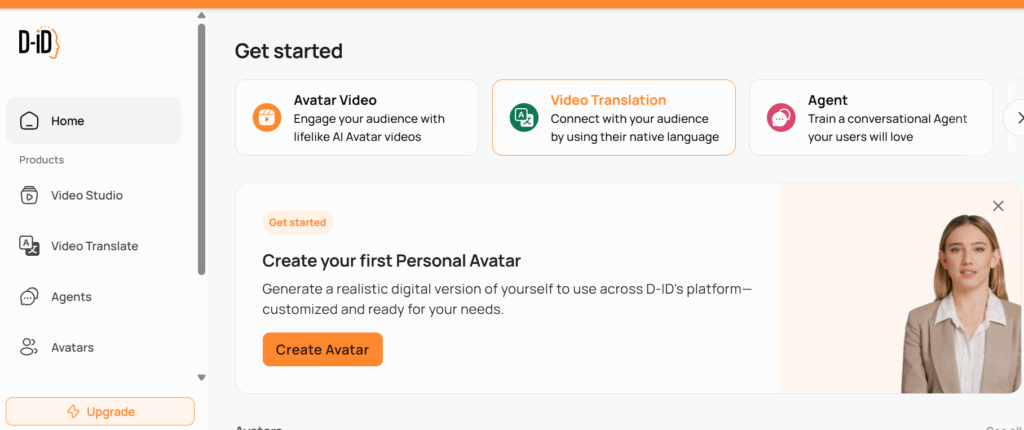
D-ID is a leading AI avatar platform that turns static images into realistic talking characters with natural lip-sync and expressive facial animation. Its Creative Reality Studio allows users to customize avatar appearance, choose or clone voices, and even build knowledge-based agents that respond intelligently using uploaded content. With strong multilingual support and real-time video generation, D-ID is well-suited for interactive customer support, onboarding, education, and personalized marketing at scale.
Key Features:
- Humanlike Visual Delivery – Realistic facial expressions and natural narration that increase trust, attention, and emotional connection.
- Enhanced Comprehension – Combines visual cues with clear voice output to improve understanding and retention across 120+ languages.
- Scalable Brand Consistency – Ensures consistent tone, appearance, and messaging across videos and interactive experiences.
- Interactive Visual Agents – Transform avatars into real-time conversational agents users can speak with face to face.
Pricing:
- Free 14-day trial available;
- Tiered plans start at $5.9/month.
Step-by-Step Guide: Creating Your First Talking Avatar
Ready to bring your digital persona to life? Even if you have zero technical background, the process is incredibly intuitive when using a professional-grade platform. Here is how you can create high-impact content using Lipsync.video, widely considered the best talking avatar generator for user-friendly workflows.
Step 1: Select or Upload Your Avatar Photo
The first step in your creative journey is defining the "face" of your brand. Within the Lipsync.video dashboard, you can browse an extensive library of pre-set AI characters. These avatars cover diverse demographics, including various genders, ages, and professional styles to ensure a perfect fit for your audience.
Alternatively, if you want a truly unique look, you can upload your own image. The best talking avatar generator technology will automatically analyze your photo’s facial structure, preparing it for realistic movement in the next steps.
Step 2: Input Your Script or Audio Source
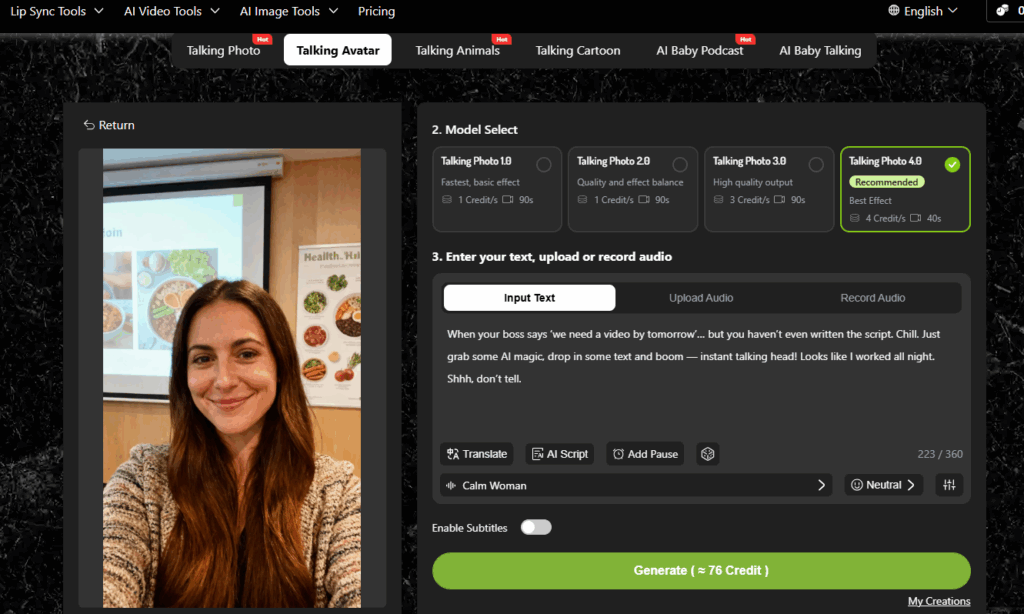
Once your character is set, it’s time to give them a voice. You have two primary options:
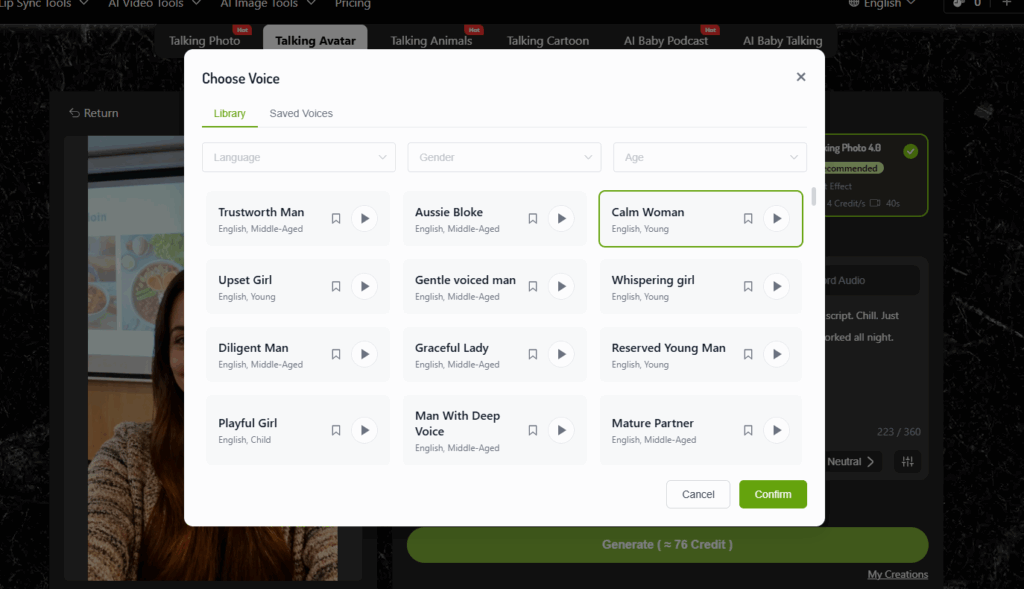
- Text-to-Speech: Type your script into the intuitive text box. You can then choose from a massive library of AI voices, filtering by tone (e.g., friendly, authoritative, or energetic) to find the perfect match.
- Audio Upload: If you have a professional voiceover or a personal recording ready, simply upload the file.
Step 3: Generate and Download Your Masterpiece
After a quick preview to ensure your script and voice alignment are correct, simply click "Generate." Because it is powered by high-speed cloud rendering, the LipSync.video will deliver your finished video in minutes. You can then download your content in high definition—ready for social media, corporate presentations, or your website.
Real-WorldUse Cases for Talking Avatar
Marketing & Sales Communication
Create product demonstrations, marketing initiatives, and personalized video communications in high magnification (millions of instances). By utilizing an assemble of talking avatars, companies can localize their content while increasing the level of interaction between the audience and the message without the need for traditional production costs.
Training & Educational Delivery
Implement the use of avatars in new hire training, compliance training, online course delivery, and internal communications. Providing a more consistent presentation aids in providing clearer communication and reduces the amount of time spent on repeated recordings.
Customer Engagement & Support
Use avatar-oriented explanations and/or interactive agents on company websites and mobile applications to assist customers in navigating websites and answering frequently asked questions. This enhances the overall user experience through a more humanized communication process.
Tips for Creating High-Quality Talking Avatar
Start with Strong Inputs
Make sure to use front-facing images with high resolution and use good quality conversational scripts. Natural phrasing and good visuals can improve the accuracy and realism of the lip sync.
Optimize Voice & Delivery Settings
Match the voice to your avatar’s persona and brand tone. Adjust speed, pauses, pitch, and emphasis to achieve a natural and engaging performance.
Adapt to Platform and Video Format
Adjust video length, aspect ratio, pacing, and tone based on where it will be published—such as social media, training modules, or marketing pages. Different platforms and content types require different presentation styles for maximum impact.
Frequent Asked Questions About Talking Avatar

Can I create talking avatar videos for free?
Yes. Most talking avatar platforms allow users to create videos easily, even without prior editing experience. In fact, many of the best talking avatar generator tools offer free credits or limited free plans so you can test the features before upgrading to a paid subscription.
Can talking avatar videos be used for commercial purposes?
Commercial usage depends on each platform’s licensing policy. In most cases, you must subscribe to a paid plan to obtain commercial rights. However, some platforms offer more flexible terms. For example, Lipsync.video allows users to create videos that can be used commercially, even under certain free usage conditions. Always review the specific tool’s terms of service before publishing monetized content.
Does using Talking avatar affect my brand’s authenticity?
This is a major topic in 2026. While some worry about a "synthetic" feel, the talking avatar generator actually enhance authenticity by allowing for consistent, high-quality communication. The key is transparency; many experts recommend adding a small "AI-generated" disclaimer. When used ethically, talking avatars help you scale your personal presence without sacrificing the "human" touch your audience expects.
Can I clone my own voice and face for talking avatar?
Yes. Many modern talking avatar generators offer “Digital Twin” features. By uploading a few minutes of reference video and audio, the system can generate a custom avatar that replicates your facial appearance and clone a voice model that matches your tone, speech patterns, and accent.
Conclusion
With the advances in artificial intelligence, creating videos has never been easier. Depending on whether you select Lipsync.video due to its accuracy, D-ID for its enterprise-level capabilities, or Veed.io for being a versatile editing platform, you are sure to find a talking Avatar Generator that will meet your requirements.
In 2026, you will be limited only by your imagination; by using the tools available to you through AI technology, you can produce visually attractive, authentic, high-quality, and highly receivable video material that will create memories in viewers whether they are physical or virtual.
Ready to see the future of video? Start your free trial with Lipsync.video and discover why it is consistently rated as the best talking avatar generator in the industry.