Unlimited subscription for Lipsync/ Talking/ Singing.Learn More→
Pricing
0

Make YouTube Videos Without the Production Hassle

You don’t need a camera, a studio, or the confidence to appear on screen to create videos people want to watch. Bring your ideas to life with AI, build a recognizable channel identity, and create more consistently to help your YouTube channel grow.
  • Turn your YouTube ideas into polished video content
  • Create a consistent AI presenter without filming
  • Reach global audiences with multilingual video content

Key Features of Our AI YouTube Video Maker

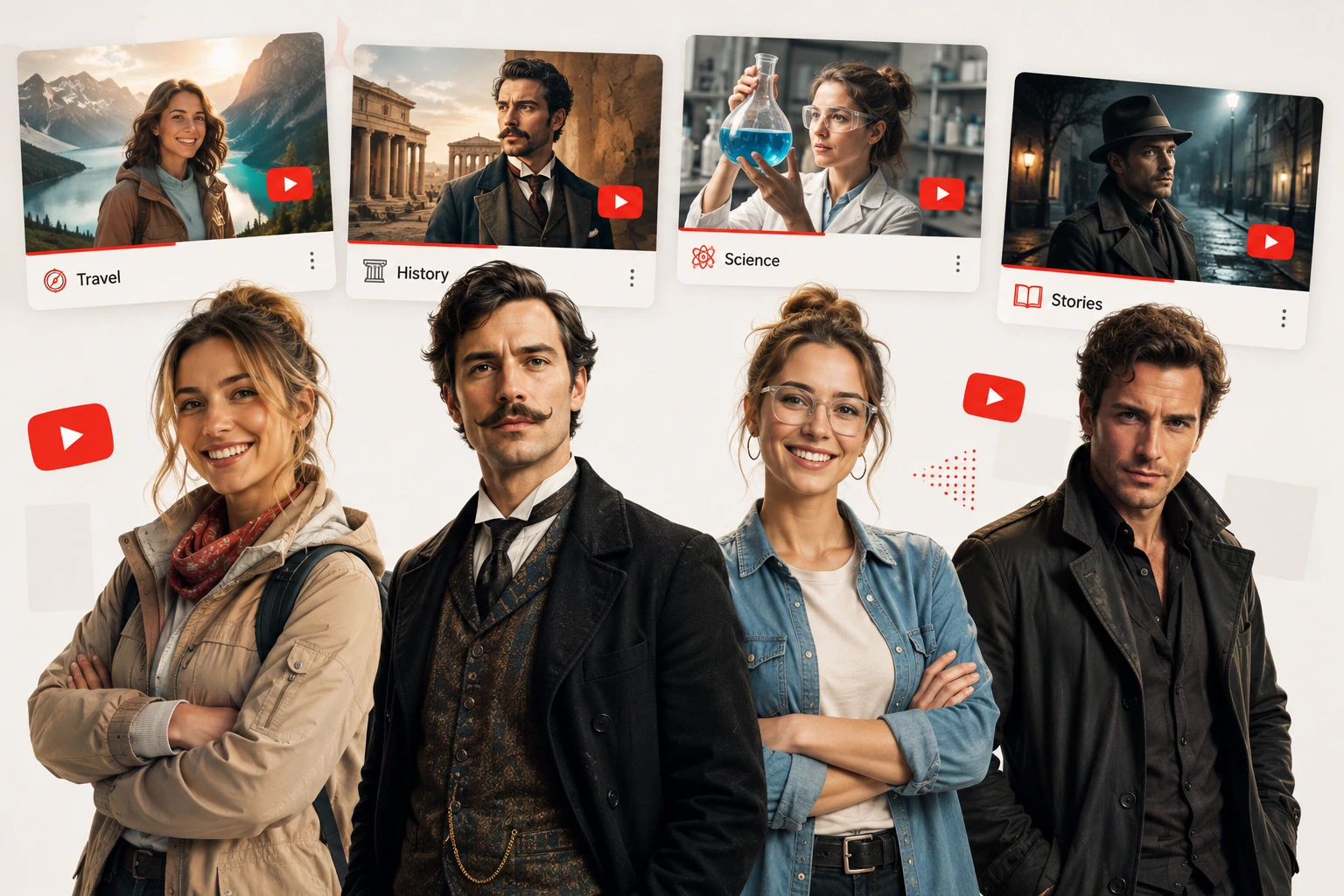
Create AI characters for unique YouTube video

Design Unique Characters for Your YouTube Videos

  • Give every story a visual identity before production starts. Describe the appearance, personality, and style you want, then use the AI Character Generator to create original character images for storytelling, animation, explainers, and creative YouTube AI videos.
  • Instead of searching through generic stock images, creators can design characters around a specific channel concept or YouTube video idea.
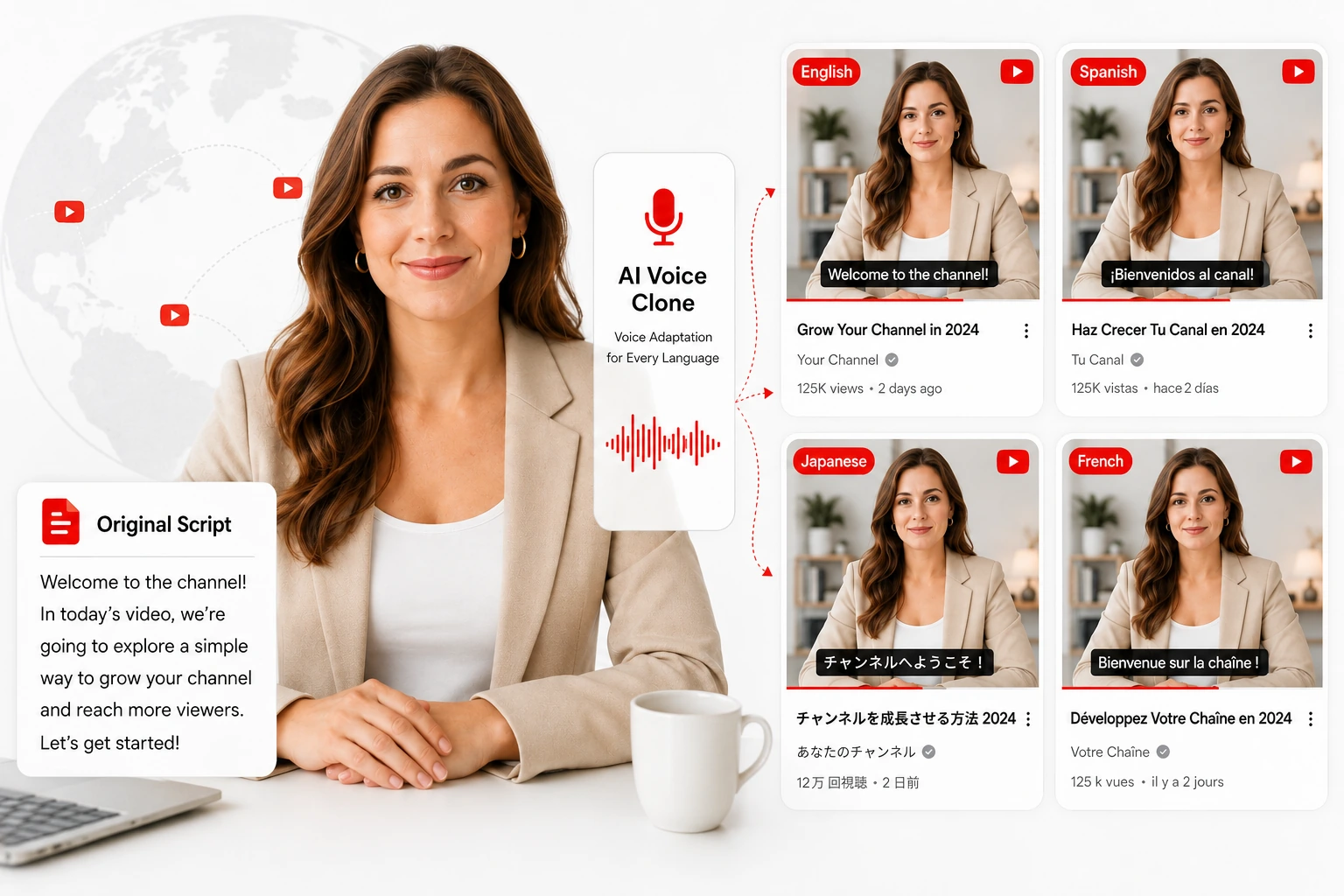
AI voice clone for multilingual YouTube videos

Create YouTube Videos for Global Audiences

  • Reuse the same script across different languages and adapt narration with AI Voice Clone. Create localized YouTube videos without recording a new voice track for every market.
  • AI YouTube video maker makes multilingual content easier to scale, helping creators reach new audiences while keeping production fast and consistent.
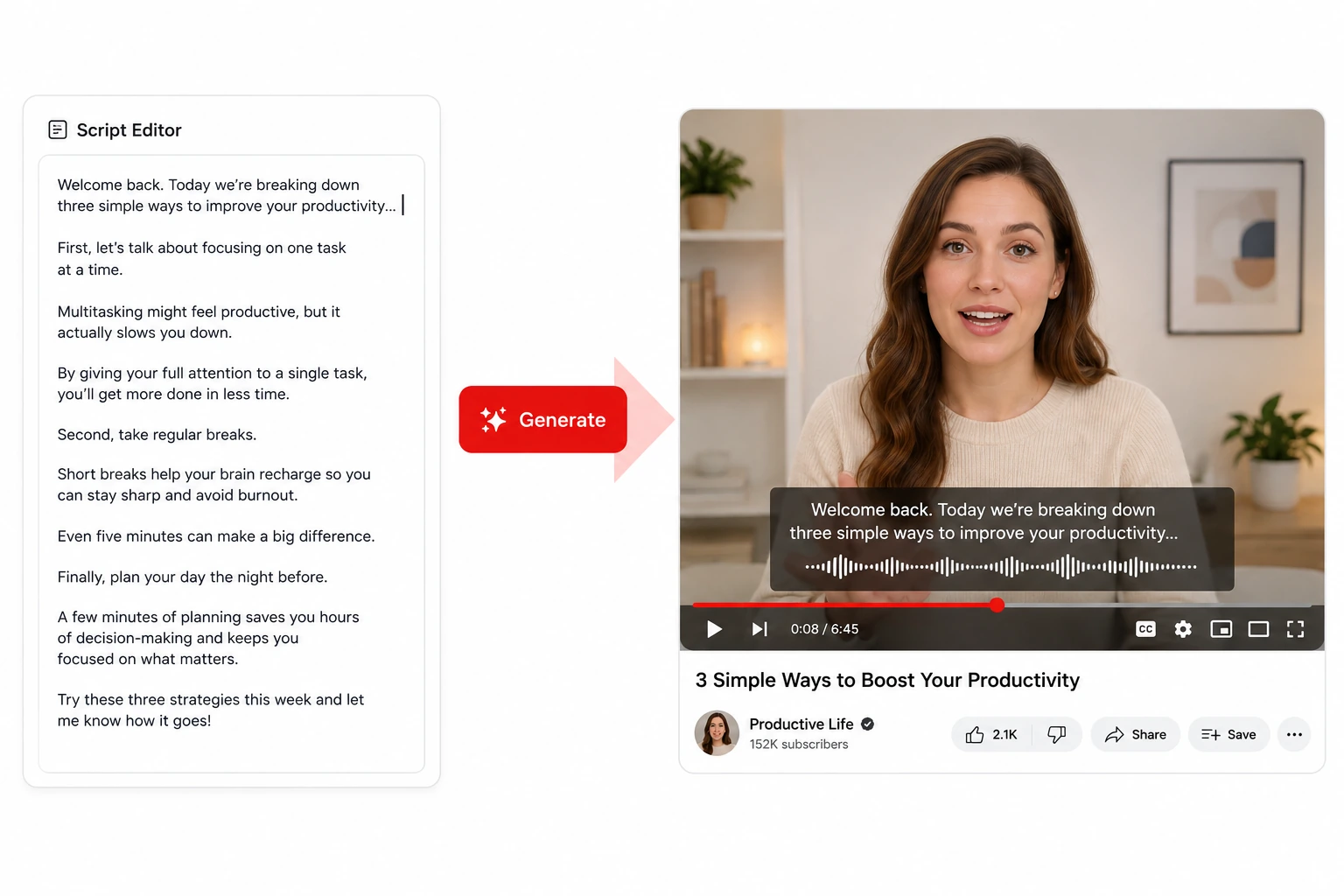
Turn scripts into AI YouTube videos

Generate YouTube Videos from Scripts

  • Already have the words? Turn scripts into presenter-led YouTube AI videos with Talking Avatar. The AI avatar delivers your script on screen, helping creators move from written content to usable video without repeatedly setting up a camera, microphone, or studio.
  • This makes the AI YouTube video maker useful for tutorials, commentary, educational videos, announcements, and other script-first formats.
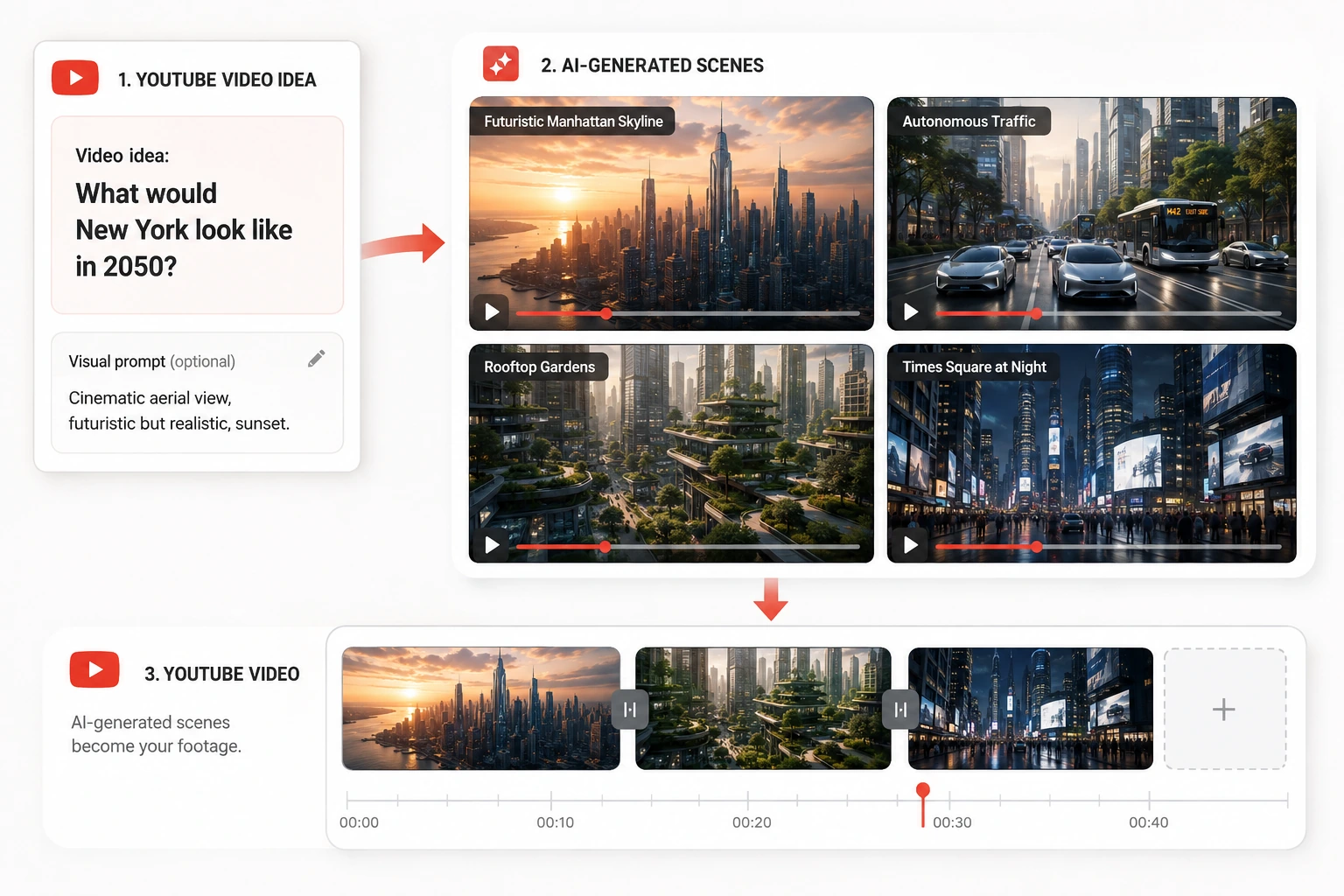
Create AI video clips from YouTube ideas

Turn YouTube Video Ideas into AI Video Clips

  • Use Seedance 2.5 to transform prompts, images, and visual references into generated video scenes. Create supporting footage for stories, explainers, intros, transitions, and other YouTube AI videos without sourcing every clip manually.
  • The AI YouTube Video Maker gives creators more freedom to turn ideas into scenes that would otherwise be difficult or expensive to film.

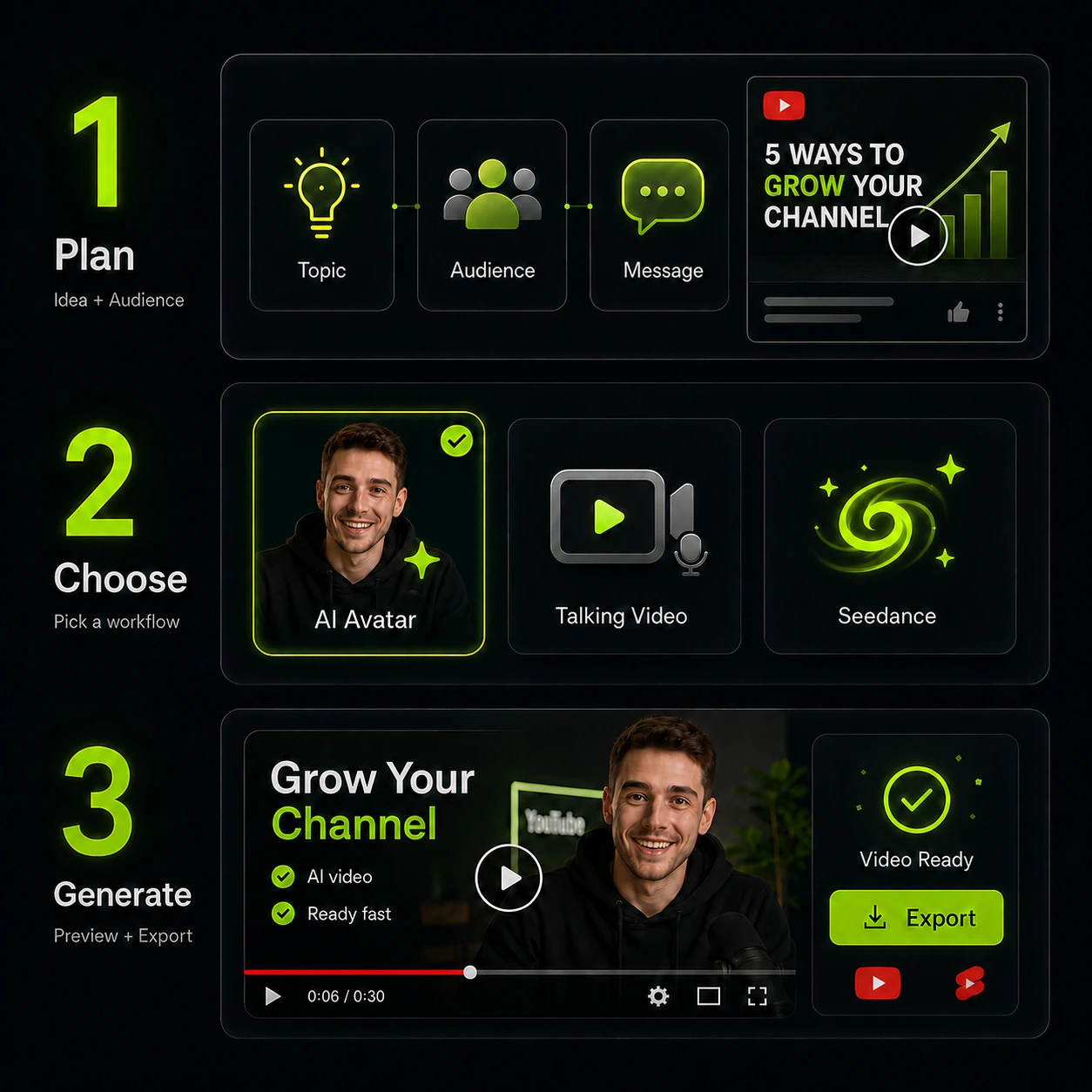
How to Make AI YouTube Videos

Steps for using the AI YouTube Video Maker
1

Plan Your YouTube Video Idea

Start with your topic, audience, and key message. A clear YouTube video idea helps define the right character, visual style, and content direction before you begin creating.
2

Choose Your AI Video Workflow

Choose the workflow that fits your content. Use an AI avatar, talking video, or generated scenes based on your format.
3

Generate Your YouTube Video

Turn your creative inputs into YouTube AI videos with the AI YouTube video maker. Create presenter content or visual clips faster without setting up cameras or filming every scene yourself.

Start Creating Your Faceless YouTube Channel

Stop leaving good YouTube video ideas in drafts. Use the AI YouTube video maker to create characters, build a recognizable digital presenter, turn scripts into video, and generate visual scenes without traditional filming.

Create Your YouTube Video

What User Reviews Say about Our AI YouTube Video Maker

The AI YouTube video maker helps me turn lesson scripts into presenter videos without recording every update myself. I can keep the same AI avatar across tutorials and spend more time improving the actual lesson.

Theo Bennett
Theo BennettYouTube Educator

Our team always has strong YouTube video ideas, but production used to slow us down. The AI YouTube video maker gives us a faster way to test avatar-led explainers before committing to a full campaign.

Maya Collins
Maya CollinsContent Marketing Manager

I wanted a faceless YouTube channel that still had a recognizable host. The AI YouTube video maker lets me reuse the same AI avatar and publish without setting up a camera every week.

Ethan Park
Ethan ParkTech Reviewer

I use generated presenter footage and visual clips to adapt campaign ideas for YouTube. The workflow makes YouTube AI videos much easier to test when several creative variations are needed.

Sofia Ramirez
Sofia RamirezSocial Media Strategist

The character generator is especially useful for story concepts. I can create original characters first, then build scenes around them instead of spending hours looking for stock images that almost fit.

Jordan Blake
Jordan BlakeIndependent Story Creator

The AI YouTube video maker helps me create product explainers without hiring a presenter for every update. Using the same AI avatar gives the channel a familiar face and makes recurring content easier.

Chloe Nguyen
Chloe NguyenSmall Business Owner

FAQ About AI YouTube Video Maker

What is an AI YouTube video maker?

Can AI YouTube video maker create a faceless YouTube channel?

How do I start a faceless YouTube channel with AI?

What types of YouTube AI videos can I create?

How can an AI avatar help my YouTube channel?

Can I turn YouTube video ideas into videos without filming?

Can I use the same AI avatar across multiple videos?