How to Create 3D Cartoon Videos with Free AI in Minutes
In the past, making a 3D animation was very expensive and complicated because of the cost of software and needing years of training to be able to use it. Now, thanks to Artificial Intelligence technology, anyone can create high-quality 3D animated videos in a matter of minutes without having any experience in making animations.
This guide will teach you how to make your own 3D animation using AI free tools like Lipsync.video, as well as provide you with an easy-to-follow method for creating professional-quality video, whether for classroom or social media marketing purposes.
Table of Content
How to Make a 3D Cartoon Video Using Free AI
This section focuses on the practical workflow. Unlike tool landing pages, we’ll walk through the full creation process so you understand why each step matters.
1.Prepare Your Prompt & Script with ChatGPT
Before generating anything, you need a clear script and visual prompt. This step is often underestimated, but it directly affects the quality of your final 3D cartoon videos.
Write Your Script
ChatGPT can help you generate stories and scripts as long as you know how to ask the right questions. A good story always starts with a theme.
Step 1: Choose a story theme
If you’re unsure what story your video should tell, ask ChatGPT for ideas. For example:“What are 10 story ideas that children/teenagers/YouTubers love?”
Pick a theme that interests you the most.
Step 2: Generate the story
Once you have a theme, ask ChatGPT to create a story for you. Instead of simply saying:“Generate a story about [story name]”
Try adding specific requirements, like:
- “Generate a story about [story name] in a kid’s tone”
- “Generate a story about [story name] in 200 words”
Adding these details increases the chance you’ll get a story you really like.
Tips for a good script:
- Keep sentences short and natural (1–3 sentences works best for talking cartoons)
- Make it conversational instead of formal
- Convey clear emotions (happy, excited, calm, serious)
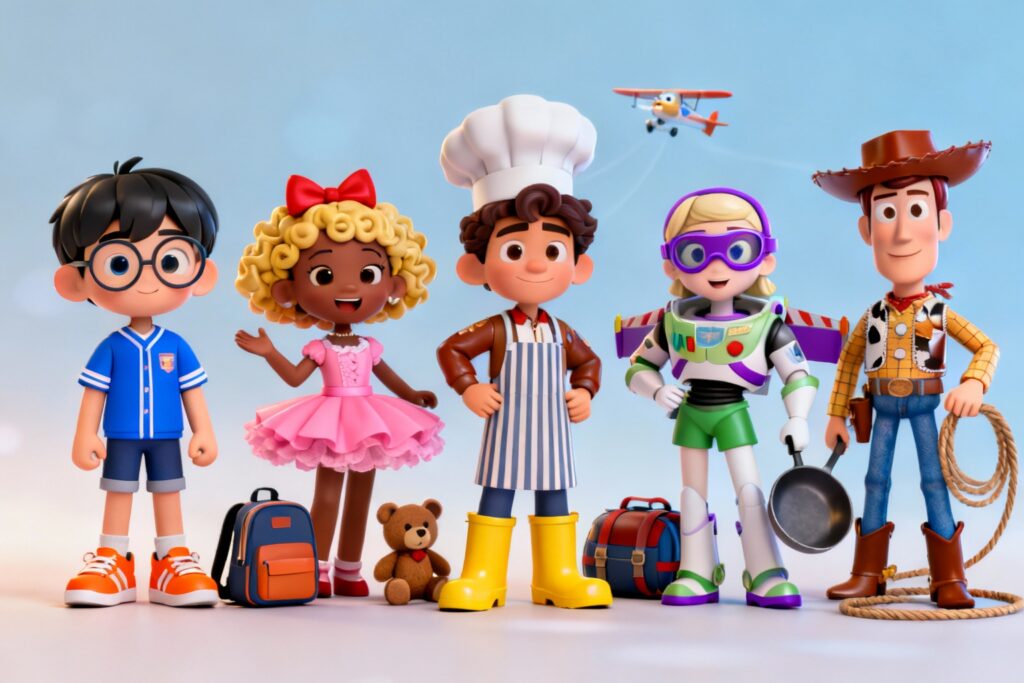
2.Create Your 3D Cartoon Character Image
Step 1: Create a Visual Prompt for Your 3D Cartoon Character
At the same time, prepare a visual prompt that describes your character’s style. This ensures your character is consistent throughout the video and across future projects.
Example visual prompt:“A friendly 3D cartoon character, smooth plastic-like texture, big expressive eyes, Pixar-style lighting, front-facing portrait, neutral background.”
Tips for creating a good visual prompt:
- Be specific but avoid overloading with too many details
- Focus on style, mood, and key features
- Keep it consistent across all steps (character image, animation, and lip-sync)
Following these steps, you’ll have a script and a character concept ready—both of which are crucial for generating high-quality 3D cartoon videos with AI.
Step 2: Generate your character
- Enter your visual prompt into our AI Character generator.
- Select the 3D style and aspect ratio that fits your project.
- Generate your character and download the image.
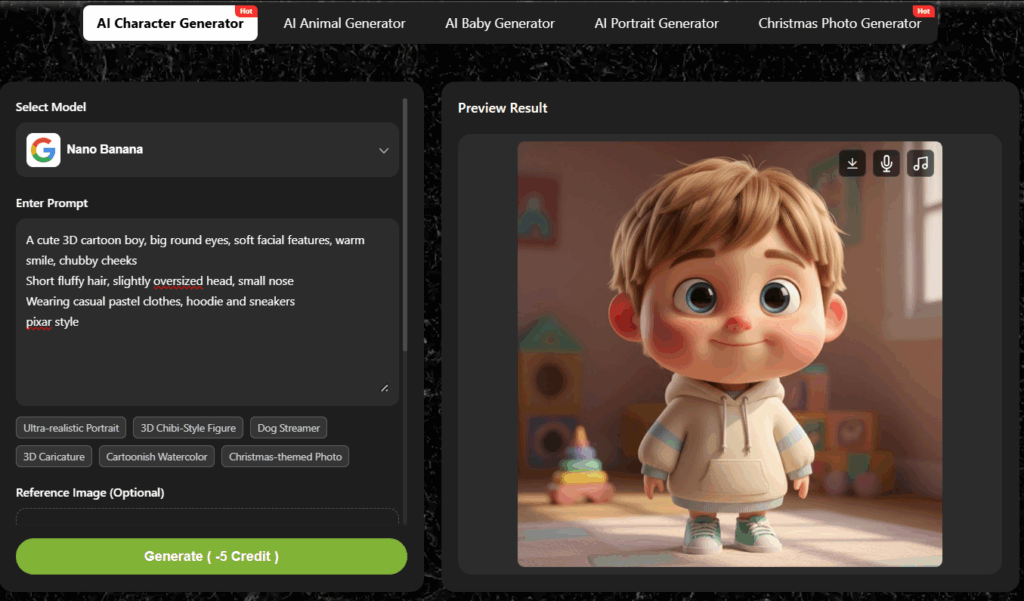
Tips for generating a clear 3D character:
- Choose a 3D cartoon style rather than flat 2D illustrations.
- Make sure the face is clearly visible and front-facing.
- Avoid extreme angles, heavy shadows, or complex backgrounds.
Why this matters:
AI lip-sync tools rely on clear facial features. A clean, centered character image ensures better mouth movement, eye alignment, and overall animation quality.
Additional tips for better results:
Stick to one character design per project.
Save the same character image for future videos to maintain consistency.
Avoid changing the hairstyle, face shape, or proportions between videos.
At this stage, you now have a static 3D cartoon character image that’s ready to come to life in your video.
3.Animate Your 3D Cartoon Character
This is where your cartoon truly becomes a video.
With Lipsync.video, you can turn your character into a talking or singing cartoon by syncing facial movements to audio. The process is simple and beginner-friendly.
This is the stage where your cartoon truly comes to life. Using Lipsync.video, you can turn your static character into a talking or singing cartoon by syncing facial movements to audio. The process is simple and beginner-friendly.
- Upload your 3D cartoon character image into our “Talking cartoon”.
- Upload or record your voice script.
- Let the AI generate realistic lip movements and facial expressions.
- Preview and export your video.
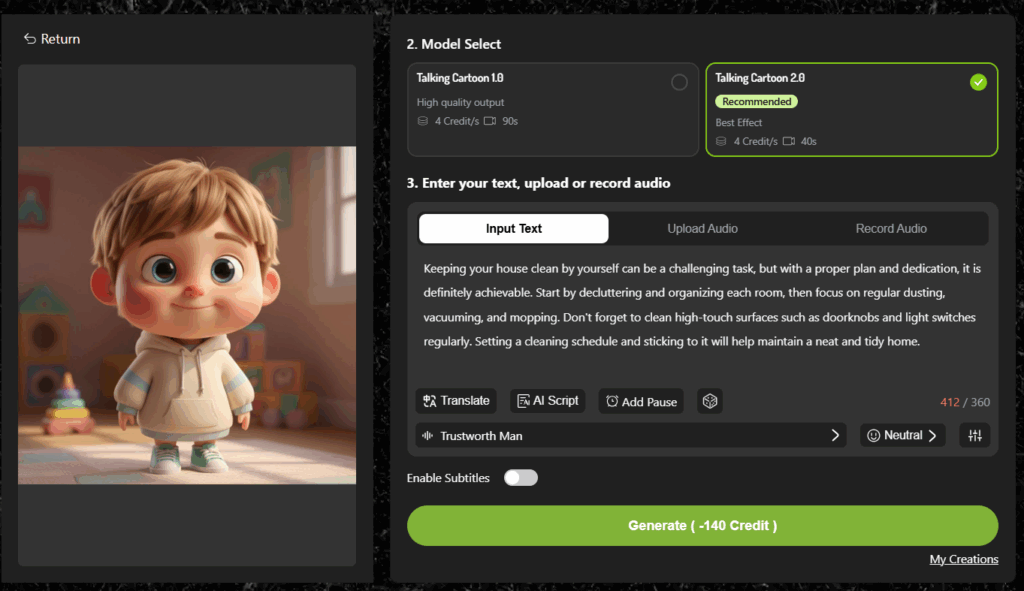
The AI analyzes speech patterns, timing, and pronunciation to create natural mouth movements. Talking cartoons are perfect for:
- Educational videos
- Explainer content
- Short social media clips
- AI presenters or virtual characters
- Upload your 3D character image into our “Singing Cartoon”.
- Upload a song or vocal track.
- Generate a singing cartoon video with synchronized mouth movements.
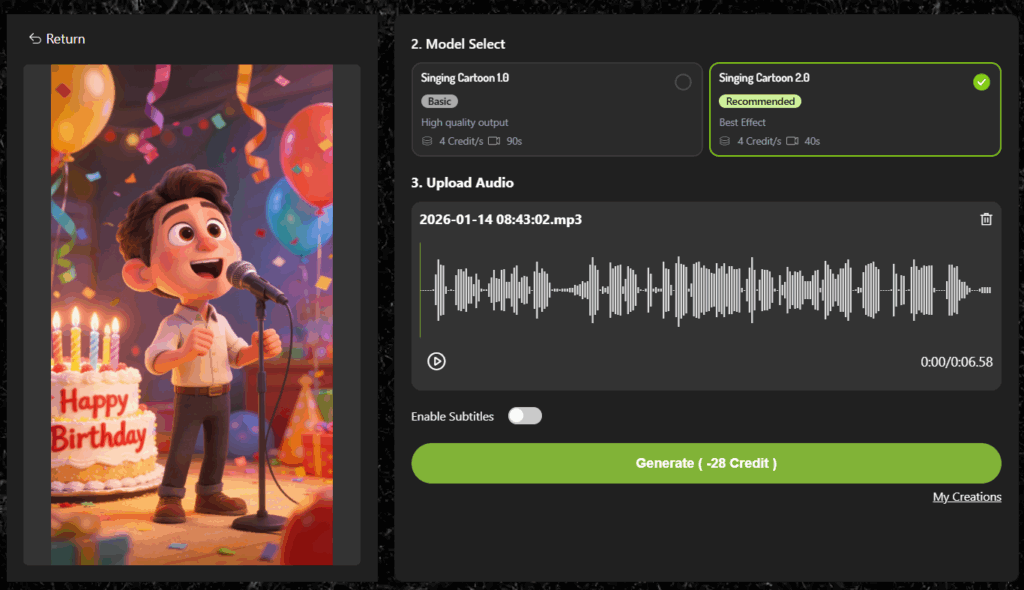
Singing cartoons work especially well for:
- TikTok and Instagram Reels
- Children’s content
- Fun brand campaigns
- Creative storytelling
Create More Complex Actions and Scenes
If you want your 3D animation to perform more complex actions or appear in richer scenes, you can use our AI Avatar Generator:
- Upload your 3D cartoon character.
- Enter the desired actions and lines in the description box.
- Choose the video length and aspect ratio.
- Click Generate to create your video.
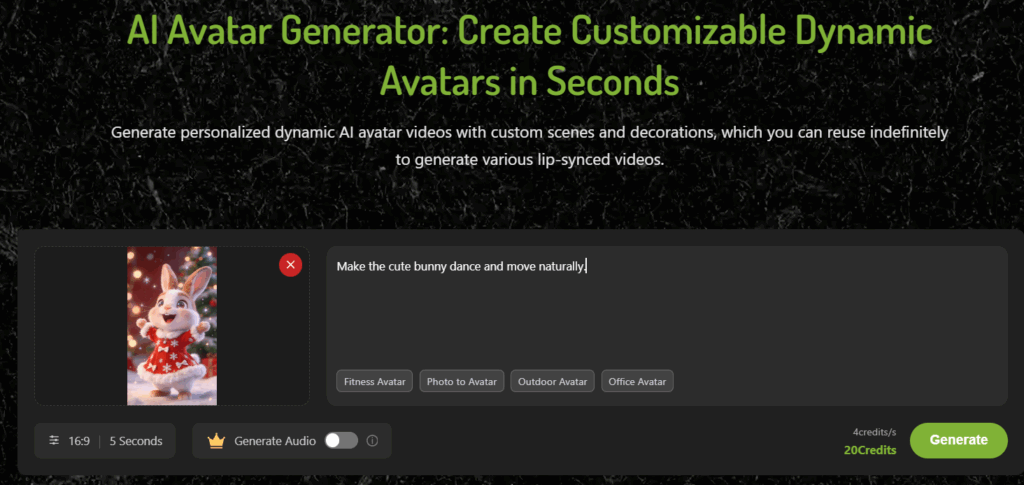
Because Lipsync.video focuses on facial animation, you don’t need to worry about complicated body movements. The result is a clean, engaging cartoon video that feels alive and professional.
5 Creative 3D Cartoon Video Ideas You Can Make Today
Motivational Quote Character
A mascot or character that shares a new motivational quote each day using an engaging character (such as an owl or robot) to encourage people to find motivation every day. Perfect for Instagram Reels or TikTok.
Educational Mini-Lessons
Using the animated format, create mini-lessons where you are the 3D character/teacher explaining short pieces of information such as "Three phrases to help you communicate in Spanish while traveling" – or "The proper way to fold a fitted sheet."
Singing Meme Mashups
Create musical mashups that utilize popular tunes with 3D characters animated singing and providing humorous twists on the lyrics. An example of this could include a business executive performing a popular children’s song, or cute animals doing rap music.
Product Review Characters
Animated characters provide reviews on products you are promoting, such as tech-gadgets, books, skincare products, etc. This type of character will become the symbol or face of your brand and will create a more personal, entertaining, and memorable experience with your audience than traditional video reviews would.
Storytime 3D Animation
Creating 3D animation videos with narrators to tell brief stories about your life, such as how you got lost after following GPS directions. Stories allow people to create a connection to your content and animation adds an element of humor and personality.
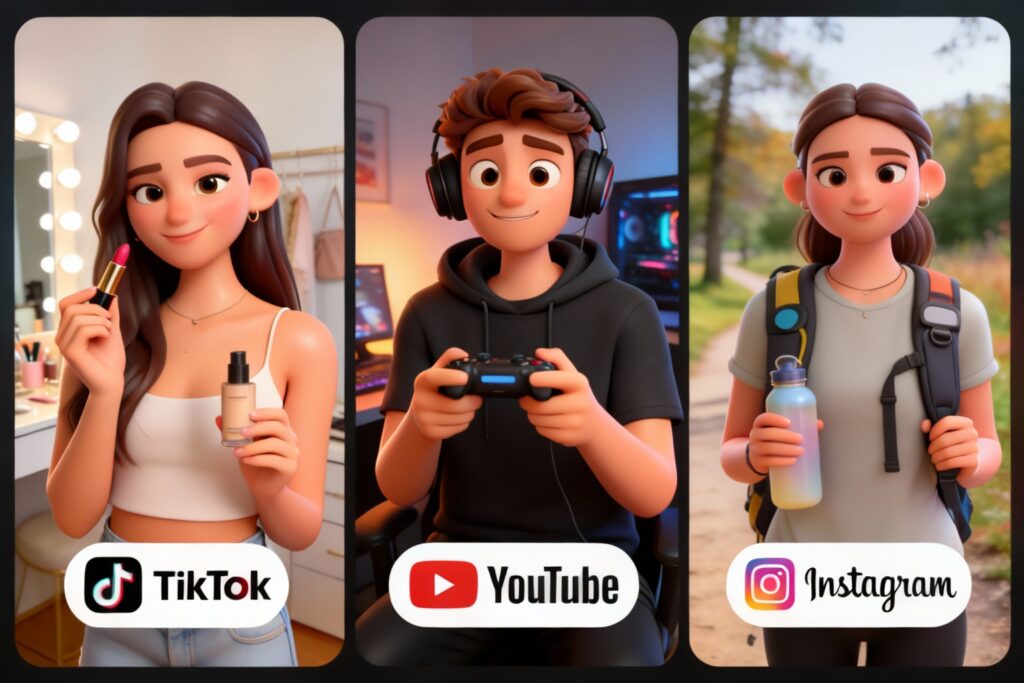
Tips to Make Your 3D Animation Videos Look More Professional
While AI handles the heavy lifting, these expert-level tweaks will separate your content from low-quality AI "spam" and give it a professional studio finish:
Focus on Facial Lighting in Prompts
For a true 3D cartoon look, lighting is everything. When generating your character, always include terms like "soft rim lighting," "volumetric shadows," or "cinematic studio lights." This gives your character the depth needed to look high-end.
Prioritize Audio Clarity for Perfect Lip-Sync
The secret to realistic AI 3D animation isn't just the visuals—it's the audio. Use a high-quality microphone or an AI voice enhancer to remove background noise. Clean audio ensures the AI maps mouth movements perfectly to every syllable.
Maintain Character Seed for Consistency
If you plan to create a series, keep your character consistent. Always reuse the same base image and "seed" number in your generator. This builds trust with your audience, as they will recognize your 3D "star" across different videos.
Optimize Your Character’s "Eye Contact"
Ensure your generated image is looking directly at the lens. In 3D cartoon videos, eye contact creates a psychological connection with the viewer. Avoid images where the character is looking away or has closed eyes.
Keep Your Clips Snappy
In the world of social media, shorter is better. Aim for 15–45 second clips. Quick cuts and focused dialogue prevent "AI fatigue" and keep your engagement rates high.
Export for the Right Platform
When creating 3D animation videos, always export in 1080p or 4K to preserve intricate textures. If you’re posting on mobile-first platforms like TikTok, keep your 3D character centered so it doesn’t get cropped by UI elements.
FAQs About Creating 3D Animation Videos with AI
Can I really create a 3D cartoon video for free?
Yes. Many AI tools, including Lipsync.video, offer free plans that allow you to create basic cartoon videos without payment.
Are free AI tools good for beginners?
Absolutely. Free AI tools are often designed for beginners and non-technical users, making it easy to start creating 3D animation videos without prior experience.
Do I need animation experience to create 3D cartoon videos?
No animation or 3D modeling experience is required. AI handles the technical work for you.
Can I use these 3D cartoon videos for commercial purposes?
This depends on the tool’s license. Always check the usage rights of the platform you’re using before publishing commercial content.
Conclusion
You can now create 3D cartoon videos without having to spend hundreds or thousands of dollars, nor do you have to take years worth of training to do it. With tools like Lipsync.video available for use today for no cost, anyone can easily create 3D cartoon videos in minutes.
Of course there are limitations with the free tool options available—but they offer a great opportunity to begin creating 3D cartoons, test new ideas and grow your fan base through using them!
So go ahead, and try making your very first AI-generated cartoon today!