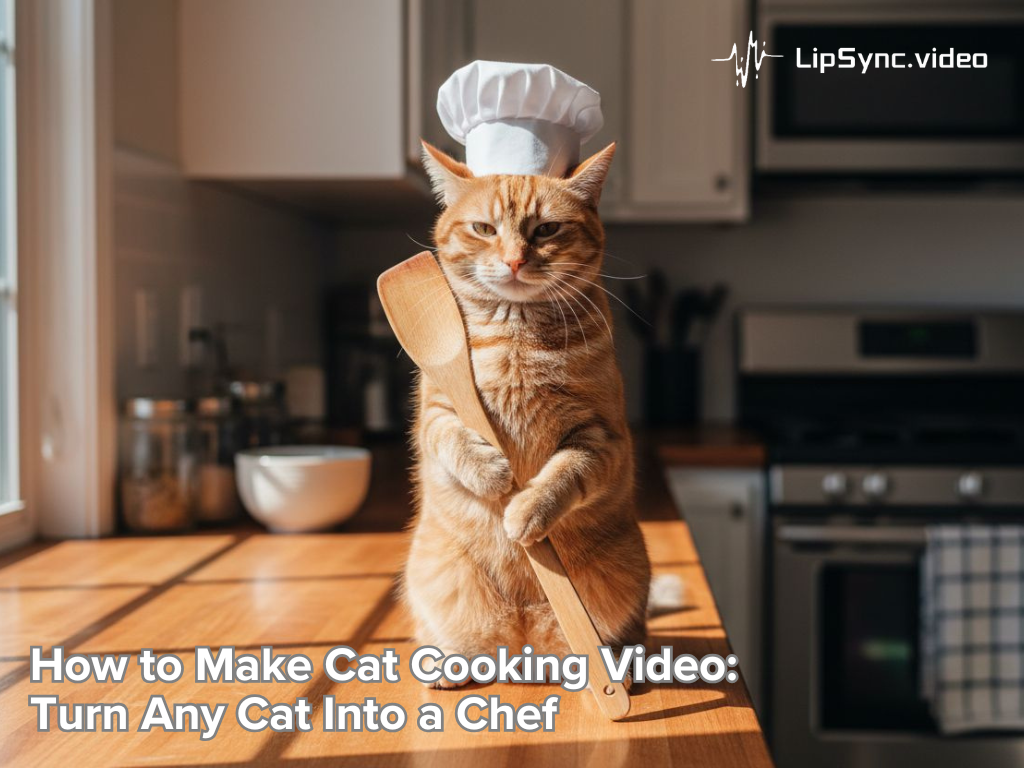
How to Make Cat Cooking Video: Turn Any Cat Into a Chef
What Makes Cat Cooking Videos So Addictive?
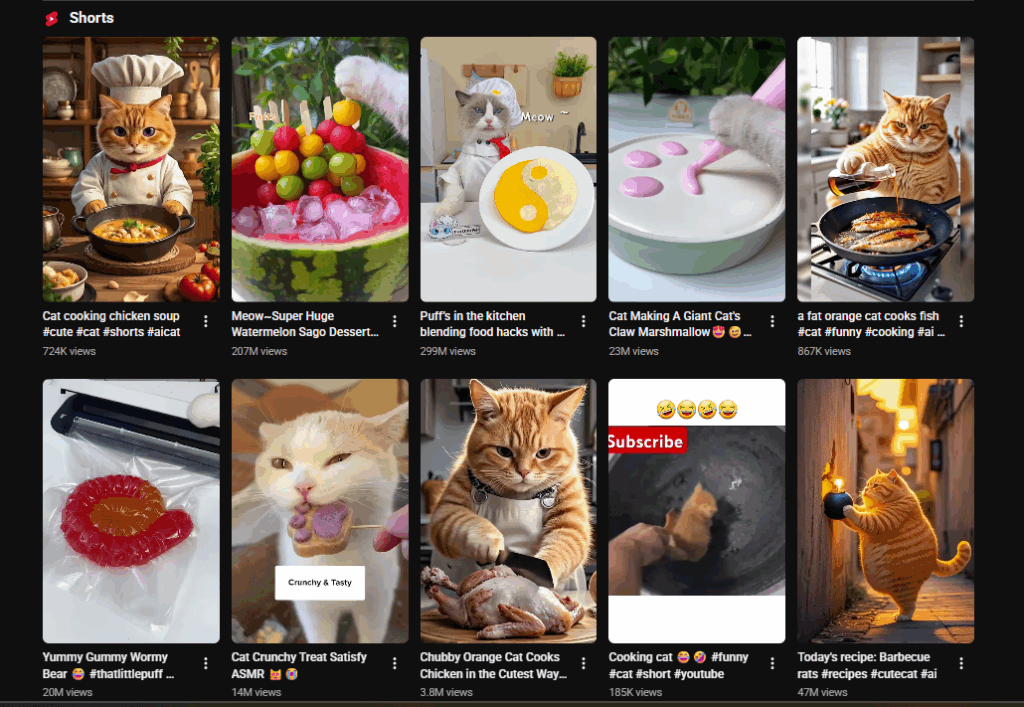
Cat cooking videos have exploded in popularity across short-form platforms like TikTok, Instagram Reels, and YouTube Shorts. But what makes them so irresistible to audiences worldwide? It’s a blend of cute surprise, humor, and creativity—all wrapped in a compact, shareable format.
1.Short attention spans + cute surprise = perfect combo
Modern viewers scroll fast. A single, unexpected moment—like a chef cat flipping a pancake or dramatically tasting a tiny cupcake—instantly captures attention. Cat cooking videos leverage this by presenting bite-sized, visually engaging content, keeping users hooked for the cat cooking video. This short duration aligns perfectly with the natural attention span of social media audiences, ensuring higher engagement rates.
2. Chef cat as a character — emotional hooks and repeatable beats
The concept of a chef cat transforms a simple pet video into a storytelling experience. Audiences begin to emotionally invest in the character: the cat’s quirks, expressions, and “ cat cooking style” create repeatable beats. Regular viewers learn to anticipate punchlines or signature gestures, driving repeat views. For content creators, developing a recurring chef cat character establishes brand recognition and makes each video easier to market.
3.Pain point hit
For creators, producing high-quality cat cooking content is challenging. Traditional animation or voice-over requires hours of editing. AI-powered tools like Seedance 1.5 Pro solve this pain point by automatically generating synchronized audio and video. This means even creators with zero editing experience can produce professional-quality cat cooking videos—perfect for TikTok virality or educational storytelling.
What You Need to Start a Cat Cooking Video
Before diving into production, it’s essential to understand the core components of a successful cat cooking video. Whether you’re a content creator, marketer, educator, or just here for fun, having the right assets saves time and ensures a polished final product.
1.Decide on the cat cooking scenario
Start with the scenario — what is the chef cat actually doing? Is the cat making pancakes, fiercely criticizing a sandwich, or taste-testing spicy ramen? Decide on the comedic tone (deadpan, slapstick, instructional parody), the setting (kitchen counter, tiny cat-sized stove, picnic), and the final gag or punchline. Keep scenarios small and atomic: one action, one joke, one clear image.
2.Generate your cat image
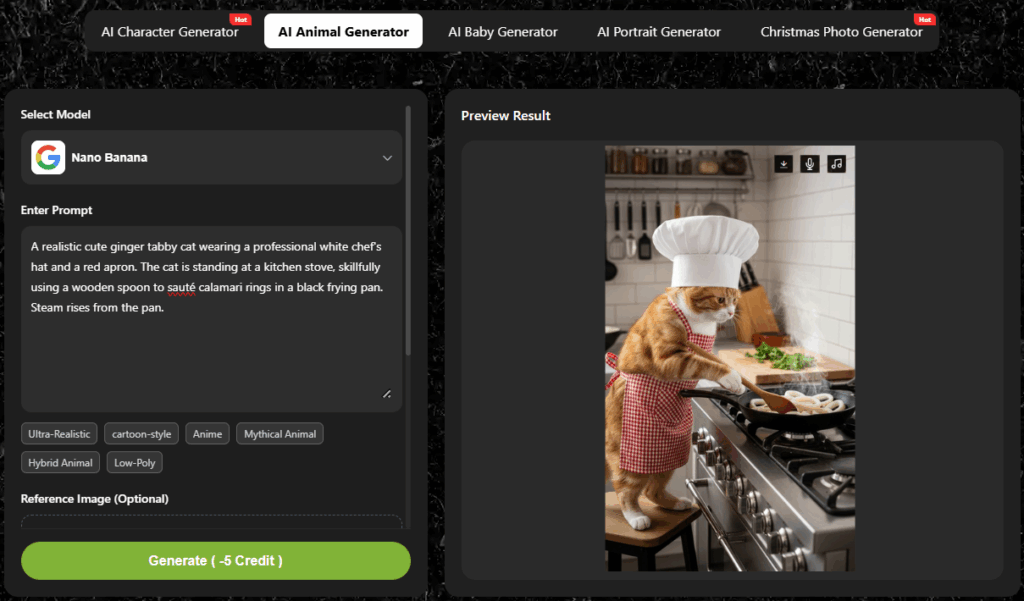
You can use your own pet photo or an AI animal generator. For AI generation:
- Enter prompt :describe the cat (fluffy tabby, small chef hat, curious eyes).
- Reference image (optional): upload a photo if you want consistency or realism.
- Select style (cartoon, realistic, anime) and aspect ratio.
This generates a cat character perfectly suited for your cat cooking video, reducing manual illustration or animation work.
Example prompt:A realistic cute ginger tabby cat wearing a professional white chef'shat and a red apron. The cat is standing at a kitchen stove, skillfullyusing a wooden spoon to saute calamari rings in a black frying pan.Steam rises from the pan.
Pro tip: keep the face clear and high-resolution. The lip-sync algorithm works best when facial features and mouth shapes are visible.
How to Create a Cat Cooking Video
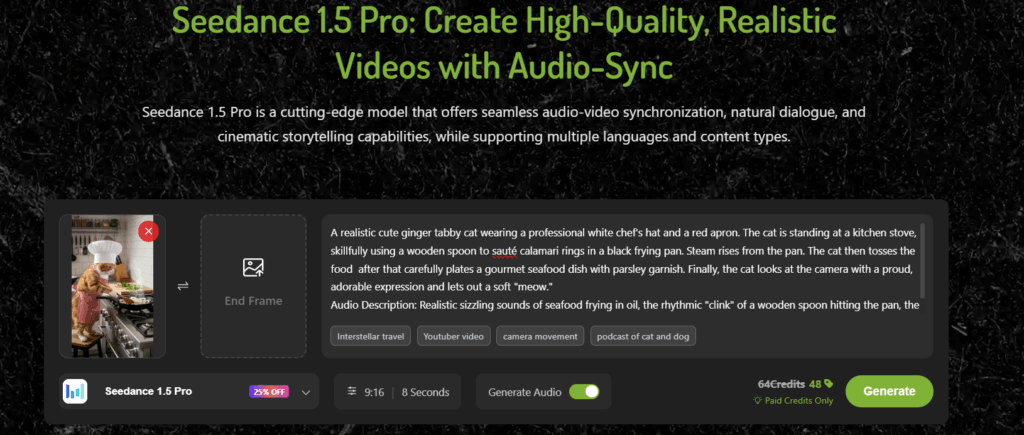
This is the meat — the step-by-step that turns your plan into a downloadable Cat Cooking Video. Seedance 1.5 Pro supports text-to-video generation and synchronized audio, which makes it ideal for chef cat lip sync and expressive reactions.
Step 1 — Upload your prompt and the cat picture
Start by describing the video you want in natural language. Be specific but concise. Example prompt:
“A realistic cute ginger tabby cat wearing a professional white chef's hat and a red apron. The cat is standing at a kitchen stove, skillfully using a wooden spoon to sauté calamari rings in a black frying pan. Steam rises from the pan. The cat then tosses the food after that carefully plates a gourmet seafood dish with parsley garnish. Finally, the cat looks at the camera with a proud, adorable expression and lets out a soft "meow."
Audio Description: Realistic sizzling sounds of seafood frying in oil, the rhythmic "clink" of a wooden spoon hitting the pan, the gentle "thud" of the pan being set down, and a high-pitched, cute kitten meow at the end.”
If you have a cat cooking image, upload it as the starting frame. Optionally add an ending frame for a smoother transition (e.g., chef cat waves goodbye). Seedance accepts both text-only generation and image-assisted generation; use an image if you want greater likeness to a real pet or brand mascot.
Tips for better prompts:
- Include emotion tags: “amused,” “sarcastic,” “delighted.”
- Include shot types: “close-up face,” “mid-shot showing paws.
- Mention audio style: “female narrator, witty, medium pace.”
- A chef cat prompt that works well uses sensory detail and action verbs. If you want a Cat Cooking Video series, keep prompts consistent to maintain the character voice and look across episodes.
Step 2 — Select Your Settings
Seedance 1.5 Pro gives you control over aspect ratio, duration, and audio generation. For TikTok and Shorts, choose vertical 9:16 and durations under 30 seconds. For Instagram Reels, 9:16 also works; for YouTube Shorts, 9:16 or 1:1 can be used depending on thumbnail strategy.
Audio and lip sync settings: enable synchronized audio generation if you want Seedance to produce both the voiceover and matching lip movements in one pass. Seedance’s synchronized generation will attempt to match phonemes to mouth shapes for a convincing chef cat performance.
Step 3 — Generate & Download
Click “Generate.” The AI will seamlessly combine video and audio. Once complete, download the video or share directly on TikTok, Instagram, or YouTube. With this workflow, even creators without editing experience can produce professional cat cooking videos in minutes.
Post-production notes: you can further polish the Cat Cooking Video with quick cuts, overlays (text bubbles for the chef cat’s thought), or sound effects (sizzle, ding) — but often the raw Seedance output is enough because the synchronized audio makes the chef cat feel alive.
Tips for Making Your Cat Cooking Video Stand Out
Creating a cat cooking video is just the start. To maximize views and engagement, follow these tips.
1.Add humor and personality to your chef cat
Voice matters. Choose a voice and comedic rhythm that complements the chef cat’s look. A grumpy old-soul voice for a tiny fluffy cat is a classic contrast that works well. Write short snappy lines — 1–2 sentences per beat — and use timing to land jokes. Let the cat be confident about terrible culinary advice; absurd confidence sells.
2.Enhance video with sound effects
Adding subtle sound effects can significantly boost engagement in your Cat Cooking Video. For example, a gentle “sizzle” when the cat flips a pancake or a “pop” when it discovers a treat adds humor and immersion. Make sure the effects don’t overpower the chef cat’s voice — the dialogue should remain clear.
3.Optimize for social media sharing
Thumbnail: create a bold, expressive frame with a legible overlay title like “Chef Cat’s Secret Pancake Trick.” Thumbnails drive clicks; choose a face shot of the chef cat mid-expression.
Length & loop: most Cat Cooking Videos perform best at 10s seconds around for first-time viewers. Rewatchability increases when there is a satisfying loop or a quick payoff.
A/B testing: test voice styles, captions, and thumbnail variants. Keep a simple analytics sheet: thumbnail A vs B, voice A vs B, engagement rate. This gives you a replicable growth recipe for your Cat Cooking Video series.
Conclusion: Start Creating Your Own Cat Cooking Video Today
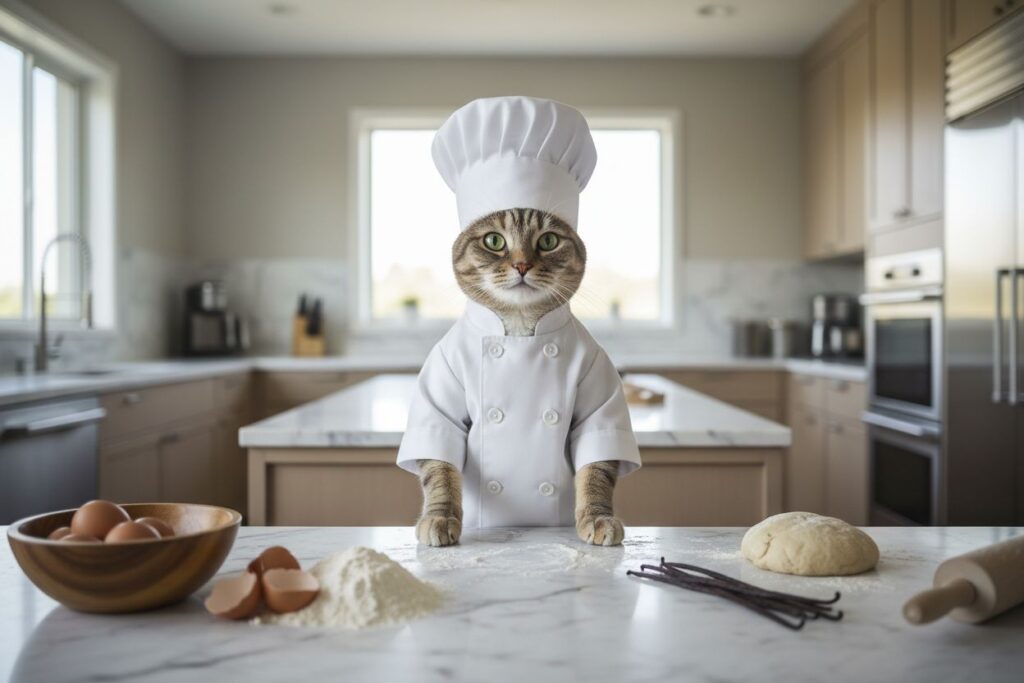
The rise of cat cooking videos proves that audiences love content that is short, cute, and engaging. With AI tools like LipSync, creators of all skill levels—whether marketers or casual entertainment seekers—can produce chef cat cooking videos quickly and professionally.
Start by planning your scenario, generating your cat image, and scripting dialogue. Use Seedance to generate synchronized video and audio, add subtitles, and apply sound effects. Share your creation on TikTok, Instagram, or YouTube Shorts and watch your cat cooking video capture hearts.