
What Is AI UGC and How to Use It to Create Video Ads
 Jennifer
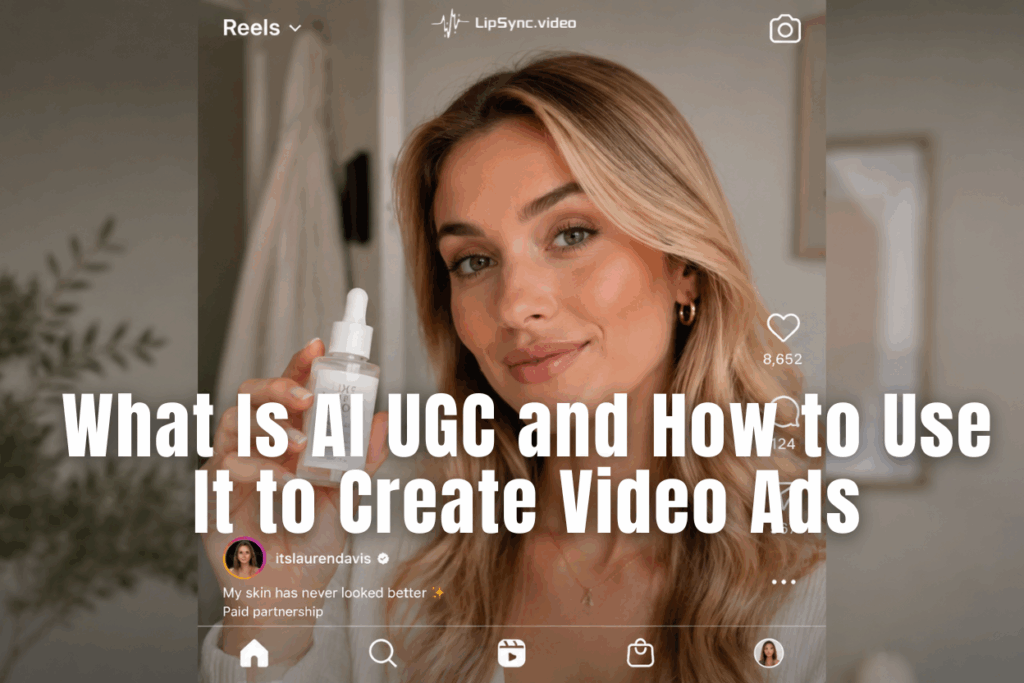
Let's be honest — most people scroll past ads in under two seconds. The ones that actually stop the thumb? They feel real. Personal. Like a friend recommending something, not a brand shouting at you.
That's exactly why AI UGC has quietly become one of the most talked-about formats in digital advertising right now. More brands are now turning to AI avatar video ads to combine the authenticity of creator content with the speed and scalability of AI-generated production.It captures the authenticity of user-generated content — without the chaos of coordinating real creators. AI UGC ads are engineered to blend into the feed — and convert.
In this guide, you'll learn what AI UGC actually is, why performance marketers are obsessed with it, and — most importantly — how to make your own AI UGC ads from scratch using tools you can start today.
What Exactly Is AI UGC?
If you've been nodding along every time someone mentions AI UGC without fully knowing what it means — you're in good company. The term sounds technical, but the concept is surprisingly simple.
1. From Real Creators to AI Avatars
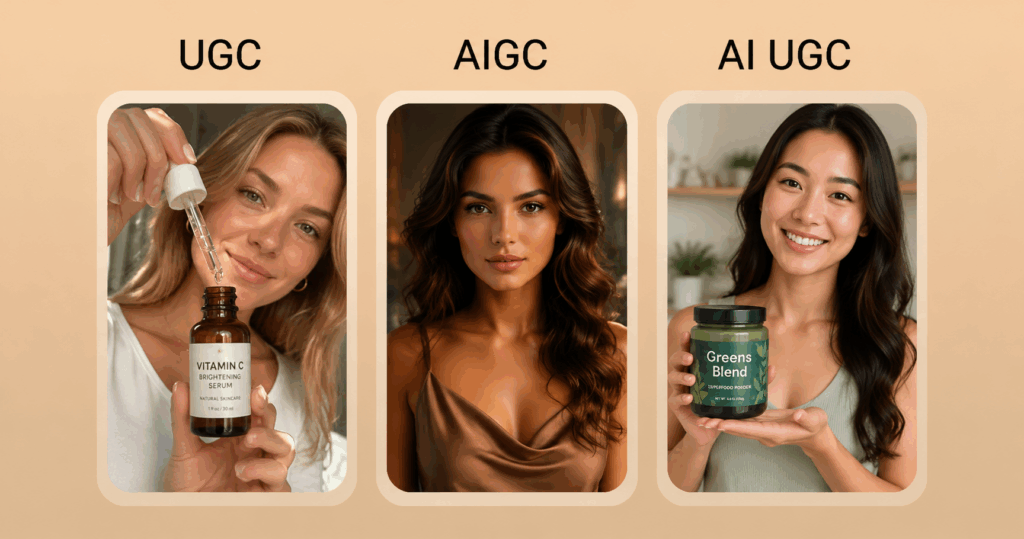
UGC, or user-generated content, refers to the kind of content real people create about products they love — think unboxing videos, honest reviews, "I tried this for 30 days" TikToks. It's raw, relatable, and it converts. Studies consistently show that consumers trust UGC far more than polished brand content. It doesn't feel like advertising. That's the whole point.
AI UGC takes that same authentic energy and recreates it using artificial intelligence. In many cases, this means generating an AI avatar video ad where a virtual spokesperson presents, reviews, or demonstrates a product just like a real creator would.
The result? A video that feels human, performs like UGC, and costs a fraction of what traditional creator content requires. A well-made AI avatar video ad can often achieve engagement levels similar to creator-generated content while giving brands full control over messaging.
2. The difference that actually matters
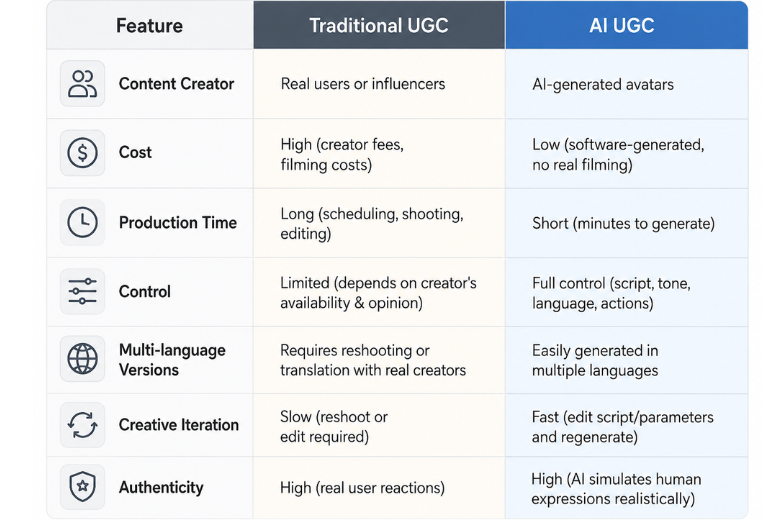
Traditional UGC relies on real people — which means real schedules, real opinions, and real limitations. If your creator goes on holiday, your campaign waits. If they post something controversial, your brand takes the hit. If you need a French version for your EU market, you start the whole process again.
AI UGC removes those variables entirely. You control the script, the avatar, the language, the tone, and the timing. With ai avatar video ad, You can produce ten variations in the time it used to take to confirm a creator's availability. That's not just convenient — it's a fundamentally different way of thinking about content production.
For brands running paid social campaigns, this kind of flexibility isn't a nice-to-have. It's a competitive advantage.
How to Create AI UGC Video Ads in 3 Steps
Let's get into the AI UGC Video Ads workflow. The process below uses ChatGPT Image 2.0 to create your visual assets, then brings them to life using the Product Avatar feature. It's genuinely fast, and the output quality might surprise you.
Step 1 — Prepare Your Avatar and Product Images
You have two options here, and both work well depending on what you already have on hand.
Option A: Upload your own images
If you already have a product photo and a portrait image (your avatar), upload them separately. The platform accepts standard formats — JPG, PNG — and the images don't need to be professionally shot. A clean product photo on a neutral background and a clear headshot-style portrait are all you need.
Option B: Generate with ChatGPT Image 2.0 (no photos? no problem)
No product photos? No suitable portrait? This is where ChatGPT Image 2.0 earns its place in the workflow. Open ChatGPT and generate what you need before heading to Product Avatar feature.
For a product image, try something like:
"A premium skincare serum bottle on a clean white marble surface, soft diffused lighting, minimalist composition, photorealistic, commercial photography style."
For an avatar, try:
"A friendly, confident woman in her early 30s, casual but professional style, plain light background, looking directly at camera, warm natural expression, upper body portrait shot."
Once your images are ready, save them and move to the next step.
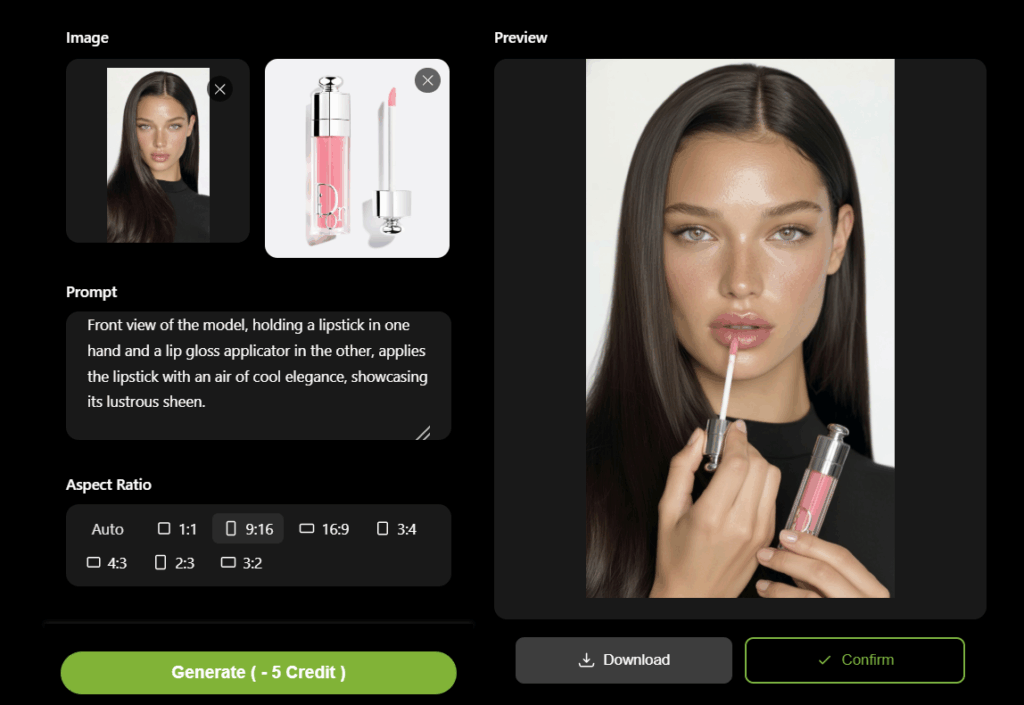
Step 2 —Uploadand Let the Platform Compose the Scene
Once you're inside Product Avatar feature, upload the avatar portrait and the product photo separately — the platform will handle composing them into a single cohesive scene. You don't need to do any manual editing or layering. The compositing engine is designed to make the integration look natural — the avatar appears to be genuinely holding, using, or presenting the product.
Step 3 — Write Your Prompt and Set Parameters
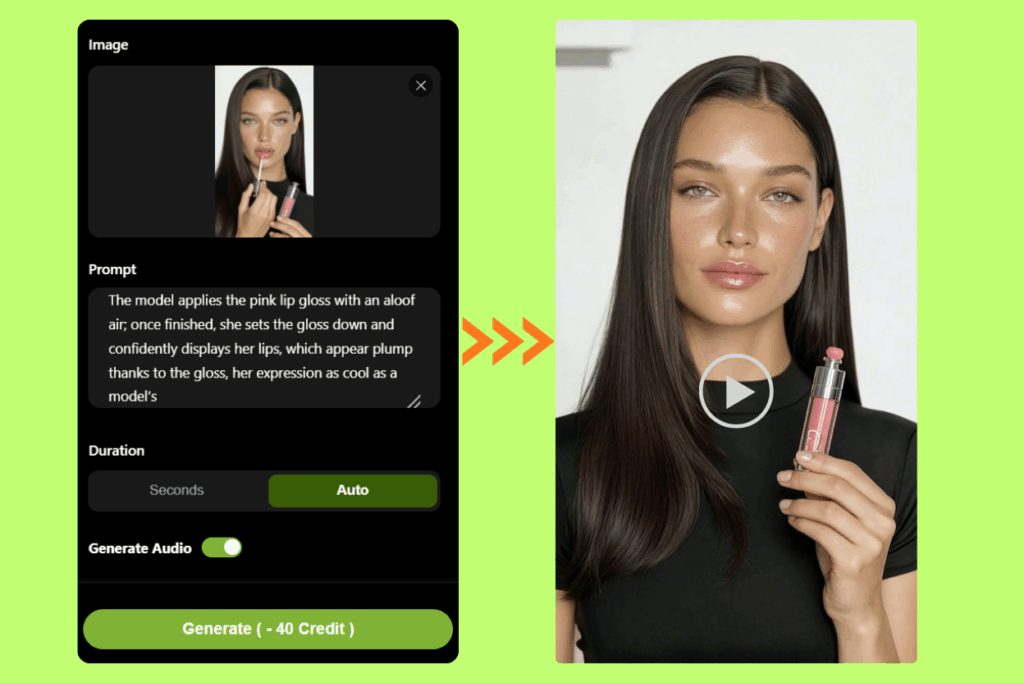
This is your director's moment. In the prompt field, you describe exactly how you want the avatar or product to come to life — the energy, the tone, the movement, and what the video should communicate.
Because the output is 12 seconds, your prompt should be tight and purposeful.
Step 4 — Generate Your AI UGC Ad and Launch
Hit generate. The rendering typically takes just a few minutes — and when it comes back, you'll have a video that's ready to drop straight into your ad account.
If something's off — a line felt flat, the energy was wrong, the pacing dragged — adjust the prompt or script and regenerate. Because this runs in software rather than on a set, a revision takes minutes, not days.
Why Brands Are Quietly Replacing Real Actors with AI UGC Ads
Nobody announces this shift loudly. But if you pay attention to the ads filling your TikTok and Instagram feeds lately, you'll notice something: a lot of them don't feel quite like traditional brand content — and they're not quite traditional creator content either. They sit in an interesting middle ground. That middle ground has a name: AI UGC ads.
Here's why the switch is happening — and why it makes complete sense from a business perspective.
1. The Real Cost of Traditional Video Ads
Most brands dramatically underestimate the true cost of producing a traditional video ad. They budget for the obvious things — creator fees, editing, maybe a videographer — and forget about everything else.
A single mid-tier creator video can run anywhere from $500 to $5,000 depending on their audience size. A proper studio shoot with actors is easily $3,000 to $10,000 before post-production. And if you want multiple versions for A/B testing? Multiply accordingly.
The math stops working very quickly for brands that need to iterate fast. By contrast, producing a full batch of AI UGC ads — including multiple avatar variations and hook tests — can cost less than a single traditional creator post. And unlike conventional ai ads, they don't trigger the audience's ad-detection instinct.
2. What Makes AI UGC Ads Different for Performance Marketing
Performance marketers think differently from brand marketers. They're not looking for one beautiful hero video. They need volume, variety, and speed. They want to test whether a curiosity hook performs better than a pain-point hook. They want to see if version A with a female avatar outperforms version B with a male avatar. They want to swap out the call-to-action without reshooting everything.
AI UGC ads were practically invented for this use case. Because the production happens in software rather than on a set, changes are trivial. You edit the script, re-generate the clip, and you have a new ad in minutes — not weeks.
This changes the economics of paid social advertising completely. Instead of betting the entire creative budget on two or three videos, you can spread the risk across fifteen variations, identify what resonates, and double down on what works. The CPM risk drops. The learning curve compresses. The ROI improves.
Where AI UGC Ads Work Best — Use Cases by Business Type
AI UGC isn't a one-size-fits-all solution, but it's remarkably close. Here's how different types of businesses and creators are putting it to work in ways that actually move the needle.
1. E-commerce and DTC brands
Product demo videos are the bread and butter of e-commerce advertising, and AI UGC ads are perfectly suited for them. Generate a clean product image using ChatGPT Image 2.0, add an AI spokesperson who walks through the key features and benefits, and you have an ad that outperforms most polished brand content in terms of perceived authenticity.
Unboxing-style ai ugc ads and before/after transformation content work especially well here — they answer the question every online shopper is silently asking: what's it actually like to use this? The added bonus: you can create seasonal or promotional variations in minutes, keeping your creative fresh without blowing the budget.
2. Apparel and fashion brands
Fit and styling are the two biggest purchase barriers in fashion, and AI UGC ads address both directly. AI avatar video ads can replicate the "outfit of the day" and styling walkthrough formats that perform natively on TikTok and Instagram Reels — without coordinating with creators or waiting on deliverables. For brands that sell across multiple markets, ai ugc ads make it straightforward to produce localized versions of the same styling content in different languages, targeting different demographics with the same core creative.
3. SaaS and tech
B2B audiences respond to proof, not polish. AI UGC ads in a tutorial or workflow-demonstration format — where an ai avatar walks through a specific use case or productivity gain — perform significantly better than feature-led brand ads. Because ai ugc ads are fast to iterate, SaaS teams can test different pain-point angles (time saving vs. cost reduction vs. ease of use) without commissioning new shoots for each hypothesis.
4. Local businesses and service providers
Not every small business owner is comfortable on camera. AI UGC ads remove that barrier entirely. A local dental practice, a boutique gym, or an independent restaurant can produce polished ai avatar video ads on a shoestring budget — and refresh them whenever there's a new offer, without calling in a production crew. For these businesses, ai ugc ads serve the same trust-building function as a word-of-mouth recommendation, at a fraction of the cost of any traditional ai ads format.
5. Performance marketers running paid social
This is perhaps the strongest use case of all. If you're running ads on Meta, TikTok, or Google, creative fatigue is your constant enemy. The solution isn't producing one better ad — it's producing more variations faster. AI UGC ads make it possible to test curiosity hooks against pain-point hooks, female avatars against male avatars, and short CTAs against long ones — all within the same budget that used to buy two or three static creatives. The result is lower CPMs, better ROAS, and a creative pipeline that keeps pace with algorithmic demand.

Ready to Make Your First AI UGC Ad?
AI UGC isn't coming — it's already here, and the brands and creators who figure it out now will have a significant head start on everyone still booking studio shoots and waiting on creator deliverables.
The workflow is simple: generate strong visuals and bring it to life with the Product Avatar feature on lipsync.video, and launch an ad that feels authentic enough to stop the scroll.
You don't need a production budget. You don't need an actor. You don't need a studio. You need a good script, a clear audience, and about few minutes.
That's the whole deal with AI UGC. Go make something.